Table of Contents
- Introduction
- Understanding Traditional CMS
- What is a Headless CMS?
- How Architecture Impacts Scalability
- The Role of Content Delivery
- Comparing Frontend Flexibility
- Security Considerations for Businesses
- Development Complexity and Costs
- SEO and Performance Implications
- Choosing the Right CMS for Your Business
- Headless vs Traditional CMS Comparison Table
- When to Use Traditional Systems
- The Future of Business Web Architecture
- Conclusion
Introduction
Selecting the right platform is a critical decision for any digital strategy. The debate between a headless CMS vs traditional CMS for business websites often confuses stakeholders who need to balance speed, control, and ease of use.
Understanding your technical requirements is essential before picking a path. A well-chosen system acts as the backbone for your long-term online presence.
Understanding Traditional CMS
A traditional CMS is an all-in-one platform where the content management and the frontend presentation are tightly coupled. This means the system responsible for storing your data also dictates how that data appears to the end user.
These platforms are often referred to as monolithic systems. They provide a user-friendly dashboard where non-technical staff can build pages without needing to write code.
- Integrated database and presentation layer
- Built-in templates and themes
- Easier for non-technical content teams
- Limited flexibility for complex integrations
What is a Headless CMS?
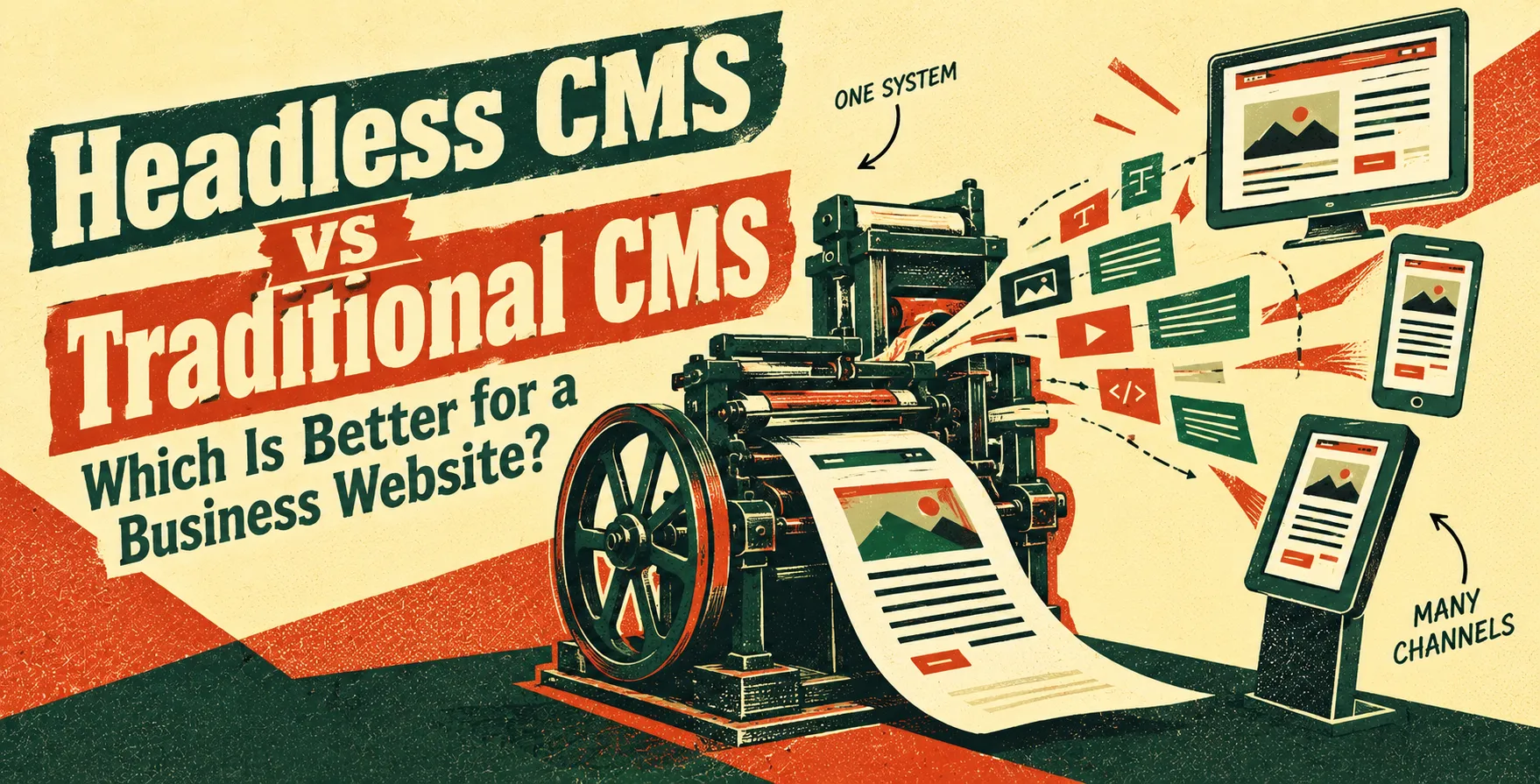
A headless CMS separates the content repository from the presentation layer. It acts strictly as a content store, delivering data via APIs to any device or framework, whether it is a website, mobile app, or IoT device.
By decoupling these layers, developers gain complete freedom in choosing their frontend stack. This modularity is a significant departure from the monolithic architecture often seen in legacy systems.
- API-first delivery approach
- Language-agnostic frontend choice
- Omnichannel content publishing
- Higher requirement for technical expertise
How Architecture Impacts Scalability
Your choice of architecture influences how your business grows over time. Traditional systems work well for standard websites that follow predictable patterns.
However, as your business needs change, monolithic architecture vs microservices considerations become relevant. A headless approach allows you to scale your frontend independently from your backend content repository.
- Monoliths can become bloated over time
- Microservices offer modular growth paths
- Decoupled systems handle traffic spikes better
- Easier to replace frontend components
The Role of Content Delivery
Content delivery is where the difference between these two systems becomes most apparent. Traditional platforms serve content by generating pages on the server every time a user requests them.
A headless setup enables more advanced techniques like static site generation or server-side rendering. These methods are common in modern frontend development trends 2026, ensuring that data is served as fast as possible.
- Traditional systems rely on server-side processing
- Headless systems use API endpoints
- Static delivery improves global performance
- Efficient caching strategies for dynamic content
Comparing Frontend Flexibility
Frontend flexibility is the primary driver for teams switching to a headless setup. In a traditional system, you are often locked into the specific templating language the platform provides.
With a headless CMS, your developers can use any framework they choose. This ensures you can leverage the latest frontend technologies to create highly interactive user experiences that stand out from the competition.
- Freedom to use React or Vue
- Custom design systems are easier to implement
- No template engine limitations
- Consistent brand experience across channels
Security Considerations for Businesses
Security is a top priority when selecting a CMS for business website projects. Traditional platforms are frequent targets for attacks because their database and presentation layer are connected in one vulnerable package.
A headless CMS reduces your attack surface because the content repository is separated from the public-facing website. The website itself is often just a set of static files or a lightweight application, making it much harder to compromise.
- Reduced risk of direct database attacks
- No exposed CMS login for public users
- Simplified patch management for the frontend
- Server-side security is easier to harden
Development Complexity and Costs
Moving away from a traditional system usually increases your initial development effort. You must build your own frontend and connect it via APIs, which requires more skilled engineering resources.
Conversely, a traditional CMS is often cheaper to deploy initially because of the vast ecosystem of plugins and pre-built themes. You should weigh these costs against your long-term goals for custom business software.
- Higher upfront development investment
- Ongoing maintenance of custom code
- Lower licensing costs for some headless tools
- Long-term savings on platform flexibility
SEO and Performance Implications
SEO is critical for business visibility. When choosing between these systems, you must consider how they impact your site speed and crawlability. If you require advanced website performance optimization, a headless architecture often provides better control over the generated code.
You can optimize every byte of your output to ensure lightning-fast load times. However, you must also be aware of the complexities involved in technical SEO for JavaScript websites, as improper configuration can lead to indexing issues.
- Superior control over page speed
- Full command over HTML structure
- Potential risks if not configured properly
- Better core web vitals performance
Choosing the Right CMS for Your Business
The decision boils down to your specific team capabilities and business needs. If you have a small marketing team and need to launch quickly, a traditional system remains the standard choice.
If you have a dedicated engineering team and require a custom web application development experience, a headless system is likely the better long-term investment. Always assess your need for multi-channel publishing versus simple page management.
| Feature |
Traditional CMS |
Headless CMS |
| Complexity |
Low |
High |
| Flexibility |
Limited |
High |
| Development Speed |
Fast |
Slower |
| Security |
Moderate |
High |
| Frontend Stack |
Fixed |
Any |
| Maintenance |
Plugin-heavy |
Code-based |
When to Use Traditional Systems
Traditional systems are not obsolete. They are perfectly suited for businesses that prioritize speed of implementation and simplicity. Many marketing-led organizations prefer them because they do not rely on constant engineering support.
If your website is a brochure or a simple blog, there is no reason to over-engineer a headless architecture. Stick to what provides the best value for your current operational capacity.
- Fast time to market
- Lower barrier to entry
- Supports non-technical content updates
The Future of Business Web Architecture
The web is moving toward increasingly decoupled architectures. As user expectations for speed and personalization grow, the limitations of monolithic systems become harder to ignore.
However, the best solution is always the one that solves your specific business problem. Whether you choose a legacy platform or a modern API-first approach, ensure it supports your growth strategy for the next three to five years.
Conclusion
Deciding on a headless CMS vs traditional CMS for business websites requires balancing your technical ambition with your budget. Traditional systems offer ease and quick deployment, while headless systems provide the ultimate flexibility for modern digital experiences.
Take the time to evaluate your team's skills and your content requirements before committing. A well-integrated CMS will serve as the foundation for your business growth for years to come.


 In collaboration with