Table of Contents
- Introduction to State Management
- Understanding Terraform State Locking
- The Evolution of State Locking
- Why Move Away from DynamoDB?
- The Concept of Terraform S3 Native State Locking
- Preparation for Migration
- Configuring Terraform use_lockfile
- Step-by-Step Migration Process
- Verifying the New Locking Mechanism
- Comparing State Locking Methods
- Best Practices for State Files
- Common Migration Pitfalls
- Maintaining Security During Transition
- Final Thoughts
Introduction to State Management
Managing infrastructure as code requires a reliable way to track resources. Terraform uses a state file to map your configuration to real-world assets.
When multiple developers work on the same infrastructure, ensuring concurrency becomes critical. This is where state locking prevents conflicting operations from corrupting your deployment.
Understanding Terraform State Locking
State locking ensures that only one process can modify the state at any given time. Without it, concurrent runs could overwrite each other, leading to inconsistent infrastructure states.
Historically, teams relied on external database services to act as a global lock. This added complexity and maintenance overhead to otherwise simple cloud setups.
The Evolution of State Locking
For years, DynamoDB was the standard choice for locking S3-backed state. It provided the necessary consistency guarantees for distributed teams.
However, the ecosystem is shifting toward native solutions. The industry is moving toward simpler, integrated patterns that reduce dependency on extra infrastructure components.
Why Move Away from DynamoDB?
Many teams are looking for ways to streamline their cloud footprint. Reliance on an external database for locking introduces unnecessary costs and configuration management.
The shift away from legacy locking patterns is driven by a desire to reduce operational overhead. Simplifying your backend configuration is a core tenet of modern infrastructure as code best practices with Terraform.
- Reduces infrastructure complexity
- Lowers monthly cloud costs
- Simplifies backend configuration
- Decreases maintenance burden
The Concept of Terraform S3 Native State Locking
The native locking approach integrates directly with S3. It removes the need for an external database by leveraging S3 APIs for concurrency control.
This method provides a more direct way to protect your state files. It aligns with the goal of minimizing external dependencies in your CI/CD pipeline.
Preparation for Migration
Before making any changes, ensure your current state is fully backed up. Consistency is the most important factor when altering backend storage settings.
Review your existing CI/CD pipelines to identify where state initialization occurs. You must account for how your deployment services handle these environment updates.
- Perform a full state backup
- Audit current backend configurations
- Check Terraform version compatibility
- Review IAM permissions for S3
Configuring Terraform use_lockfile
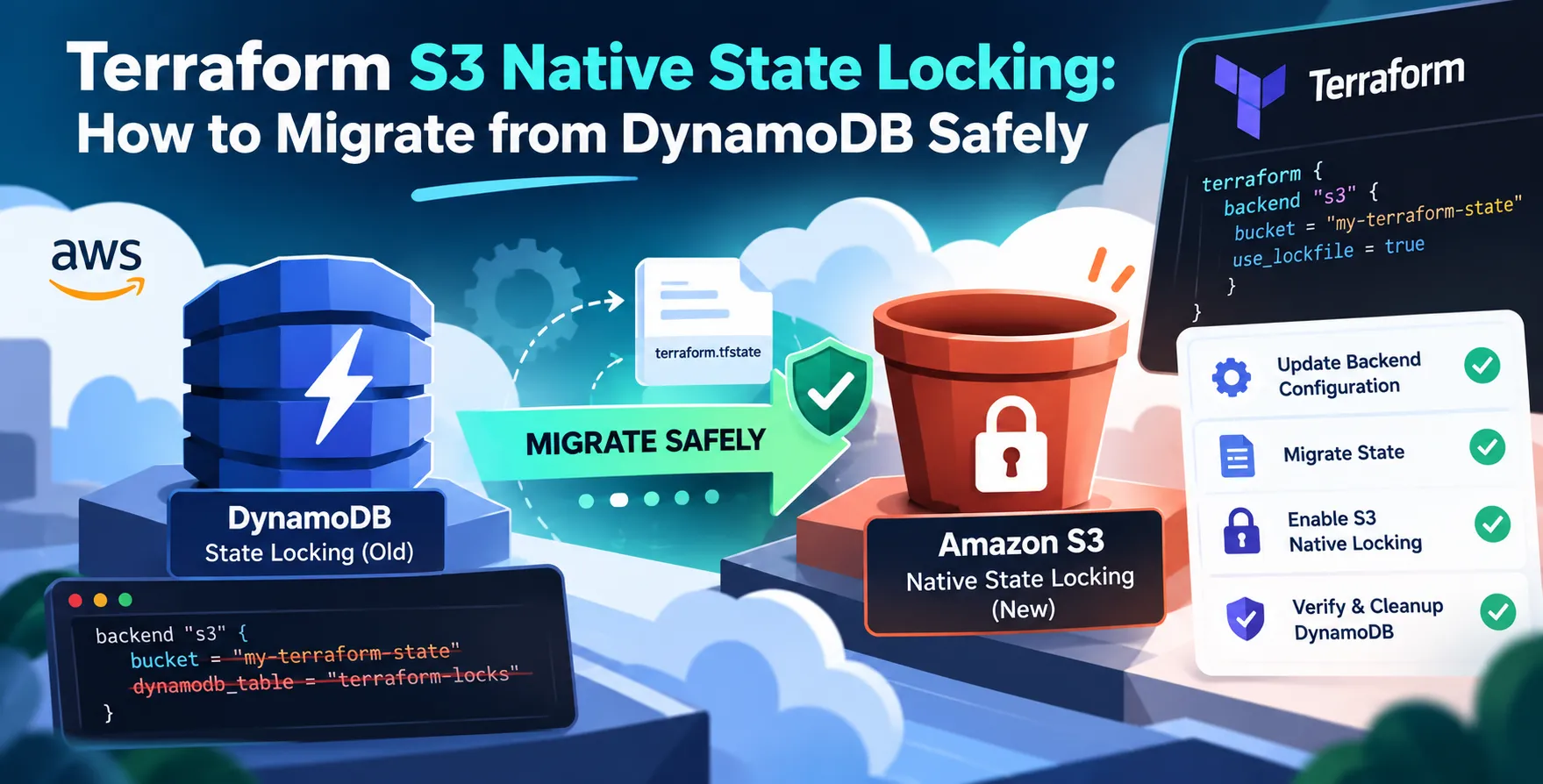
The transition involves updating your backend configuration blocks. You will shift from referencing a DynamoDB table to enabling the native locking feature.
Using the Terraform use_lockfile parameter allows you to control how the local or remote lock file is handled. This is essential for ensuring that future operations respect the new locking protocol.
Configuring the Backend
You must update your hcl configuration to remove the DynamoDB table reference. Replace it with the new native backend settings.
- Remove the dynamodb_table argument
- Enable use_lockfile configuration
- Update the backend provider block
- Validate the new configuration syntax
Ensure your Terraform provider version supports this feature. Running an outdated version will result in errors during initialization.
Step-by-Step Migration Process
Start by running a plan to ensure no pending changes exist. You want your state file to be clean before you migrate the backend configuration.
Once the configuration is updated, run an initialization command to migrate the existing state data. Terraform will handle the transfer of information between the old and new mechanisms.
- Commit all pending infrastructure changes
- Update the backend configuration file
- Run terraform init with reconfigure
- Verify the state remains intact
Verifying the New Locking Mechanism
After migration, perform a test to ensure locking is active. Attempt to run a plan from two different environments simultaneously.
If the locking is working correctly, one run should proceed while the other waits or errors out. This confirms that the native locking is effectively managing concurrency.
Comparing State Locking Methods
| Feature |
DynamoDB Locking |
Native S3 Locking |
| Setup Complexity |
High |
Low |
| Additional Costs |
Yes |
No |
| Performance |
High |
High |
| Maintenance |
Required |
None |
| External Dependency |
Yes |
No |
Best Practices for State Files
Treat your state file as a sensitive asset. Always enable versioning on your bucket to recover from accidental deletions or corruptions.
Consider implementing S3 lifecycle policies to manage old versions of your state file. This helps in keeping your storage costs predictable over time.
- Enable bucket versioning
- Restrict access via IAM policies
- Use encryption at rest
- Monitor access logs regularly
Common Migration Pitfalls
The most frequent issue is failing to update all team members' local configurations. If one developer still uses the old backend, they might create a split-brain scenario.
Ensure your documentation is updated alongside the code. Everyone on the team needs to know that the DynamoDB state locking deprecation is in effect.
Avoiding Data Loss
Data loss during migration is rare but possible if not handled carefully. Always verify the state file integrity before and after the migration process.
- Validate checksums post-migration
- Perform dry runs in staging
- Communicate changes to all developers
By following these steps, you minimize the risk of downtime. Clear communication ensures that everyone adopts the new standard simultaneously.
Maintaining Security During Transition
As you migrate, audit your IAM permissions. The new native locking method requires different permissions compared to the DynamoDB approach.
Ensure your service accounts have the minimum necessary access to the S3 bucket. Security is just as important as the operational shift itself.
Final Thoughts
Migrating to native S3 locking is a logical step toward cleaner infrastructure management. It simplifies your setup and removes unnecessary dependencies.
By following the steps outlined, you can successfully transition your team. Embrace these improvements to keep your infrastructure workflows efficient and secure.


 In collaboration with