Table of Contents
- Introduction
- Defining SaaS Onboarding
- Why Onboarding Impacts Revenue
- The First Run Experience
- Personalization Strategies
- Measuring Success
- Reducing Time to Value
- Interactive Walkthroughs
- Email Drip Campaigns
- Common Onboarding Pitfalls
- Comparison of Onboarding Methods
- Iterative Improvement Cycles
- Conclusion
Introduction
First impressions matter significantly when a new user signs up for your platform. If your onboarding flow is confusing or slow, you lose momentum instantly.
Implementing effective SaaS onboarding strategies is the difference between a churned lead and a long-term customer. You must guide users toward their 'aha moment' as quickly as possible.
Defining SaaS Onboarding
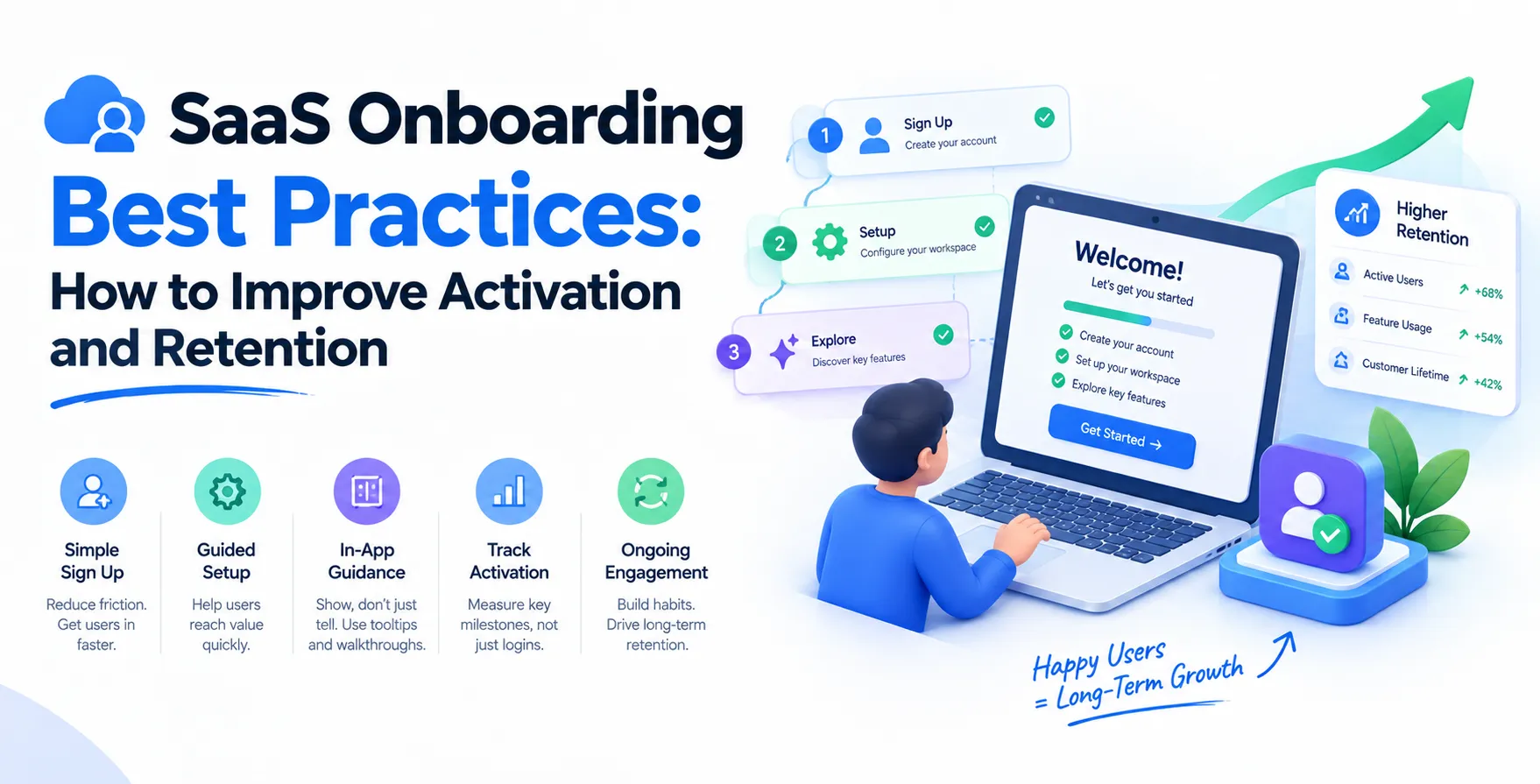
Onboarding is the critical period between signup and steady product usage. It serves as the primary bridge between curiosity and genuine utility.
You are essentially teaching the user how your product solves their specific pain points. If they do not learn to use your features effectively, they will not see the value.
Successful onboarding requires a balance of education, guidance, and product discovery. It is not just a tutorial; it is an integrated experience.
- Educates users on core features
- Builds early user confidence
- Reduces unnecessary support tickets
- Demonstrates immediate product value
Why Onboarding Impacts Revenue
Poor onboarding leads to high churn rates before a user ever pays an invoice. Conversely, great onboarding drives higher conversion rates and lifetime value.
When users feel successful early on, they are far more likely to upgrade their plans or renew subscriptions. Retention begins the moment they land on your dashboard.
Focusing on SaaS user activation allows you to prove your worth before a competitor does. A well-structured path keeps users engaged until they are fully integrated into their workflows.
- Increases trial-to-paid conversions
- Improves overall customer lifetime value
- Shortens the sales cycle duration
- Decreases early stage customer churn
The First Run Experience
The first login is the most dangerous moment in your product lifecycle. If the interface is empty, cluttered, or confusing, users leave immediately.
Provide a guided setup or a sample project to showcase your capabilities. Ensure the initial screen is actionable rather than passive.
Your primary goal is to minimize friction during the first five minutes. Complexity kills conversion, so prioritize simplicity over feature density.
- Use empty states to explain features
- Provide a clear path to value
- Offer optional guided tours
- Keep registration forms very short
Personalization Strategies
Segmenting User Roles
Not every user has the same goal when signing up for your service. Segmenting your users allows you to tailor the onboarding experience to their specific needs.
- Tailor content for different personas
- Ask about goals during signup
- Show relevant dashboard widgets
Customizing the journey makes the product feel like it was built specifically for them. This creates a deeper sense of connection and relevance.
Adapting to Skill Levels
Some users are power users while others are beginners. You should adapt the depth of your guidance accordingly.
- Offer advanced mode toggles
- Provide progressive disclosure of features
- Include skip options for experts
By respecting the user's expertise, you avoid annoying those who already know what they are doing. This flexibility improves overall satisfaction scores.
Measuring Success
You cannot improve what you do not track accurately. Define clear metrics that show whether your onboarding is actually working for your audience.
Look at completion rates for your setup tasks. High drop-off at a specific step indicates a flaw in your design or UX flow.
Monitor how long it takes for a user to reach their first key milestone. If this time is too long, you are failing to provide value.
- Track activation rate by cohort
- Monitor time to first milestone
- Analyze drop-off points in funnels
- Measure daily active user trends
Reducing Time to Value
Speed is the most important factor in modern product adoption. Users want to see results without spending hours reading documentation.
Design your workflow so that the most important task happens first. Everything else should be secondary to that core objective.
If your product requires data integration, provide clear samples or templates to avoid a blank screen experience. Remove any unnecessary steps that do not contribute to immediate success.
- Automate setup tasks where possible
- Use templates for quick starts
- Remove non-essential form fields
- Highlight the primary feature benefit
Interactive Walkthroughs
Interactive tooltips are better than long, static videos. Users learn by doing, not by watching someone else click buttons.
Keep these walkthroughs brief and focused on specific actions. Do not overwhelm the user with a massive list of features all at once.
Allow users to opt out of the tour easily. Forcing a tour on an experienced user is a quick way to frustrate them.
- Contextual tooltips for new features
- Checklists for setup completion
- Progress bars to show status
- Interactive hot-spots for discovery
Email Drip Campaigns
Onboarding does not stop when the user leaves your website. Use targeted email sequences to bring them back to the platform.
Send helpful tips, case studies, and reminders about unfinished setup tasks. Keep the tone helpful rather than promotional.
Every email should have a single, clear call to action. Do not distract them with multiple options in a single message.
- Welcome emails with clear next steps
- Behavior-triggered reminder emails
- Educational content on core features
- Check-in messages for stalled users
Common Onboarding Pitfalls
Many teams make the mistake of showing every single feature during the first session. This leads to cognitive overload and abandonment.
Avoid using jargon that your users might not understand. Speak their language and focus on the business outcomes they want to achieve.
Do not ask for credit card information too early if you are offering a free trial. Let them fall in love with the value first.
- Overloading users with information
- Confusing navigation structures
- Ignoring mobile responsiveness
- Forcing unnecessary account configuration
- Asking for too much data upfront
Comparison of Onboarding Methods
| Method |
Pros |
Cons |
| Video Tutorials |
Visual, engaging |
Hard to update |
| Interactive Tours |
Direct learning |
Can be annoying |
| Email Sequences |
Follows up offline |
Can be ignored |
| Setup Checklists |
Clear milestones |
Requires maintenance |
Iterative Improvement Cycles
Treat your onboarding process as a living part of your product. Always test new variations and analyze the resulting data.
Run A/B tests on your welcome messages or your first-run walkthrough. Small changes often lead to significant gains in conversion.
Gather qualitative data by watching user sessions. Seeing where they struggle is far more powerful than looking at abstract numbers.
- Perform regular usability testing
- Conduct user satisfaction surveys
- Analyze session recordings frequently
- Iterate based on feedback loops
Conclusion
Mastering product onboarding best practices requires a mix of technical precision and empathy. You must understand exactly what your user needs to see to believe in your solution.
By shortening the time to value and providing personalized guidance, you can significantly improve your retention metrics. Treat onboarding as a core feature of your platform, not an afterthought.
Stay consistent with your testing and always prioritize the user experience. Your growth depends on how well you turn new sign-ups into successful, long-term power users.


 In collaboration with