Table of Contents
- Understanding the Shift in Responsive Design
- What are CSS Container Queries?
- Viewport vs Container Queries
- The Anatomy of a Container Query
- Defining the Container Context
- Applying Styles with @container CSS examples
- Benefits for Modern UI Libraries
- Challenges with Legacy Browser Support
- Responsive Component Design Patterns
- Combining Grid and Flexbox with Containers
- Best Practices for Scalability
- Debugging Container Queries
- Future-Proofing Your UI Architecture
- Conclusion
Understanding the Shift in Responsive Design
For years, responsive design relied heavily on viewport-based media queries. Developers often struggled to make components look correct across various layout constraints. This traditional approach tied component behavior directly to the browser window width, creating brittle codebases.
The industry is now shifting toward a more modular mindset. We want components that understand their own space, regardless of where they are placed. This is exactly how to build truly reusable responsive components in modern layouts.
What are CSS Container Queries?
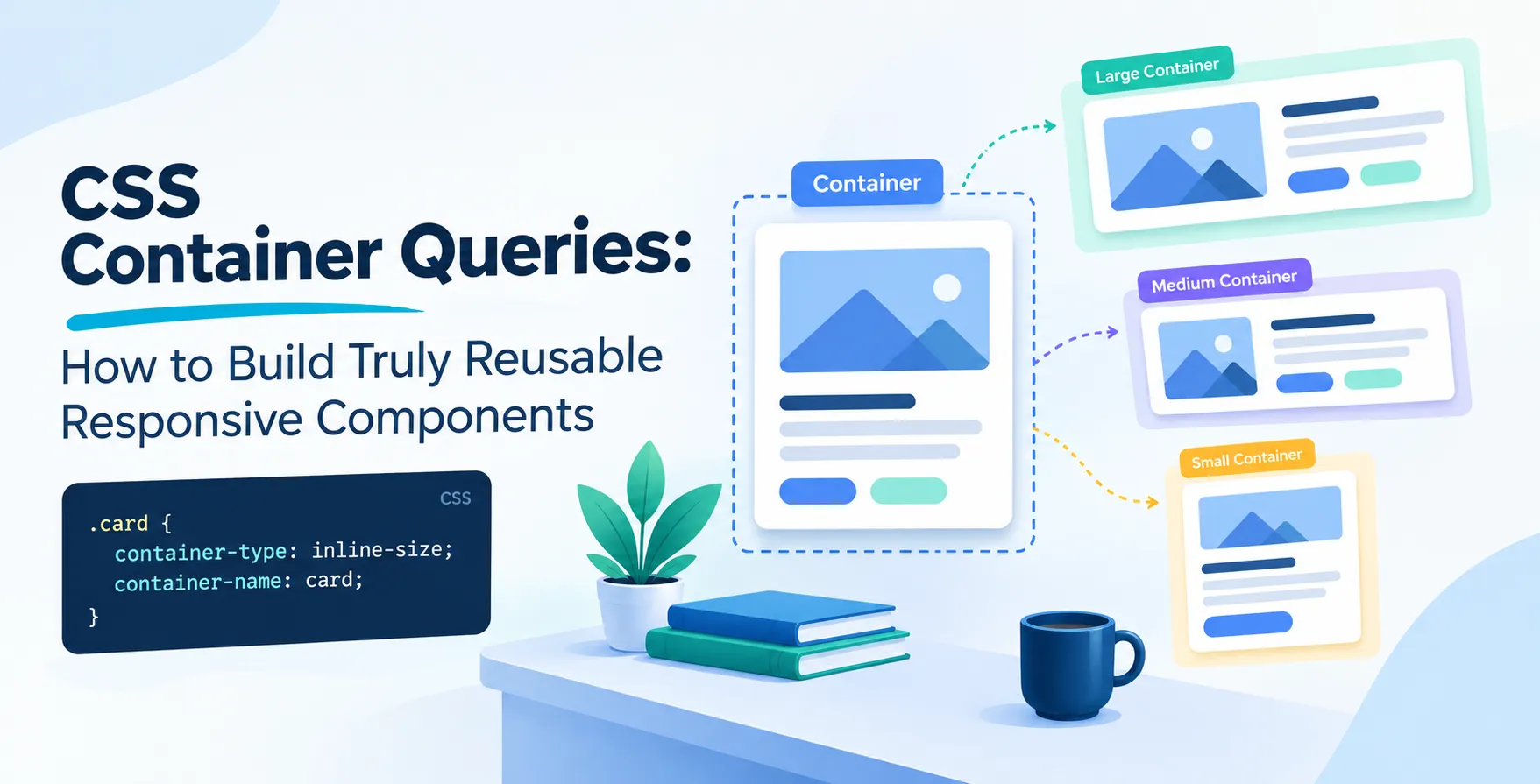
CSS container queries represent a fundamental change in how we style elements. Instead of asking how wide the browser window is, a component asks how wide its parent container is.
This allows a single card or navigation bar to adapt its internal layout based on the space it occupies. Whether it is in a wide dashboard column or a narrow sidebar, the component remains consistent and self-contained.
- Allows modular component development
- Eliminates viewport dependency
- Improves component portability
- Simplifies complex layout logic
Viewport vs Container Queries
The core difference lies in the reference point. Media queries look at the entire screen, while container queries look at a parent wrapper.
This is vital for building complex interfaces where components might be reused in different zones. Relying on global breakpoints often leads to style conflicts and messy overrides.
| Feature |
Media Queries |
Container Queries |
| Reference |
Browser Viewport |
Parent Element |
| Flexibility |
Global constraints |
Component-level control |
| Reusability |
Limited |
High |
| Complexity |
High maintenance |
Scalable |
The Anatomy of a Container Query
To use this feature, you must first define a container context. You apply the container-type property to a parent element. This tells the browser to start tracking the size of that specific element.
Once defined, you can write conditional styles inside a @container block. These styles only apply when the parent meets your specified size constraints.
- Define container-type on the parent
- Set a container-name for specificity
- Write @container rules for child elements
Defining the Container Context
You have different options for the container-type property. You can track width, height, or both simultaneously. Most designs only require tracking width, which is the most performant approach.
Choosing the right type depends on your specific layout requirements. If your components change based on their height, you should use the size or inline-size values.
Why Inline-Size Matters
Most developers find that inline-size covers 90% of use cases. It tracks the horizontal space available to the element. This aligns perfectly with most grid-based layout strategies.
- Use inline-size for width tracking
- Use size for full dimension tracking
- Use normal for layout containment
By limiting the scope, you ensure the browser engine stays fast. Over-using complex container types can lead to unnecessary layout recalculations.
Applying Styles with @container CSS examples
Consider a card component that switches from a horizontal list layout to a vertical stack. With a traditional approach, you would need complex media query adjustments. With container queries, the card simply detects the available width of its parent.
Here is a simple example of how this looks in practice. You define the container, then query it.
.card-wrapper { container-type: inline-size; }
This setup allows the card component to exist anywhere. It does not care if it is in a main content area or a narrow sidebar.
- Define context on the wrapper
- Query based on min-width thresholds
- Swap layouts seamlessly
Benefits for Modern UI Libraries
When you build a design system, reusability is your primary goal. Container queries allow you to distribute components without worrying about the implementation details of the parent page. This is a massive win for maintainability.
Your library becomes much easier to document and test. Developers can drop a component into any container, and it will just work. This reduces the need for custom classes or overrides to fix display issues.
Challenges with Legacy Browser Support
Adoption of newer features requires careful planning regarding browser compatibility. While support is excellent in modern versions of all major browsers, you may need a fallback strategy for older systems.
You can use feature detection to provide basic styles. If container queries are not supported, your components will simply remain in their default state. This ensures the site does not break on older browsers.
- Use @supports for feature detection
- Provide baseline styles first
- Layer in complex queries
Responsive Component Design Patterns
Successful implementations rely on smart design patterns. You should think about your UI as a series of nested boxes. Each box is responsible for its own internal rendering logic.
This approach is similar to component-based frameworks. By decoupling style from the global layout, you simplify your overall architecture.
Handling Nested Containers
You can nest containers within containers. This is powerful for complex dashboard layouts where components exist inside other components. Just ensure you name your containers to avoid ambiguity.
- Use named containers for clarity
- Avoid deep nesting where possible
- Keep query conditions intuitive
Combining Grid and Flexbox with Containers
Container queries work beautifully with standard layout tools. You can use CSS Grid to define your main page structure, then use container queries to manage the content inside those grid cells.
This combination creates a robust design system. You get the best of both worlds: global layout control and local component responsiveness.
Best Practices for Scalability
Scalability requires consistency in how you define your thresholds. Don't invent new breakpoints for every single component. Stick to a set of standard sizes that make sense for your design language.
Document these sizes in your design system documentation. This ensures that every developer on your team uses the same logic when building new components.
- Establish standard container widths
- Document all breakpoint triggers
- Keep styles modular
- Test in various environments
Debugging Container Queries
Debugging can be tricky because the layout depends on the parent. Use browser developer tools to inspect the container element. Most browsers now provide visual indicators for containers.
You can also toggle container sizes manually in the dev tools. This helps you verify that your components react correctly before shipping code.
Future-Proofing Your UI Architecture
As the web evolves, we are moving away from monolithic CSS. Container queries are a key part of this shift. They empower developers to write cleaner, more maintainable code that lasts longer.
Focusing on component-level responsiveness is a smart investment. It reduces technical debt and makes your UI more resilient to change. Start small by refactoring your most-used components first.
Conclusion
Learning how to leverage these tools is essential for modern web development. By moving responsive logic from the viewport to the component, you create a much more flexible system. You no longer need to fight against global breakpoints or messy overrides.
Start experimenting with these techniques in your next project. You will quickly see how much easier it becomes to manage complex layouts. Your components will finally be truly reusable, portable, and responsive.


 In collaboration with