Table of Contents
- Introduction
- The Problem with Traditional SPA Navigation
- Understanding the CSS View Transitions API
- How document.startViewTransition Works
- Key Benefits for User Experience
- Implementing Basic Cross-Fades
- Advanced Multi-Element Transitions
- Handling State Changes Dynamically
- Browser Support and Progressive Enhancement
- Debugging and Performance Considerations
- Best Practices for Motion Design
- Integrating with Modern Frameworks
- Future of Smooth Web Navigation
- Conclusion
Introduction
Modern web development has moved toward highly interactive experiences. Users expect smooth, fluid interfaces that mirror the responsiveness of native mobile applications.
However, achieving this level of polish in a browser environment has historically been challenging. Developers often struggle with complex animation libraries that can bloat codebases and degrade performance.
The CSS View Transitions API changes this landscape entirely. It offers a powerful, native mechanism to create seamless visual changes without the overhead of heavy third-party dependencies.
The Problem with Traditional SPA Navigation
In a standard single-page application, navigation often feels like a series of disjointed jumps. When the DOM updates, the old content simply vanishes and new content appears abruptly.
Developers have traditionally tried to fix this by manually managing CSS classes or using complex JavaScript animation libraries. These approaches frequently lead to synchronization issues between the application state and the rendering engine.
These manual methods also struggle with accessibility and performance. If the animation logic is not perfectly optimized, it can cause layout shifts and stuttering that hurt the overall user experience.
- Jarring visual jumps between pages
- Synchronization logic adds massive complexity
- Heavy animation libraries increase bundle size
- Layout shifts during DOM replacement
Understanding the CSS View Transitions API
The CSS View Transitions API is a browser-native feature designed to capture snapshots of the current state of the page. It then transitions these snapshots smoothly to the new state.
By automating the capture and animation process, the browser handles the heavy lifting. This ensures that the transition is performant and consistent across different devices.
The core concept revolves around the browser creating a pseudo-element tree. This allows you to style the transition using standard CSS, giving you full control over timing, easing, and duration.
How document.startViewTransition Works
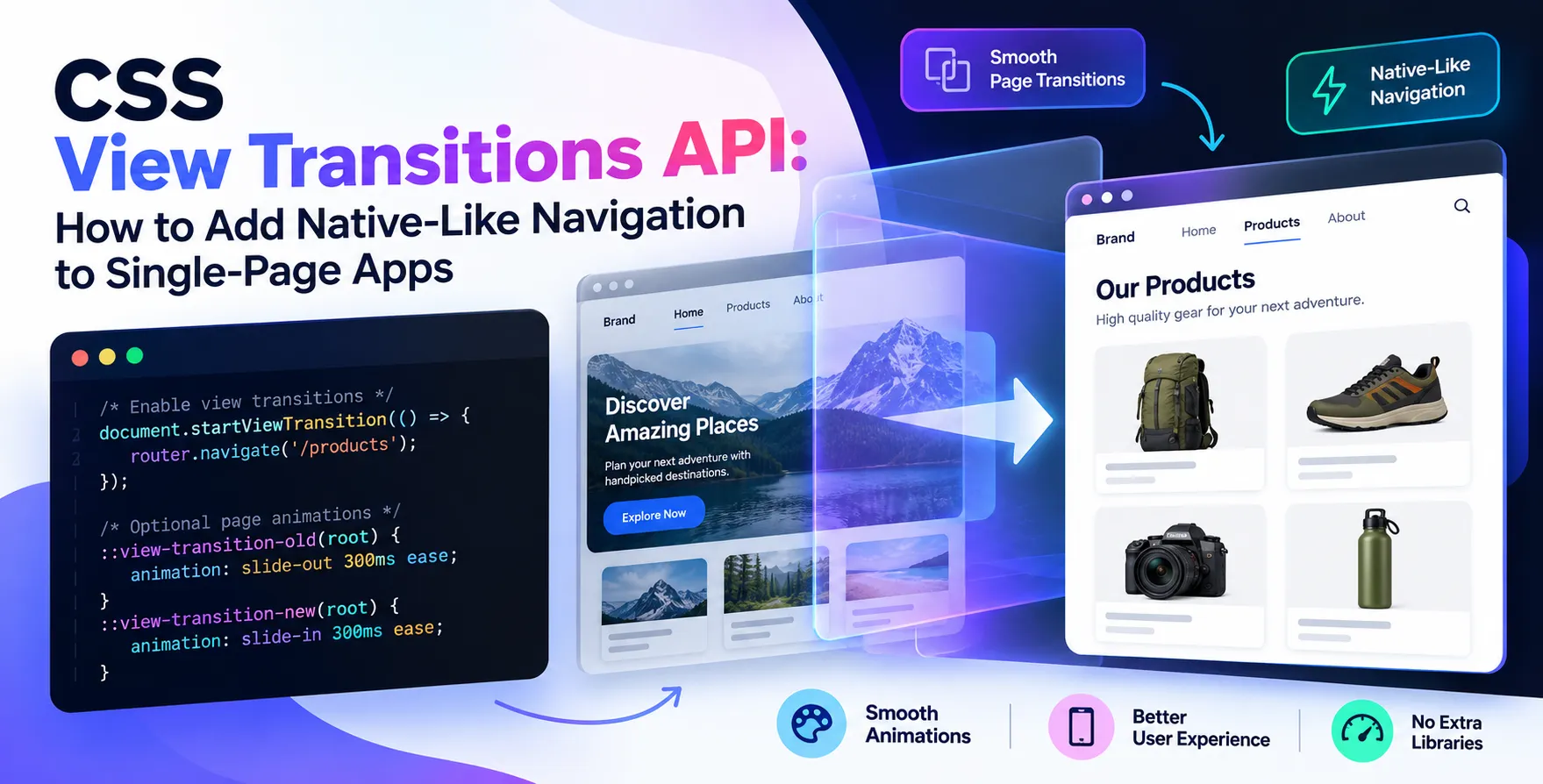
The heart of this technology is the document.startViewTransition method. You trigger this function whenever a state update occurs that requires an animated change.
The browser first takes a screenshot of the current page. It then executes the DOM changes you provide within the callback, followed by a screenshot of the new state.
Finally, the browser creates a cross-fade animation between these two states by default. You can then override this behavior with custom CSS animations to create unique effects.
- Captures a snapshot of the current DOM
- Executes the state change update logic
- Captures a snapshot of the new DOM
- Generates a transition between snapshots
Key Benefits for User Experience
Implementing a fluid SPA page transition animation significantly elevates the perceived quality of your application. When users see smooth motion, they intuitively understand the relationship between different sections of the interface.
This approach also helps maintain context. If a user navigates from a list view to a detail view, a shared element transition makes that shift feel natural and logical.
Furthermore, it helps bridge the gap between web and mobile experiences. By using native browser capabilities, you ensure that your interface feels snappy and professional without needing to build a native app.
Implementing Basic Cross-Fades
Setting up a basic cross-fade is surprisingly straightforward. You do not need to write complex keyframe logic for simple transitions.
The default behavior of the API is a simple cross-fade between the old page state and the new one. This is often sufficient for general navigation within a simple dashboard or content site.
To start, wrap your DOM update inside the function call. The browser will handle the rest of the visual heavy lifting automatically.
- Wrap updates in startViewTransition
- Configure standard CSS properties
- Keep transition durations brief
- Focus on ease of use
Advanced Multi-Element Transitions
For more complex interfaces, you can use the view-transition-name property in your CSS. This allows the browser to track specific elements during the transition.
When an element with a unique name exists in both the old and new states, the browser can smoothly animate its position and size change. This is perfect for hero images or card expansions.
You must ensure that these names are unique across the page to avoid conflicts. Properly scoped names ensure that the browser understands exactly which elements to morph during the transition.
Hero Image Transitions
When transitioning from a list view to a product detail page, pinning the image makes it feel like it is floating across the screen. This creates a high-end, polished feel.
- Assign view-transition-name to elements
- Ensure identifiers remain unique
- Use standard CSS for morphing
This technique mimics native mobile navigation patterns perfectly. It is a powerful tool for any developer looking to improve their UI.
Layout Morphing
You can also animate the layout of entire sections. By assigning names to grid or flex containers, you can create smooth structural shifts.
- Define transition names for containers
- Coordinate timing for multiple elements
- Maintain consistent user focus
These techniques allow for highly sophisticated UI motion. They turn static web pages into engaging, living interfaces.
Handling State Changes Dynamically
In modern web development, state management is often handled by frameworks. Integrating the API requires careful planning to ensure the animation triggers at the right time.
You may need to delay the final render slightly to allow the transition to initiate correctly. Most frameworks provide hooks that make this integration easier to manage.
When your state changes, the transition must capture the DOM at the exact moment of the update. This requires the framework to be ready to render the new state immediately after the old one is captured.
| Approach |
Manual CSS |
View Transitions API |
| Code Complexity |
High |
Low |
| Performance |
Moderate |
High |
| Browser Support |
Universal |
Modern Browsers |
| Native Feel |
Low |
High |
| Maintenance |
Difficult |
Easy |
Browser Support and Progressive Enhancement
The CSS View Transitions API is supported in modern versions of major browsers. However, it is important to treat it as a progressive enhancement.
Always check for the existence of the method before calling it. If it is not supported, your application should still function correctly without the animation.
This ensures that users on older browsers are not left with broken interfaces. A graceful fallback is a staple of professional development.
- Feature detection is essential
- Provide non-animated fallbacks
- Test on various devices
- Monitor for compatibility updates
Debugging and Performance Considerations
Debugging these transitions can be tricky. Use the browser's developer tools to inspect the pseudo-element tree created by the API.
You can also slow down animations in the inspector to see exactly how elements are morphing. This is vital for identifying layout issues or incorrect naming conflicts.
Be mindful of performance as well. animating too many elements at once can lead to dropped frames on lower-end devices.
Best Practices for Motion Design
Motion should always serve a purpose. Do not add animations just for the sake of flair if they do not provide user value.
Keep transitions short and punchy. Long animations can make an application feel sluggish and unresponsive to user input.
Consistency is key to a good design system. Use the same timing functions and durations across your entire application to create a unified experience.
- Avoid long animation durations
- Maintain consistent easing curves
- Keep motion subtle and purposeful
- Prioritize user productivity over flair
- Test motion on slower hardware
- Ensure accessibility for motion-sensitive users
Integrating with Modern Frameworks
Modern frontend frameworks are evolving to support these native features. You can often find wrappers or plugins that simplify the integration process.
Even without plugins, the native implementation is simple enough to handle manually. The key is understanding the component lifecycle within your specific framework.
Ensure your framework's router is set up to trigger the transition during route changes. This provides the most consistent experience for your end users.
Future of Smooth Web Navigation
The web is moving toward a future where native-like performance is the standard. Technologies like this API are proof that we are getting closer to that goal.
As browser support grows, we will see more creative uses of these transitions in production apps. It is an exciting time to be building for the web.
Keep experimenting with these features today. You will be ahead of the curve as more developers adopt these native capabilities.
Conclusion
The CSS View Transitions API is a game-changer for web navigation. It allows developers to add native-like navigation to single-page apps without the headaches of traditional animation libraries.
By understanding how to capture state snapshots and leverage CSS transitions, you can build interfaces that feel smooth, fast, and professional. Start small by implementing simple cross-fades before moving on to complex multi-element animations.
As you incorporate these techniques into your workflow, you will find that user engagement increases significantly. A well-animated interface is not just a luxury; it is a critical component of modern user experience design.


 In collaboration with