Table of Contents
- Introduction to CSP
- Why Testing is Critical
- Understanding Report-Only Mode
- Setting Up the Header
- Configuring Reporting Endpoints
- Analyzing CSP Violation Reports
- Iterative Policy Refinement
- Handling Third-Party Scripts
- Testing in Development Environments
- Common Pitfalls to Avoid
- Integrating with Monitoring Tools
- Automation and CI/CD Workflows
- When to Switch to Enforcement
- Conclusion
Introduction to CSP
Modern web applications face a constant barrage of security threats, especially from cross-site scripting attacks. A Content Security Policy acts as a powerful defense mechanism by restricting where resources like scripts, styles, and images can be loaded from.
Implementing these policies can be intimidating for developers and security teams alike. A single misconfiguration can easily break your site's functionality or prevent critical third-party integrations from loading correctly.
This is why understanding Content Security Policy report-only how to test CSP before enforcement is essential for any production environment. By following a structured approach, you ensure your security posture improves without disrupting user experience.
Why Testing is Critical
Deploying a restrictive policy without prior validation is a recipe for disaster. You might accidentally block essential tracking scripts, analytics, or UI components that your application relies on daily.
Testing allows you to identify which resources are currently blocked by your proposed policy. It provides a safety net that protects your users while you refine your rules.
- Prevents accidental site breakage
- Identifies legitimate but blocked assets
- Facilitates smoother security rollouts
- Reduces production support overhead
Understanding Report-Only Mode
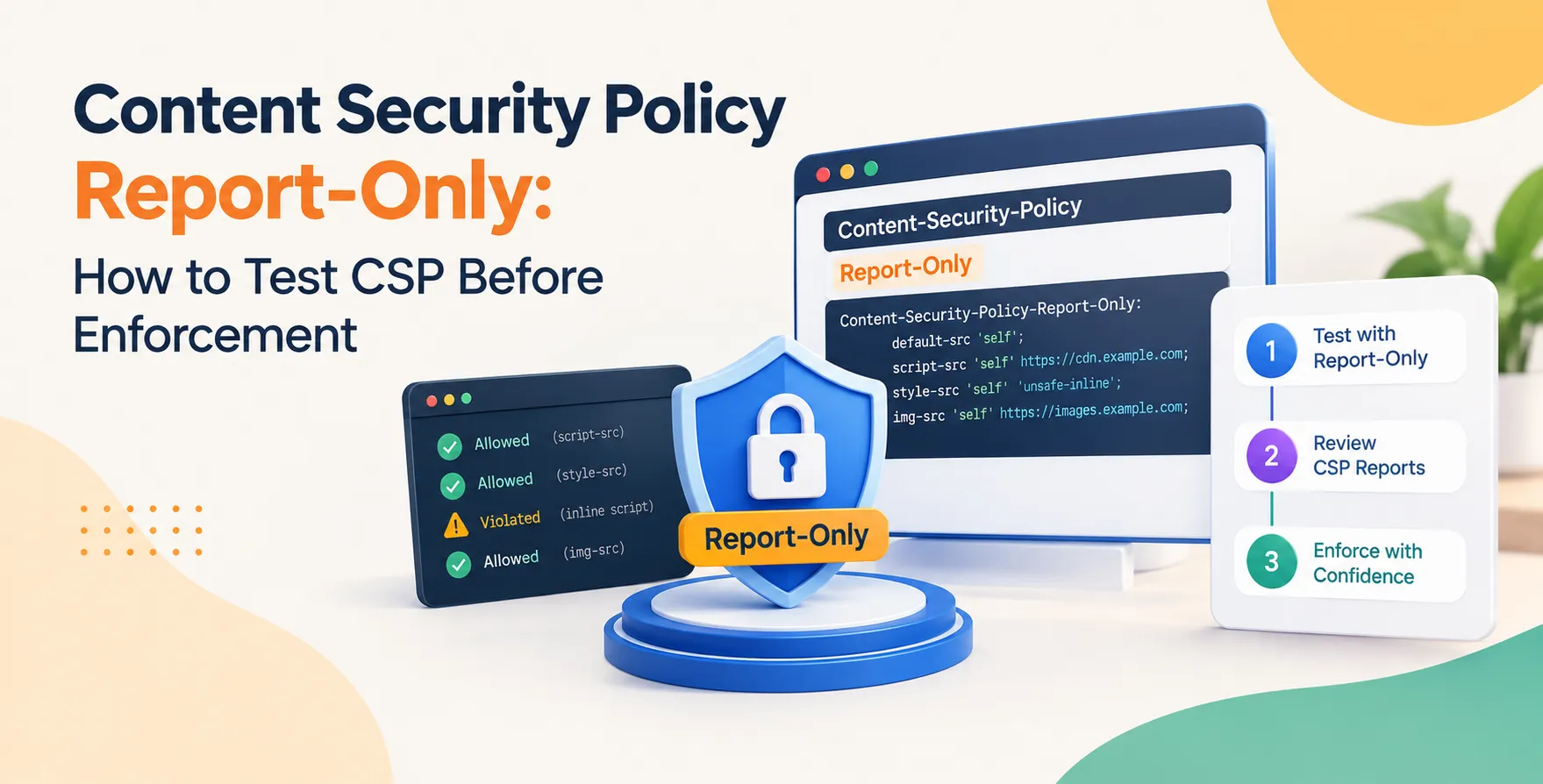
The CSP report-only mode is a specialized directive that instructs the browser to monitor policy violations without actually blocking any content. Instead of restricting resources, the browser simply logs the activity to a specified endpoint.
This mode is the gold standard for testing new security directives. It allows you to observe how your policy performs against real-world traffic patterns without impacting the end-user experience.
Think of it as a dry run for your security configuration. You gain full visibility into potential issues while the site remains fully operational.
Setting Up the Header
To enable this feature, you must use the Content-Security-Policy-Report-Only header instead of the standard Content-Security-Policy header. The syntax remains identical to a standard policy definition.
Start with a broad policy and tighten it as you gather more data. You can define domains for scripts, styles, and fonts to ensure everything is locked down securely.
- Use the report-only header name
- Define trusted source domains clearly
- Include the report-uri or report-to directive
Configuring Reporting Endpoints
Once your header is active, the browser needs a place to send the data. You must configure a server-side endpoint that is capable of receiving JSON-formatted logs from client browsers.
This endpoint should be fast and capable of handling high volumes of requests. Many teams use dedicated logging services to aggregate these incoming signals for easier analysis.
Log Aggregation Strategies
Storing these logs in a database is fine for small projects. However, large-scale applications should leverage specialized tools to process the high volume of incoming data.
- Use dedicated observability platforms
- Implement lightweight webhook listeners
- Filter noisy non-critical violations
- Store logs with timestamps and user-agents
Properly managing this data is vital for turning raw logs into actionable security insights.
Analyzing CSP Violation Reports
When you look at your CSP violation reports, focus on the blocked-uri and the violated-directive fields. These will tell you exactly which resource was blocked and which part of your policy triggered the action.
Look for patterns that indicate common issues like missing CDN domains or incorrectly configured third-party APIs. Not every report represents a malicious attack; many are simply legitimate resources that your policy hasn't accounted for yet.
Iterative Policy Refinement
Start your testing phase with a permissive policy and gradually restrict it. This iterative approach prevents you from being overwhelmed by thousands of false-positive reports at once.
Update your policy based on the data you see in your logs. If you notice a legitimate script being blocked, add its source to your whitelist before moving to the next phase of deployment.
Handling Third-Party Scripts
Third-party integrations often require multiple sub-domains and complex loading patterns. Dealing with these is often the most challenging part of maintaining a robust security policy.
Vendor Whitelisting
Many vendors provide specific documentation on their required domains. Referencing these docs helps you build your policy faster.
- Check vendor integration guides
- Allow specific CDNs cautiously
- Monitor for domain changes
Always verify the legitimacy of these domains before adding them to your production whitelist.
Testing in Development Environments
Do not wait for production to test your security policies. Use your staging environment to simulate the browser behavior and verify that your policies are firing as expected.
Automated tests can also be integrated here to ensure that changes to your codebase do not break your existing security constraints. This proactive approach catches errors long before they reach your customers.
Common Pitfalls to Avoid
Developers often struggle with dynamic script loading or inline styles. These elements are notoriously difficult to secure without proper nonce or hash implementation.
- Overly permissive whitelists
- Ignoring browser compatibility
- Forgetting to update policy documentation
- Lack of automated log monitoring
Take the time to understand how your application loads its assets before forcing a strict policy.
Integrating with Monitoring Tools
Connecting your reporting endpoint to a dashboard provides real-time visibility. You can set alerts that notify your team when a new, unexpected violation pattern emerges in your production traffic.
This level of monitoring is essential for keeping up with evolving threats. It ensures that you aren't just setting a policy and forgetting about it, but actively maintaining it over time.
Automation and CI/CD Workflows
Automating your security testing within your deployment pipeline is a best practice for modern engineering teams. You should treat your security policy as code, meaning it should be versioned, tested, and reviewed just like your application logic.
Deployment Pipeline Checks
Ensure that every deployment includes a check against your current policy. This helps maintain consistency across different environments and prevents configuration drift.
- Validate policies in pull requests
- Automate policy deployment scripts
- Review violation trends during releases
This integration is crucial for maintaining a strong security posture in fast-moving development teams.
When to Switch to Enforcement
Switching from report-only mode to full enforcement should only happen after you have analyzed a significant volume of traffic. Ensure that your logs show very few, if any, unexpected violations from legitimate users.
Perform a final audit of your policy file before flipping the switch. Once you are in enforcement mode, the browser will actively block any resource that doesn't comply with your defined rules.
Conclusion
Testing your security policies before active enforcement is a non-negotiable step for any secure web application. By utilizing report-only mode, you gain the confidence needed to implement strict controls without impacting user experience.
Remember that security is a continuous process of observation and refinement. Stay vigilant with your monitoring, keep your whitelists updated, and always test changes in a safe environment first.


 In collaboration with