Table of Contents
- Introduction
- Understanding the Basics of Cloud Cost Allocation
- The Role of AWS Cost Allocation Tags
- Developing a Consistent Tagging Strategy
- Automating Tagging Enforcement
- Best Practices for Tagging Infrastructure
- Handling Untaggable Resources
- Building AWS Cost Reporting by Application
- Integrating with FinOps Workflows
- The Importance of Cost Accountability
- Common Tagging Pitfalls to Avoid
- Governance and Audit Cycles
- Advanced Reporting Techniques
- Conclusion
Introduction
Managing cloud infrastructure often feels like a balancing act between agility and financial control. As organizations scale, tracking where every dollar goes becomes increasingly difficult.
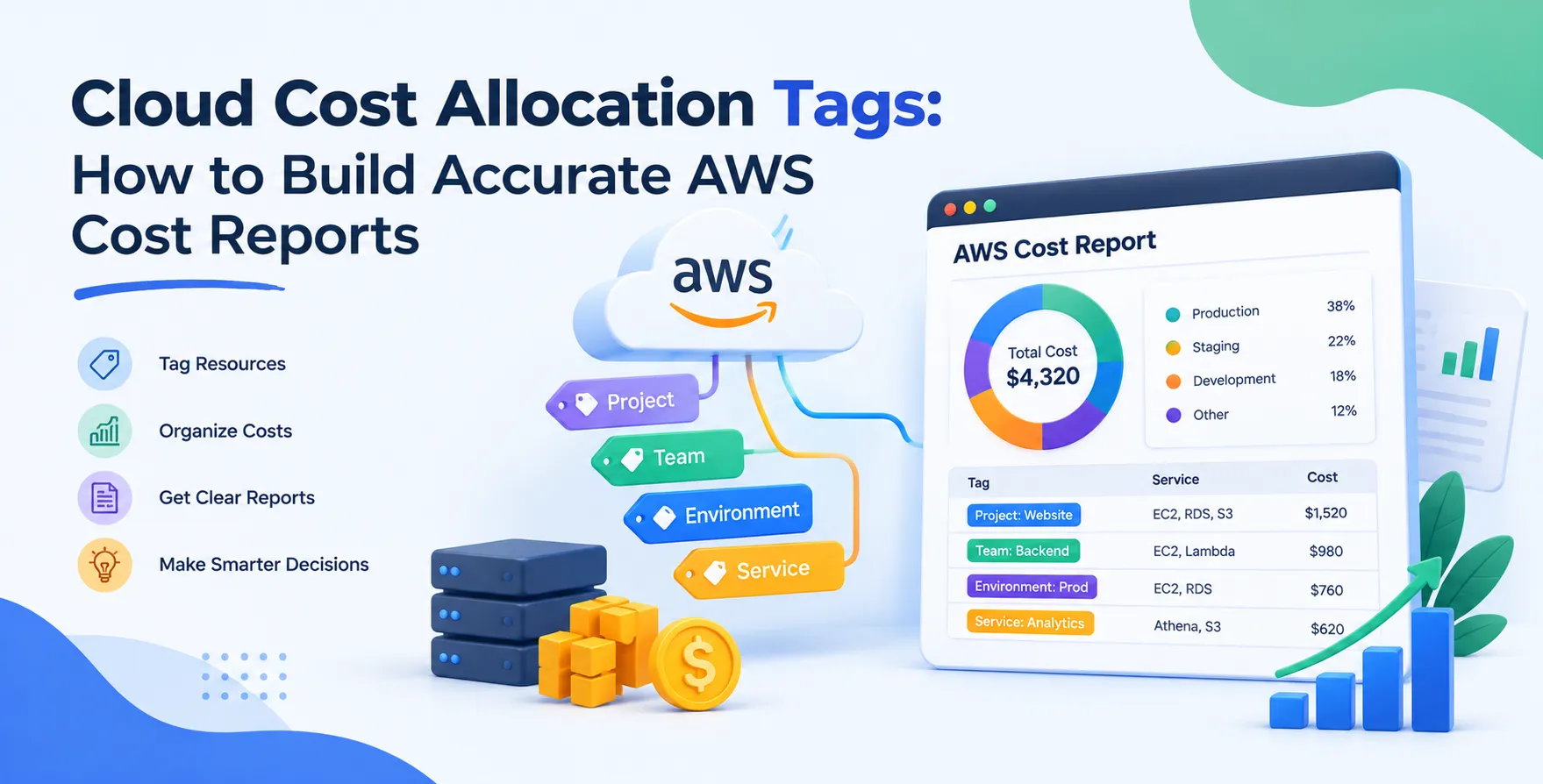
Cloud cost allocation tags provide the granular visibility required to understand your spending patterns. By applying metadata to your resources, you transform raw billing data into actionable insights for stakeholders.
Understanding the Basics of Cloud Cost Allocation
At its core, cloud cost allocation is the process of mapping specific infrastructure expenses to business units, projects, or products. Without a clear strategy, your monthly bill remains a opaque lump sum that no one can explain.
Effective allocation shifts the burden of cost management away from a centralized finance team. Instead, it empowers individual engineering teams to take ownership of their own resource consumption.
This shift is critical for sustainable growth in the cloud. It prevents the "tragedy of the commons" where shared environments lead to uncontrolled, invisible waste.
- Increases transparency across departments
- Enables showback and chargeback models
- Reduces waste through clear ownership
- Supports data-driven budget planning
The Role of AWS Cost Allocation Tags
AWS cost allocation tags are user-defined labels that you attach to AWS resources. When you activate these tags in the billing console, AWS makes them available in your cost reports.
These tags act as the bridge between technical resource deployment and business accounting. They allow you to filter and group your billing data by specific dimensions.
Think of them as the primary key for your financial database. Without them, you are limited to viewing costs by service or region, which provides little context for business leaders.
- Allows grouping by project or team
- Facilitates granular cost analysis
- Simplifies cross-departmental billing
- Supports automated cost monitoring
Developing a Consistent Tagging Strategy
Success starts with a standardized taxonomy. If one team uses "Project" while another uses "project_id," your reports will be fragmented and unreliable.
Establish a company-wide naming convention early. Document these standards and ensure they are accessible to every developer in the organization.
Consistency ensures that your automation tools can reliably parse data. It also prevents the common issue of orphaned resources that don't belong to any specific cost center.
- Define required and optional tags
- Use consistent casing and naming conventions
- Create a central registry for tag keys
- Review standards periodically for relevance
Automating Tagging Enforcement
Manual tagging is prone to human error and inconsistency. As you scale, you must move toward automated enforcement within your deployment pipelines.
By treating tagging as part of your infrastructure as code best practices with Terraform, you ensure every resource is born with the necessary metadata. This approach prevents "dark" resources from slipping into your account unnoticed.
You can also use policy-as-code tools to reject deployments that lack required tags. This creates a hard stop that forces engineers to maintain compliance during the provisioning process.
- Embed tags in IaC modules
- Reject non-compliant resource creation
- Use Service Control Policies for guardrails
- Audit environments for missing tags
Best Practices for Tagging Infrastructure
When designing your tagging schema, focus on utility rather than complexity. Over-tagging can lead to maintenance overhead that outweighs the benefits of the data you collect.
Prioritize tags that directly correlate to business value. This includes information about the environment, the owning team, and the specific application name.
Remember that tags are also useful for operational tasks beyond billing. They can help you manage cleanup scripts or identify resources for patching windows.
- Include environment identifiers like production or staging
- Track the owner team for each resource
- Use application names for grouping
- Add cost center codes for finance
- Limit the total number of tags
- Avoid sensitive information in tags
Handling Untaggable Resources
Some AWS services do not support tagging, or they may have limitations that complicate your strategy. This creates gaps in your cost reporting that can skew data.
For these resources, you must rely on secondary mechanisms to attribute costs. This might involve using a dedicated account for specific services or leveraging cost allocation tools that support mapping by resource ID.
Do not let these edge cases derail your entire program. Document them clearly and account for them in your monthly variance reports to maintain overall financial accuracy.
Building AWS Cost Reporting by Application
To achieve meaningful AWS cost reporting by application, you need to aggregate costs across various services. A single application might use RDS databases, EC2 instances, and S3 buckets simultaneously.
By using common tags across these disparate services, you can roll up the total cost into a single view. This provides a clear picture of the return on investment for each software product.
This level of detail is essential for product managers. They need to understand the unit cost of their application to make informed decisions about feature development and optimization.
- Map resources to specific applications
- Aggregate costs by service type
- Use dashboards to visualize trends
- Identify cost spikes early
Integrating with FinOps Workflows
Integrating your tagging data into broader FinOps for engineering teams is the next logical step. Your tags shouldn't just exist in a static spreadsheet; they should inform your daily operational decisions.
Share these reports with engineering leads during regular review meetings. Use the data to highlight areas for potential optimization and to celebrate teams that maintain lean, efficient architectures.
When developers see the actual cost impact of their infrastructure choices, they often become much more thoughtful about their resource provisioning. It turns cloud spend into a shared responsibility.
The Importance of Cost Accountability
Without accountability, cloud costs will inevitably drift upward over time. Engineers need a feedback loop that connects their technical decisions to the bottom line of the business.
This culture of accountability is the hallmark of mature engineering organizations. It transforms the finance team from a group that merely complains about bills into a strategic partner for growth.
Encourage transparency by making cost data available to everyone. When everyone understands the cost of their infrastructure, it fosters a culture of innovation and fiscal responsibility.
Common Tagging Pitfalls to Avoid
Even with good intentions, many teams encounter traps that undermine their efforts. Avoid these mistakes to ensure your data remains clean and actionable.
- Inconsistent tag case sensitivity
- Adding too many unnecessary tags
- Changing tag schemas without notification
- Forgetting to tag shared infrastructure
- Ignoring the cost of data transfer
Governance and Audit Cycles
Tagging is not a one-time project. It requires ongoing governance to ensure that your data remains accurate as your infrastructure evolves over time.
Schedule regular audits to identify resources that have lost their tags or were deployed with invalid values. Use automated scripts to notify owners of non-compliant resources so they can fix them quickly.
Make these audits part of your standard operational rhythm. By keeping the system clean, you prevent the accumulation of technical debt in your financial reporting processes.
Advanced Reporting Techniques
Once you have a solid foundation, you can move toward more advanced reporting techniques. This includes forecasting future spend based on historical tag data and identifying seasonal patterns.
You can also build custom views that highlight the cost of specific features or microservices. This depth allows for surgical optimization rather than broad, blunt cuts to your infrastructure spend.
Advanced reporting provides the clarity needed to navigate complex cloud environments. It turns data into a competitive advantage for your engineering teams.
Conclusion
Building accurate AWS cost reports relies heavily on a disciplined approach to cloud cost allocation tags. By investing in a robust tagging strategy, you gain the visibility necessary to manage your cloud spend effectively.
Start by defining a clear taxonomy and automating enforcement within your deployment pipelines. As you mature, integrate this data into your engineering culture to foster true accountability.
Remember that the goal is not just to track costs, but to optimize them. Use your reports to drive better architectural decisions and ensure your cloud infrastructure supports your business objectives efficiently.


 In collaboration with