Table of Contents
- Introduction
- The Importance of Supply Chain Security
- Understanding Sigstore and Cosign
- How Cosign Image Signing Works
- Setting Up the Environment
- Signing Images in CI/CD Pipelines
- How to Verify Container Image Signatures
- Integrating Verification into Kubernetes
- Automating Security with Attestations
- Common Challenges in Implementation
- Best Practices for Key Management
- Scaling Security Across Teams
- Future Considerations for Supply Chain Security
- Conclusion
Introduction
Modern software delivery relies heavily on containerization to maintain consistency across environments. However, moving code from a developer's machine to production involves many moving parts where malicious actors could inject compromised code.
Ensuring that the images you deploy are the exact ones you built is critical. Implementing container image signing with Cosign gives teams a robust way to establish trust before deployment.
The Importance of Supply Chain Security
Software supply chain attacks are becoming increasingly sophisticated. A single compromised base image can propagate vulnerabilities across your entire infrastructure without anyone noticing.
Teams often focus on application-level security while ignoring the provenance of the binaries they run. Without a way to verify the origin of your images, you are essentially trusting that your registry has not been tampered with.
- Prevents unauthorized code execution
- Ensures image integrity during transit
- Provides audit trails for deployments
- Reduces risk of dependency poisoning
Understanding Sigstore and Cosign
Sigstore provides an open-source framework for signing and verifying software artifacts. It simplifies the often complex process of managing public keys and certificates.
At the center of this ecosystem is Cosign image signing. It allows developers to sign container images just like they sign git commits, making it a natural extension of existing development workflows.
By leveraging Sigstore container security, you remove the heavy lifting of traditional PKI management. This shift allows developers to focus on shipping features rather than managing complex infrastructure.
How Cosign Image Signing Works
Cosign uses a simple mechanism to attach digital signatures to container registries. These signatures act as metadata linked to the specific image digest.
When you sign an image, Cosign creates a separate object in the registry that holds the signature. Because it uses the image digest rather than a tag, the signature remains valid even if the image is moved or retagged.
Key Components of Signing
The signing process involves generating a key pair or using keyless signing with OIDC. This flexibility makes it suitable for diverse environments, from local development to automated cloud pipelines.
- Public and private key pairs
- OIDC identity tokens for keyless signing
- Registry metadata stores
- Signature verification policies
These components work together to ensure that every image is accounted for. If a signature is missing or invalid, the deployment can be blocked automatically.
Setting Up the Environment
Before you begin, ensure you have the Cosign binary installed on your local machine and your CI runner. You will need access to a container registry that supports OCI artifacts.
Once installed, you can generate a key pair or prepare your OIDC provider for keyless signing. Most cloud providers now support identity-based signing, which eliminates the need to rotate long-lived private keys.
Signing Images in CI/CD Pipelines
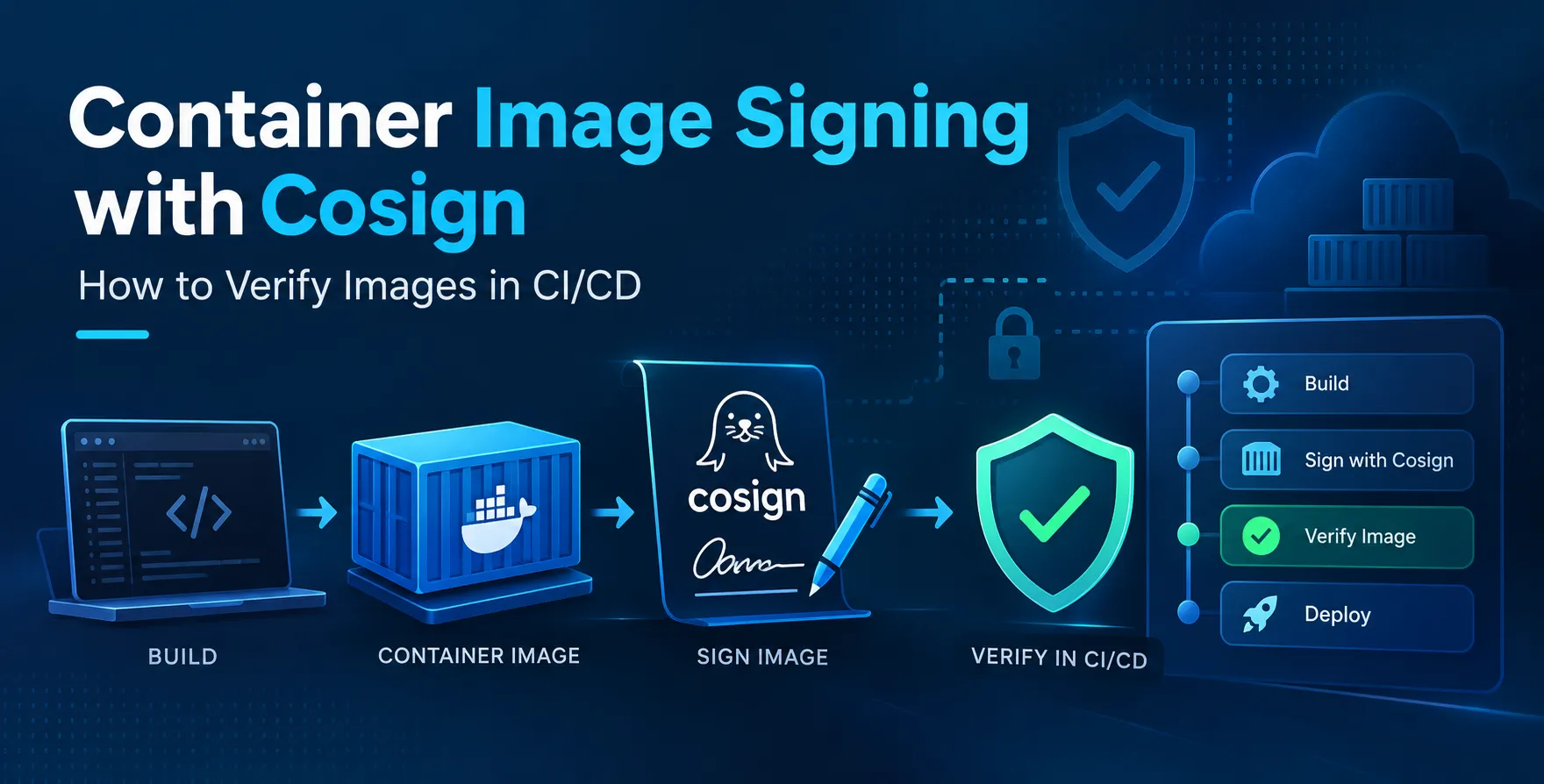
Integrating signing into your automated pipeline is the final step in the build process. After the image is pushed to the registry, you trigger the signing command immediately.
This ensures that no image sits in the registry without a verified signature. If a build fails, the signing step is never reached, preventing incomplete or broken images from entering the production flow.
- Build the container image
- Push image to registry
- Authenticate with OIDC
- Sign image using Cosign
- Store signature in registry
This automated approach prevents human error. By making signing a mandatory step in your CI/CD pipeline, you guarantee that only signed code moves forward.
How to Verify Container Image Signatures
Verification is the process of checking the signature against the public key or the Sigstore public transparency log. This happens at the admission controller level within your cluster.
When you verify container image signatures, you are confirming that the image was built by your trusted pipeline. If the verification fails, the cluster rejects the deployment request.
This gatekeeping prevents unauthorized images from running in your production environment. It effectively acts as a last line of defense against malicious actors.
Integrating Verification into Kubernetes
Kubernetes admission controllers are the ideal place to enforce image verification. Tools like Kyverno or Policy Controller can inspect every deployment request to ensure the image has a valid signature.
This creates a secure environment where only authorized code can run. It removes the need for manual checks and provides immediate feedback when a policy is violated.
Policy Enforcement Strategies
You can define granular policies based on your security requirements. Some images might require multiple signatures, while others might only need a simple provenance attestation.
- Require signature for specific namespaces
- Allow list trusted signing authorities
- Enforce signature verification for all images
- Audit mode for non-blocking policy testing
These policies provide the necessary flexibility to secure your clusters without hindering developer velocity. You can start with audit mode to see what would be blocked before enforcing strict rules.
Automating Security with Attestations
Beyond simple signatures, you can attach attestations to your images. These provide additional metadata, such as scan results or build information, that can be verified before deployment.
For example, you could require that an image must have a clean vulnerability scan attestation before it is allowed to run. This adds a layer of intelligence to your security gate.
Automating these checks ensures that your security posture evolves with your software. It turns compliance into a standard part of your automated deployment pipeline.
Common Challenges in Implementation
Moving to a signed image workflow is not without its hurdles. You must account for legacy systems that might not support OCI artifacts or registry-based signatures.
Key management can also become a burden if you choose to use traditional keys. You need to store them securely and rotate them periodically to maintain security integrity.
Most teams find that using keyless signing with OIDC significantly reduces this overhead. It aligns well with modern cloud-native practices and requires far less maintenance than legacy approaches.
Best Practices for Key Management
If you must use traditional keys, treat them as high-value secrets. Store them in a hardware security module or a managed secret manager to prevent accidental exposure.
Rotate your keys regularly according to your organizational security policy. If a key is compromised, have an immediate plan to revoke it and re-sign your images.
Most importantly, never commit private keys to your source code repository. Use environment variables or secret injection methods provided by your CI/CD tools to handle them safely.
Scaling Security Across Teams
As you scale, centralize your signing policies. Creating a unified standard for how images are signed and verified makes it easier for platform teams to manage clusters.
Provide clear documentation and templates for developers to follow. If the process is easy, developers are more likely to adopt it without friction.
Focus on creating a strong developer experience. When security tools feel like a burden, teams will find ways to bypass them, which negates the entire purpose of your security efforts.
Future Considerations for Supply Chain Security
The landscape of software supply chain security is constantly evolving. Keep an eye on new standards and tools that complement existing signing frameworks.
Integrating bill of materials (SBOM) generation into your pipeline will become standard practice. Pairing these with signatures provides a complete view of your software's provenance.
Conclusion
Securing your containerized applications requires a proactive approach to trust. By implementing image signing with Cosign, you establish a chain of custody that spans from your build environment to your production cluster.
This process reduces the risk of supply chain attacks and provides confidence in the code you deploy. Start small by signing one service, then expand your policy across the entire organization.


 In collaboration with