Table of Contents
- Introduction to Zero-Downtime Migrations
- The Core Challenge of Schema Changes
- Planning Your Migration Strategy
- Expanding the Schema First
- Application Code Compatibility
- Handling Data Migration
- Removing Old Schema Elements
- Deployment Strategies for Databases
- Testing and QA for Migrations
- Monitoring Your Production Changes
- Common Pitfalls to Avoid
- Tools for Migration Management
- Conclusion
Introduction to Zero-Downtime Migrations
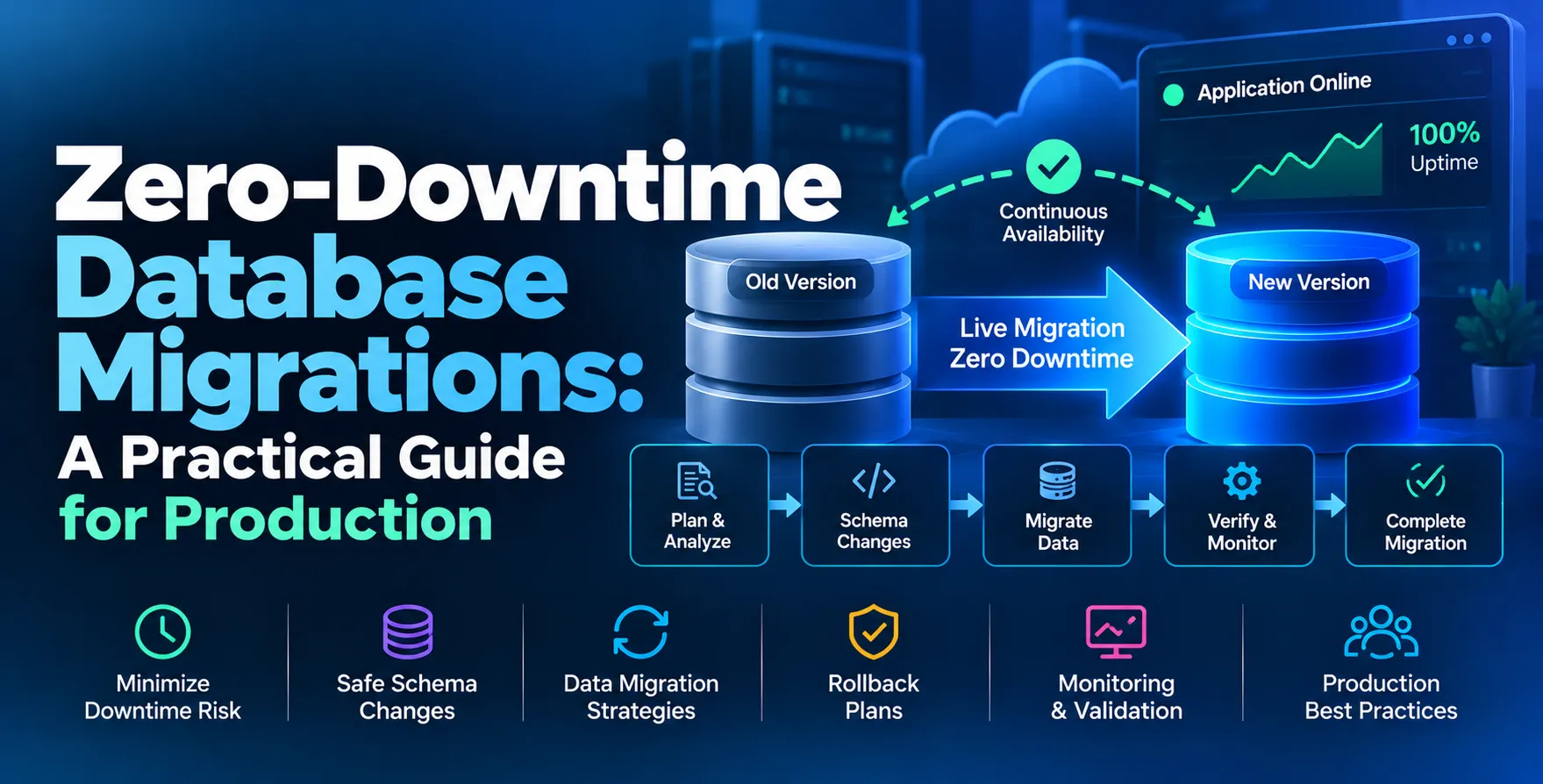
In modern high-availability systems, maintenance windows are a relic of the past. Users expect constant uptime, even when the underlying data structures evolve significantly.
Achieving a zero-downtime database migration requires a fundamental shift in how you think about deployments. You must decouple your schema updates from your application code releases.
The Core Challenge of Schema Changes
Most traditional database updates rely on locking tables to ensure consistency. These locks can block read and write operations, leading to timeouts and visible downtime for end users.
When performing a production database migration, you must navigate the tension between data integrity and availability. A single long-running transaction can degrade performance across your entire stack.
- Table locking during ALTER commands
- Incompatibility between old code and new schema
- Data inconsistency during transition phases
- Increased latency under heavy load
Planning Your Migration Strategy
Successful migrations start long before you run the first script. You need to analyze the impact of every change on your query performance and application logic.
Consider how your current deployment pipeline handles rollbacks. If a migration fails halfway through, your system must remain functional while you debug the state of the database.
- Audit all active database connections
- Analyze query execution plans for new indexes
- Develop a clear rollback procedure
- Verify disk space and I/O capacity
Expanding the Schema First
An effective online schema migration follows the principle of expansion before contraction. You should add new columns or tables while keeping the old ones intact.
By strictly adding, you ensure that the current version of your application code remains compatible with the database. This allows you to deploy code updates independently of the schema changes.
- Add nullable columns to avoid breaking inserts
- Create new tables instead of altering existing ones
- Maintain legacy columns for backward compatibility
- Ensure default values do not cause table rewrites
Application Code Compatibility
Handling Dual Writes
When transitioning data, your application might need to write to both the old and new structures simultaneously. This ensures that data remains synchronized regardless of which code version is running.
- Implement application-level logic for dual writes
- Use background workers for asynchronous data migration
- Validate parity between old and new fields
This period of dual writing is critical for maintaining consistency during the transition window.
Feature Flag Integration
Using feature flags allows you to toggle between old and new database paths without redeploying code. This is a common pattern in advanced deployment strategies.
- Control access to new features via config
- Enable the new schema path gradually
- Simplify the recovery if issues arise
Feature flags are the safest way to manage the transition of complex data flows.
Handling Data Migration
Moving data from old columns to new ones often involves massive updates that can impact performance. Avoid massive `UPDATE` statements that lock entire tables in a single transaction.
Instead, use batch processing to migrate data in small, manageable chunks. This approach prevents transaction log bloat and keeps the database responsive during the process.
- Batch updates in small increments
- Monitor replication lag during migrations
- Throttle background jobs to preserve IOPS
Removing Old Schema Elements
Only after you have fully migrated to the new schema and verified stability should you remove the legacy components. This is the contraction phase of the process.
Be cautious when dropping columns or tables. Ensure that no deprecated services or reporting tools still rely on the old structure before running destructive commands.
| Action |
Old State |
New State |
| Rename Column |
Keep old name |
Add new name |
| Table Split |
Keep original |
Populate new table |
| Index Change |
Keep existing |
Build new index |
| Data Type |
Add new col |
Sync and swap |
Deployment Strategies for Databases
You can leverage various release patterns to manage the transition of your database schema. Utilizing blue-green deployment strategies can provide an extra layer of safety by maintaining two identical production environments.
Alternatively, a canary deployment allows you to route a small subset of traffic to the new schema version. This limits the blast radius if the migration causes unexpected performance issues.
Testing and QA for Migrations
Never run a migration in production without testing it against a representative dataset. Use automated testing & qa services to replicate your production workload in a staging environment.
Check for index bloat, lock contention, and query performance degradation. If the staging database cannot handle the migration, production certainly will not.
- Verify foreign key constraints
- Test index creation on large tables
- Measure transaction duration
- Validate application connectivity
Monitoring Your Production Changes
Real-time observability is non-negotiable during a live migration. You need to watch for spikes in CPU, memory, and disk I/O as the migration proceeds.
If you notice a sudden increase in latency, pause the migration immediately. Automated alerts should trigger based on threshold breaches in your database metrics.
- Track active transaction counts
- Monitor database lock waits
- Observe replication health
- Analyze slow query logs
Common Pitfalls to Avoid
Many engineers underestimate the impact of schema changes on large tables. Even a simple `ALTER TABLE` can lock a table for a duration proportional to its size.
Avoid running migrations during peak traffic hours if possible. While the goal is zero-downtime, the risk is always lower when system utilization is naturally lower.
- Avoid complex default values
- Do not perform heavy migrations during traffic peaks
- Watch out for long-running uncommitted transactions
- Ensure consistent character encoding
Tools for Migration Management
Several specialized tools are designed to facilitate safer schema changes. They automate the process of creating temporary tables and triggers to backfill data without blocking writes.
Integrating these tools into your CI/CD pipeline ensures that every production database migration follows the same safety standards. Standardizing your approach reduces the likelihood of manual errors.
Conclusion
Achieving zero-downtime database migrations is a disciplined process that prioritizes stability over speed. By decoupling your schema changes from your application code and utilizing an incremental, multi-step approach, you can evolve your systems safely.
Always test your migration scripts in a production-like environment before execution. With careful planning and robust monitoring, you can maintain high availability even while performing complex structural updates to your data layer.


 In collaboration with