Table of Contents
- Introduction to Network Security
- Understanding NetworkPolicy in Kubernetes
- Why Default-Deny is Essential
- Prerequisites for Network Isolation
- Implementing Default-Deny Ingress
- Implementing Default-Deny Egress
- Verifying Your Network Policies
- Handling Exceptions and Whitelisting
- Best Practices for Policy Management
- Common Implementation Pitfalls
- Integrating Security into CI/CD
- Scaling Security Across Namespaces
- Monitoring Network Traffic
- Conclusion
Introduction to Network Security
Securing a cluster is one of the most critical aspects of modern operations. By default, Kubernetes allows all pods to communicate with each other without any restrictions.
This open communication model creates significant security risks for sensitive workloads. Implementing granular control is necessary to prevent lateral movement of potential threats.
- Prevents unauthorized pod communication
- Reduces the attack surface
- Supports compliance requirements
- Enhances overall cluster hygiene
Understanding NetworkPolicy in Kubernetes
A Kubernetes NetworkPolicy acts as a firewall for your pods. It defines how groups of pods are allowed to communicate with each other and other network endpoints.
These objects are namespaced, meaning you must define them within the specific namespace where your workloads reside. They function at the data link layer to filter traffic based on labels and selectors.
- Labels define target pods
- Rules specify allowed traffic
- Traffic is filtered by port
- Policies are additive
Why Default-Deny is Essential
Without a default-deny stance, you are relying on an allow-all architecture. This approach assumes every pod is trustworthy, which is rarely true in complex environments.
Adopting a Kubernetes default deny network policy forces developers to explicitly declare communication paths. This shift toward explicit connectivity is a core tenet of modern security.
- Zero-trust alignment
- Explicit communication paths
- Reduced blast radius
- Easier audit trails
Prerequisites for Network Isolation
You cannot simply apply a policy and expect it to work without the right infrastructure. Your CNI plugin must support network policies to enforce the rules you define.
Common plugins like Calico, Cilium, or Antrea are industry standards for this purpose. If your current plugin does not support policies, your rules will be ignored entirely.
- CNI plugin with policy support
- Correct namespace targeting
- Clear understanding of app dependencies
- Testing environment availability
Implementing Default-Deny Ingress
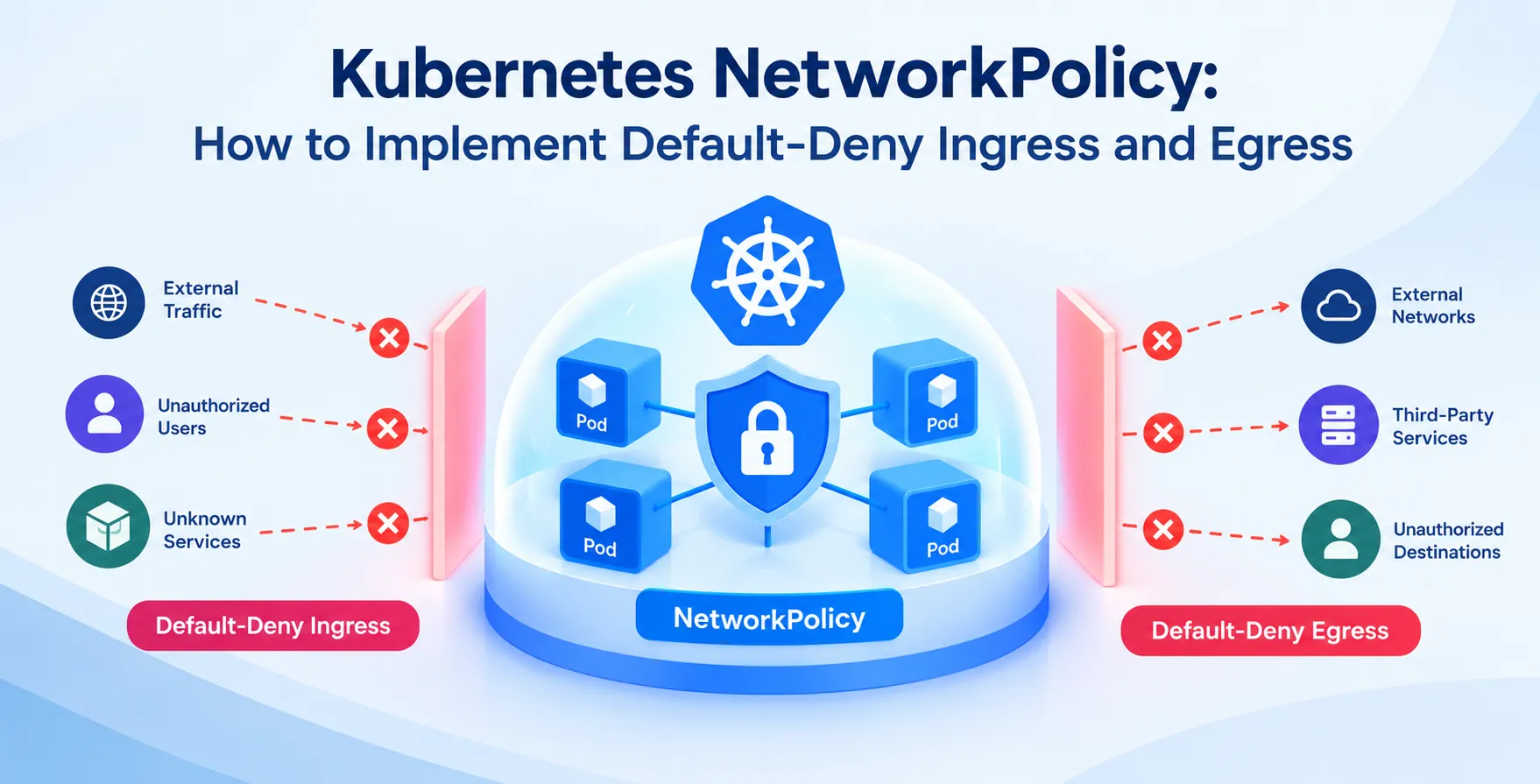
To block all incoming traffic, you create a policy that selects all pods but defines no ingress rules. This effectively isolates the workload from receiving any external or internal requests.
This is a foundational step for Kubernetes pod network isolation. It ensures that only specifically permitted traffic reaches your application services.
- Selects all pods in namespace
- Leaves ingress field empty
- Blocks all incoming connections
- Restricts port access entirely
Implementing Default-Deny Egress
Egress control is equally vital to prevent compromised pods from reaching out to malicious external servers. By default, pods can reach any destination, including the public internet.
Blocking egress requires creating a policy that selects all pods and denies all outgoing traffic by default. You then whitelist only the necessary external APIs or internal databases.
- Selects all pods in namespace
- Leaves egress field empty
- Blocks all outgoing traffic
- Prevents data exfiltration attempts
Verifying Your Network Policies
Once you apply your policies, you must verify that they are active. You can use tools like kubectl to inspect the status and ensure the selector matches your intended targets.
Testing connectivity is the only way to be certain your rules are functioning correctly. Attempting to curl an endpoint from an isolated pod should result in a timeout or connection refusal.
- Inspect policy with kubectl
- Check target labels carefully
- Test with busybox containers
- Monitor blocked connection logs
Handling Exceptions and Whitelisting
After implementing the default-deny rules, your applications will likely stop working correctly. You must now explicitly allow the required communication paths for your services.
Use labels to permit traffic from specific sources to specific destinations. This granular approach ensures that you only grant the minimum access necessary for the application to function.
- Allow traffic from ingress controllers
- Permit DNS queries for resolution
- Enable database connections via label
- Grant access to external APIs
Best Practices for Policy Management
Managing security policies manually can quickly become overwhelming as your cluster grows. You should treat your network configurations as code to ensure consistency across environments.
Use version control to track changes and roll back if a policy breaks production traffic. This aligns with standard practices for maintaining stable cloud deployment environments.
| Practice |
Benefit |
| Version Control |
Auditability |
| Label Strategy |
Granularity |
| Staging Tests |
Stability |
| Documentation |
Clarity |
Common Implementation Pitfalls
The most common mistake is forgetting to allow DNS traffic in a default-deny environment. Without access to CoreDNS, your pods will fail to resolve service names.
Another frequent issue is overly broad selectors that affect more pods than intended. Always double-check your labels before applying changes to live workloads.
- Missing DNS resolution access
- Broad label selectors
- Ignoring CNI limitations
- Incomplete policy testing
Integrating Security into CI/CD
Security should be integrated directly into your Kubernetes NetworkPolicy how to implement default-deny ingress and egress strategy within the pipeline. Automated tests can validate that every new service includes necessary policies.
By enforcing these rules during the deployment phase, you ensure that no service reaches production without proper network isolation. This prevents gaps in your security posture.
- Policy linting in pipelines
- Automated security scanning
- Deployment gate checks
- Infrastructure as code validation
Scaling Security Across Namespaces
In large-scale clusters, managing policies per namespace is repetitive. Consider using tools that allow you to define global policies or hierarchical network structures.
This ensures that security defaults are applied automatically to new namespaces. It reduces the burden on platform teams and minimizes human error.
- Use templates for policies
- Automate namespace creation
- Centralize policy management
- Use standard label schemas
Monitoring Network Traffic
Observability is key to understanding whether your policies are too restrictive. Use flow logs to see which connections are being dropped by your firewall rules.
This data helps you identify legitimate traffic that you might have accidentally blocked. It allows you to refine your policies without causing downtime.
- Analyze CNI flow logs
- Visualize traffic patterns
- Debug rejected connection attempts
- Tune policies based on data
Conclusion
Implementing default-deny policies is a fundamental requirement for a secure cluster. While it requires careful planning, the benefits of improved isolation and reduced risk are immense.
Start by identifying your traffic requirements and applying rules incrementally. With a clear strategy, you can protect your workloads effectively while maintaining high availability and performance standards.


 In collaboration with