Table of Contents
- Introduction
- The Shift Toward Visual Development
- Why Real-Time Features Matter
- Core Concepts of No-Code Backend Architecture
- Selecting the Right Platform
- Data Management Without SQL
- Handling Real-Time Events
- Integration with External Services
- Scaling Your Application
- Common Pitfalls to Avoid
- Security Considerations
- Comparing Traditional vs Visual Development
- Conclusion
Introduction
Building a modern digital product often feels like it requires a massive engineering team. Many founders assume they need a dedicated backend developer just to manage database connections and socket listeners.
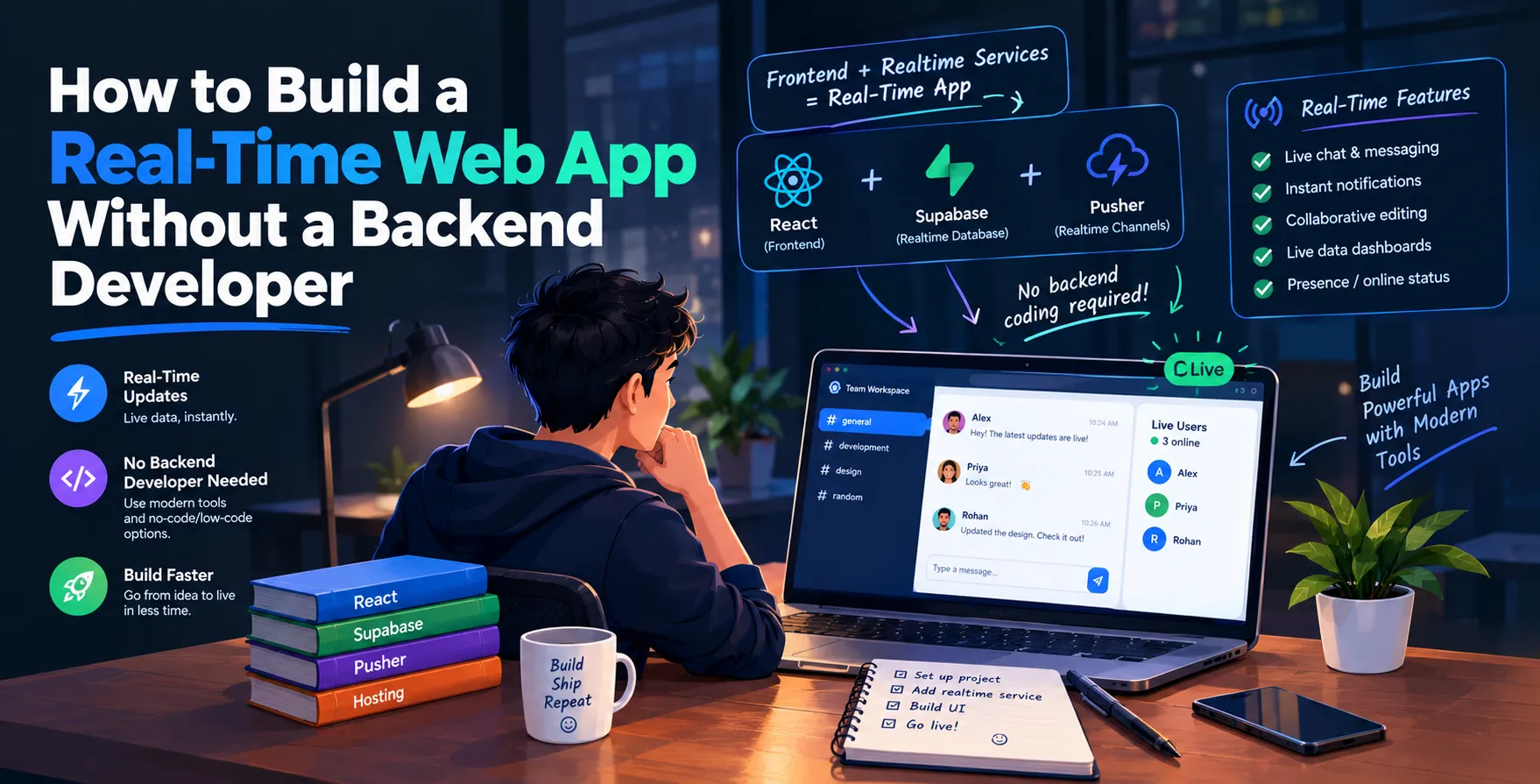
The landscape of software creation has shifted dramatically, however. You can now engage in Real-Time Web App Development using visual tools that handle the heavy lifting for you.
The Shift Toward Visual Development
Traditional software engineering involves writing thousands of lines of boilerplate code. Setting up servers, managing APIs, and configuring real-time pub-sub channels used to be a full-time job for specialists.
Today, the rise of No-Code Web App Development has democratized this process. You no longer need to worry about server maintenance or complex infrastructure configurations.
Visual builders provide intuitive interfaces to define data relationships and UI logic. This allows creators to focus on the product experience rather than the underlying server code.
- Faster prototyping cycles
- Reduced infrastructure overhead
- Simplified deployment pipelines
- Lower barrier to entry
Why Real-Time Features Matter
A Real-Time Web Application provides an instant connection between your data and your users. Whether it is a chat dashboard or a live collaborative tool, speed defines the user experience.
When data updates in milliseconds, the perceived value of your software skyrockets. Users expect instant feedback in almost every modern application they touch.
Implementing these features traditionally required complex WebSocket management and state synchronization. Modern no-code platforms abstract this complexity, offering built-in hooks for real-time updates.
- Instant user notifications
- Collaborative editing features
- Live data dashboards
- Responsive UI updates
Core Concepts of No-Code Backend Architecture
To Build a Web App Without Coding, you must understand how these platforms manage data. Most visual tools use a unified data layer that handles storage, authentication, and logic execution simultaneously.
Instead of writing custom API endpoints, you define your data schema visually. The platform automatically generates the necessary backend structure to support your frontend components.
This approach treats your database as a living entity that responds to changes. When a record changes in the database, the UI reacts immediately without manual refresh cycles.
Selecting the Right Platform
Choosing the correct tool is the most important decision in your development journey. Some platforms specialize in internal business tools, while others are built for consumer-facing SaaS experiences.
You should prioritize platforms that offer robust database flexibility. Look for tools that allow you to define complex relationships between data entities without requiring relational database management skills.
Evaluate the depth of their real-time capabilities during your trial phase. Not all platforms handle high-frequency data updates with the same efficiency or reliability.
- Database structure flexibility
- Ease of external API integration
- Real-time update frequency
- Community and template support
- Pricing and scaling tiers
Data Management Without SQL
Managing data without traditional SQL queries is a hallmark of modern development tools. These platforms offer visual editors that replace raw query syntax with point-and-click logic.
You can define how different data types relate to each other visually. This makes it easy to construct complex data structures that would normally take weeks to architect.
Security is handled through role-based access rules. You simply define which users can view, edit, or delete specific data points directly in the platform settings.
Handling Real-Time Events
Triggering events based on user input is essential for dynamic applications. Visual builders allow you to create workflows that execute actions based on specific data changes or user interactions.
For instance, sending an automated email or updating a status flag can be configured in a few clicks. These triggers run on the platform’s managed infrastructure, ensuring consistency.
You can also listen for changes in external databases or services. This creates a bridge between your application and the rest of your technology stack.
Integration with External Services
Your application rarely exists in a vacuum. Most projects require connections to payment gateways, email providers, or other third-party services to function correctly.
Visual platforms simplify these integrations using pre-built connectors. You can map data between your app and external APIs without writing custom integration code.
This capability effectively replaces the need for a backend developer to build and maintain middleware. It turns integration into a configuration task rather than an engineering project.
- Payment gateway connectivity
- Third-party API automation
- Email service integration
- Analytics tool synchronization
- Cloud storage connections
Scaling Your Application
Scaling a no-code app is fundamentally different from scaling custom code. You rely on the platform provider to handle traffic spikes and database load balancing automatically.
This removes the burden of server management from your shoulders. You can focus on feature expansion while the platform manages the underlying performance requirements.
Monitor your platform’s performance metrics regularly. Ensure your chosen provider offers predictable scaling tiers as your user base grows over time.
Common Pitfalls to Avoid
Even with visual tools, you can run into issues if you are not careful. One common mistake is over-engineering your data structure before testing it with actual users.
Another issue involves ignoring the limitations of the platform’s built-in features. If you need highly specialized functionality, you might eventually hit a ceiling that requires custom code.
Always maintain a clear roadmap of your requirements. Avoid adding unnecessary features that bloat your application and make it harder to manage.
- Over-complicating the data model
- Ignoring platform limitations
- Neglecting user feedback loops
- Failing to plan for growth
Security Considerations
Security is often an afterthought in the excitement of building a new product. However, you must implement strict access controls from day one.
Ensure your chosen platform supports secure authentication methods like single sign-on or multi-factor authentication. These features are standard in professional-grade tools.
Regularly audit your user permissions to prevent unauthorized access. Even without backend code, poor configuration can lead to significant data vulnerabilities.
Comparing Traditional vs Visual Development
| Feature |
Traditional Development |
Visual Development |
| Setup Time |
Weeks to months |
Hours to days |
| Maintenance |
Requires constant updates |
Managed by platform |
| Cost |
High initial expense |
Scalable subscription |
| Customization |
Unlimited freedom |
Platform-constrained |
| Scalability |
Manual infrastructure |
Managed scaling |
Conclusion
Building a real-time web application is no longer restricted to those with deep backend expertise. By leveraging modern visual tools, you can move from idea to production faster than ever before.
Focus on your core value proposition and let the platform handle the technical heavy lifting. With the right approach, you can iterate quickly and build a successful business without ever writing a single line of server-side code.


 In collaboration with