Table of Contents
- Introduction to Python 3.15
- Why Upgrade Your Runtime
- Preparing Your Application for Migration
- Understanding the Heroku Python Runtime
- Configuring the Runtime Environment
- Setting Up Local Development Environments
- How to Deploy Your Application
- Automated Testing Strategies
- Debugging Deployment Issues
- Verifying Production Readiness
- Comparing Runtime Configurations
- Best Practices for Version Management
- Conclusion
Introduction to Python 3.15
The release of Python 3.15 brings significant performance improvements and language features that developers are eager to leverage. For teams using cloud-based platforms, staying current with the latest runtime is essential for maintaining both security and velocity.
Successfully running Python 3.15 on a production platform requires more than just updating a version number. It demands a systematic approach to dependency management and environment configuration.
Why Upgrade Your Runtime
Upgrading to the newest version ensures your application benefits from the latest interpreter optimizations and security patches. Older versions eventually reach their end-of-life, leaving your codebase vulnerable to unpatched exploits.
By following a structured Python 3.15 upgrade guide, you minimize the risk of breaking changes affecting your production traffic. Modern runtimes often provide better memory management and faster execution speeds for standard web workloads.
- Faster interpreter startup times
- Improved error reporting
- Enhanced type hinting features
- Better support for asynchronous patterns
Preparing Your Application for Migration
Before moving your code to the new environment, you must audit your third-party dependencies. Some libraries may require updates to remain compatible with the latest language standards and syntax changes.
Start by running your existing test suite locally to identify potential failures before you ever touch the cloud environment. A clean bill of health in your current version provides the baseline you need for a successful transition.
Dependency Audits
Your requirements.txt or pyproject.toml file defines the environment your application needs to function correctly. Ensure every package is pinned to a version that supports your target runtime.
- Review package compatibility matrices
- Update outdated dev dependencies
- Check for deprecated syntax usage
- Run static analysis tools
Environment Cleanup
Stale configuration files often hide bugs that only appear during deployment. Clearing your cache and verifying environment variables helps ensure a fresh start for your new build.
- Remove unused environment variables
- Revalidate secret keys
Understanding the Heroku Python Runtime
The Heroku Python runtime is designed to detect your dependencies and build an environment tailored to your project. When you push your code, the platform inspects your project files to determine the appropriate version to install.
This abstraction simplifies deployment but requires you to communicate your requirements clearly. By explicitly defining your version, you avoid falling back to default settings that might not match your needs.
Configuring the Runtime Environment
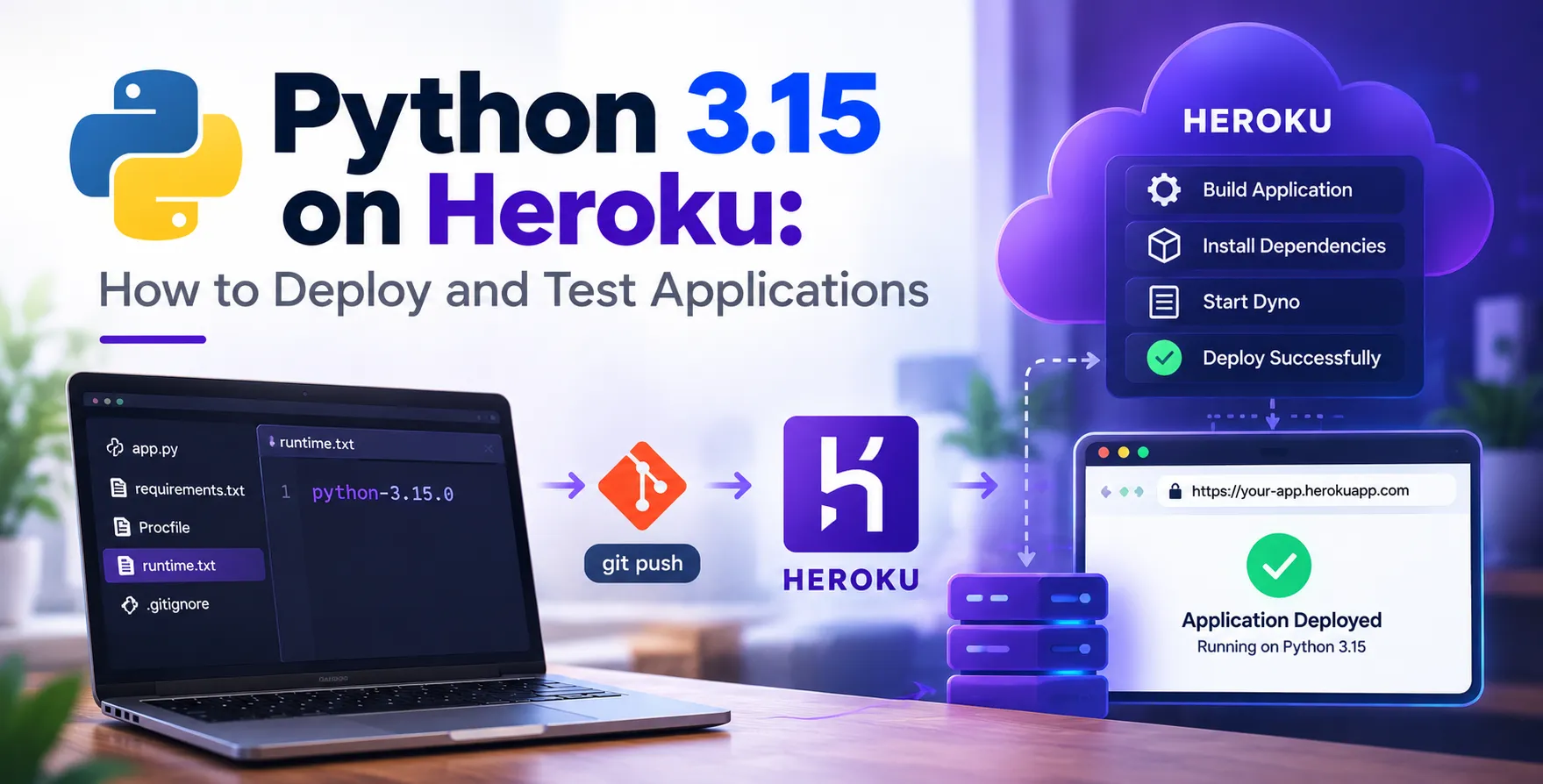
To explicitly use the latest version, you must update your runtime.txt file within your project root directory. This small text file tells the buildpack exactly which Python version to provision for your dynos.
Without this file, the buildpack might default to an older version. Ensuring your configuration is precise prevents unexpected behavior during the slug compilation phase.
Setting Up Local Development Environments
Consistency between local development and cloud production is a fundamental rule of engineering. You should use the same version locally as you intend to deploy on the server.
Using virtual environments allows you to manage these versions without interfering with your global system setup. Most developers prefer tools like venv or poetry to keep their dependencies isolated and project-specific.
How to Deploy Your Application
Once your configuration is set, the process of deploying is straightforward. Using the Git-based workflow allows you to push your changes directly to the remote repository, triggering the automated build pipeline.
The buildpack will detect your requirements, download the necessary binaries, and package your application. Monitoring the build logs in real-time is the best way to catch configuration errors early.
Manual Deployment Steps
Follow these sequential actions to push your code and verify the update. Each step ensures that the cloud environment correctly interprets your new configuration settings.
- Commit your runtime.txt changes
- Push your code to the remote repository
- Watch the build logs for success
- Verify the version using the console
Automated Testing Strategies
Automated tests act as your safety net during any version transition. A robust suite ensures that the logic remains sound even when the underlying runtime environment changes significantly.
Integration tests are particularly important because they verify that your application communicates correctly with databases and external APIs. If your tests pass in the new environment, you can deploy with confidence.
Debugging Deployment Issues
Occasionally, a build might fail due to incompatible C-extensions or missing system-level dependencies. Reviewing the build logs is the first step in diagnosing why a package failed to compile or install.
If you encounter issues, check if the package requires specific system headers that aren't present in the standard environment. Most common issues are resolved by adding a buildpack or adjusting your requirements file.
Verifying Production Readiness
Once the deployment finishes, use the remote shell to confirm the environment state. Running a simple command to print the version ensures that the platform is actually executing the code with your intended interpreter.
Performance monitoring also helps ensure that the new runtime is behaving as expected under load. Watch for unusual spikes in latency or memory consumption immediately after the release.
Comparing Runtime Configurations
| Feature |
Local Environment |
Cloud Runtime |
| Version Locking |
venv or poetry |
runtime.txt |
| Dependencies |
pip install |
pip install |
| Execution |
Local process |
Dyno process |
| Logging |
Stdout/Stderr |
Logplex |
Best Practices for Version Management
Maintain a clear history of your changes by using tags or branches for your version upgrades. This approach allows for rapid rollbacks if you discover an issue in production that wasn't caught during testing.
Documentation is equally important for team collaboration. Ensure that every developer on your project understands the current requirements and knows how to update the configuration when needed.
- Use automated CI pipelines
- Document all environment changes
- Keep dependencies updated regularly
- Perform regular security audits
Conclusion
Moving your projects to Python 3.15 offers clear advantages in performance and developer experience. By following these steps and keeping your environment configurations explicit, you ensure a smooth transition and a more reliable application.
Effective deployment is about preparation and consistent testing. When you treat your infrastructure as a vital part of your codebase, you gain the ability to upgrade with confidence and maintain a high-quality standard across all your services.


 In collaboration with