Table of Contents
- Introduction to PostgreSQL Maintenance
- Understanding MVCC and Bloat
- What is PostgreSQL VACUUM?
- How Postgres Autovacuum Functions
- Tuning Autovacuum for Performance
- Identifying Table Bloat
- Manual VACUUM vs Autovacuum
- PostgreSQL VACUUM Best Practices
- Common Misconceptions
- Impact on Database Performance
- Monitoring VACUUM Activity
- When to Use VACUUM FULL
- Conclusion
Introduction to PostgreSQL Maintenance
Running a production database requires more than just high-performance hardware. You must actively manage the underlying storage to ensure your queries remain fast over time.
Database hygiene is often overlooked until performance degrades significantly. Implementing consistent PostgreSQL database maintenance routines is the most effective way to prevent these issues before they impact your users.
Understanding MVCC and Bloat
PostgreSQL uses Multi-Version Concurrency Control (MVCC) to handle simultaneous data access. When you update or delete a row, the old version remains on disk to ensure consistency for other ongoing transactions.
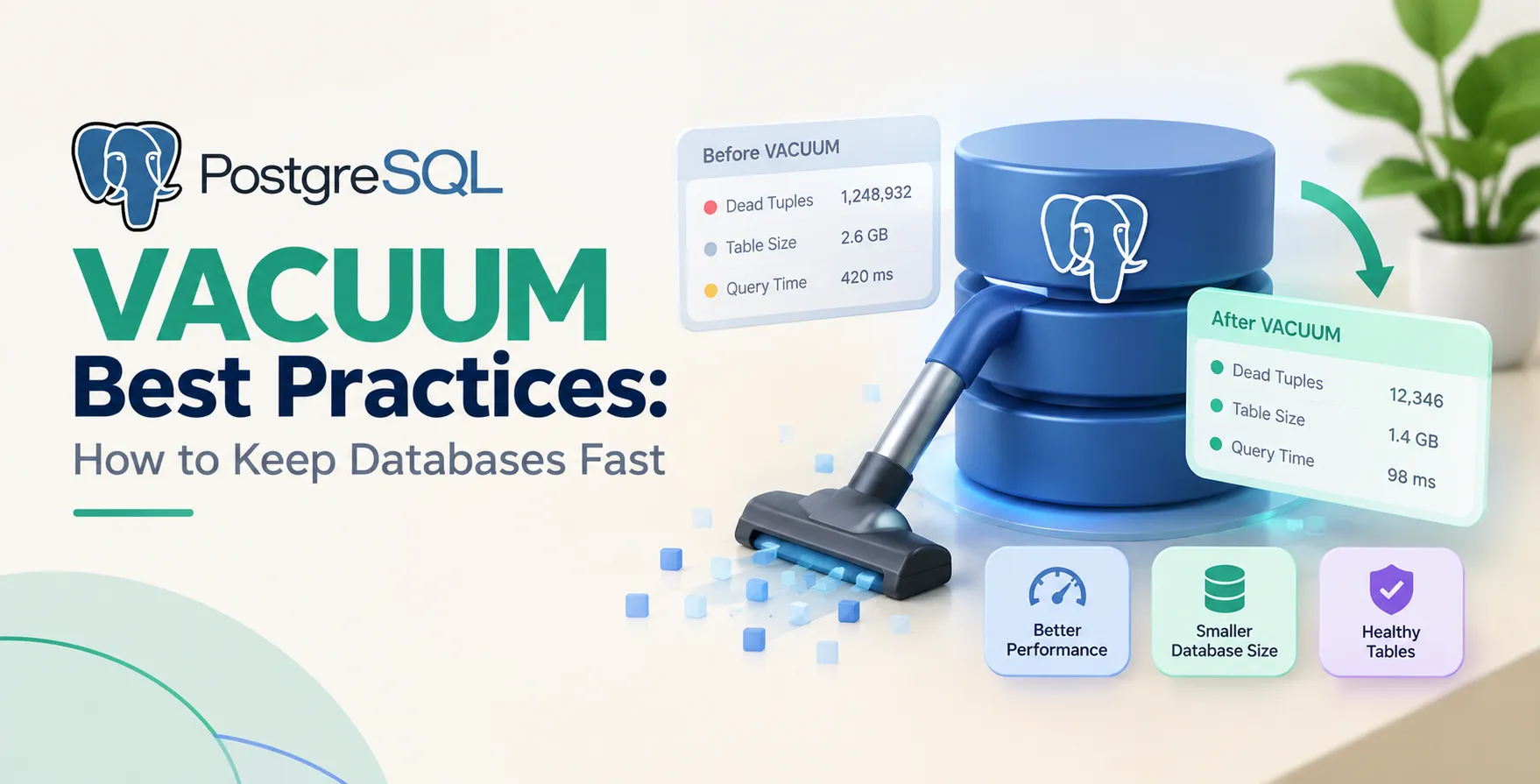
These dead tuples accumulate over time, creating what is commonly known as table bloat. Bloat forces the database to read unnecessary data pages, which significantly slows down query execution and increases storage costs.
- Increases disk usage footprint
- Reduces cache efficiency
- Slows down sequential scans
- Degrades overall query performance
What is PostgreSQL VACUUM?
The PostgreSQL VACUUM process acts as a garbage collector for your database. It identifies dead tuples and marks their space as reusable for future updates or inserts.
Regular vacuuming prevents your tables from growing indefinitely due to outdated data. By reclaiming this space, you maintain optimal performance without requiring downtime or heavy administrative intervention.
How Postgres Autovacuum Functions
Modern versions of PostgreSQL include the Postgres autovacuum daemon to automate this cleanup process. It monitors database activity and triggers worker processes based on specific thresholds defined in your configuration.
Threshold Settings
The autovacuum launcher wakes up periodically to check for tables needing cleanup. It calculates the percentage of dead tuples to decide if a vacuum is necessary.
- Scale factor settings
- Vacuum threshold values
- Cost limit adjustments
These parameters ensure the system runs smoothly without manual oversight. Proper tuning here is vital for large, high-traffic applications.
Worker Processes
Autovacuum workers perform the actual work of cleaning up tables. These processes run in the background to avoid interfering with primary database operations.
- Adjusting max workers
- Managing cost limits
- Monitoring current activity
Tuning the number of workers ensures that maintenance keeps pace with your write volume. Without enough workers, bloat will inevitably build up in high-write environments.
Tuning Autovacuum for Performance
Configuration defaults are rarely ideal for every workload. High-volume systems often require more aggressive settings to keep up with intense update patterns.
You should adjust the scale factor and threshold values on a per-table basis if necessary. This allows you to prioritize critical tables while letting less active tables follow the global defaults.
| Setting |
Purpose |
Performance Impact |
| autovacuum_vacuum_scale_factor |
Trigger threshold percentage |
High |
| autovacuum_vacuum_cost_limit |
Work budget for workers |
Medium |
| autovacuum_vacuum_cost_delay |
Pause duration between units |
Medium |
| autovacuum_max_workers |
Concurrent cleanup processes |
High |
Identifying Table Bloat
Monitoring is essential to ensure your maintenance strategy is working. You can use extensions like pgstattuple to get precise measurements of how much space is being wasted by dead tuples.
Regularly auditing your storage usage helps you catch issues early. If you notice a sudden spike in disk usage, check your bloat levels immediately to see if autovacuum is falling behind.
Manual VACUUM vs Autovacuum
While autovacuum handles most tasks, manual interventions are sometimes necessary. You might trigger a manual vacuum after a massive bulk data import to clear out temporary bloat instantly.
Manual commands allow you to bypass system limits for immediate relief. However, avoid relying on these as a permanent replacement for a well-tuned autovacuum configuration.
PostgreSQL VACUUM Best Practices
Following established PostgreSQL VACUUM best practices to keep databases fast is critical for long-term health. Start by ensuring your statistics are up to date so the query planner makes efficient decisions.
- Monitor autovacuum activity regularly
- Customize settings for large tables
- Keep statistics current with analyze
- Test changes in staging environments
- Audit bloat during off-peak hours
- Avoid disabling autovacuum entirely
Consistency is key. A predictable maintenance routine ensures your database remains responsive under load.
Common Misconceptions
Many developers fear that running vacuum operations will lock their entire database. This is a myth, as vacuuming is designed to be non-blocking and safe for production environments.
Another misconception is that vacuuming reduces the physical size of the data file on disk. It only marks space as reusable for Postgres itself, it does not return that space to the operating system.
Impact on Database Performance
Efficient vacuuming keeps your indexes lean and effective. When bloat is high, indexes also become bloated, which forces the database to perform more I/O operations than necessary.
By keeping tables clean, you ensure that indexes remain compact. This directly supports faster lookups and better overall system responsiveness.
Monitoring VACUUM Activity
Use the pg_stat_user_tables view to track how often autovacuum runs on your tables. This provides visibility into whether your current settings are sufficient for your write load.
If you see tables with high numbers of dead tuples that haven't been vacuumed recently, your thresholds are likely too high. Adjust them downward to trigger more frequent cleaning cycles.
When to Use VACUUM FULL
The VACUUM FULL command is rarely needed in modern PostgreSQL. It rewrites the entire table to disk, which requires an exclusive lock and causes significant downtime.
Only consider this as a last resort for severe cases of bloat. Use tools like pg_repack to achieve the same result without taking your application offline.
Conclusion
Maintaining a high-performance database requires a proactive approach to storage management. By mastering autovacuum settings and monitoring your table health, you prevent performance degradation before it happens.
Integrate these maintenance practices into your development workflow to ensure your application remains fast. A well-tuned database is the foundation of a successful, scalable software product.


 In collaboration with