Table of Contents
- Understanding Gemini API File Uploads
- Why Use GCS and URLs for AI Processing
- The Role of the File API
- Preparing Files for Gemini API
- Leveraging Google Cloud Storage Gemini API
- Using Publicly Accessible URLs
- Best Practices for Large File Handling
- Authentication and Security Considerations
- Optimizing Processing Latency
- Managing File Life Cycles
- Handling Common Upload Errors
- Integrating with Existing AI Pipelines
- Comparing Integration Methods
- Conclusion
Understanding Gemini API File Uploads
Integrating rich media into your AI workflows is essential for modern applications. The Gemini API provides robust capabilities to ingest various file formats, from large videos to complex documents, allowing your models to reason over diverse datasets.
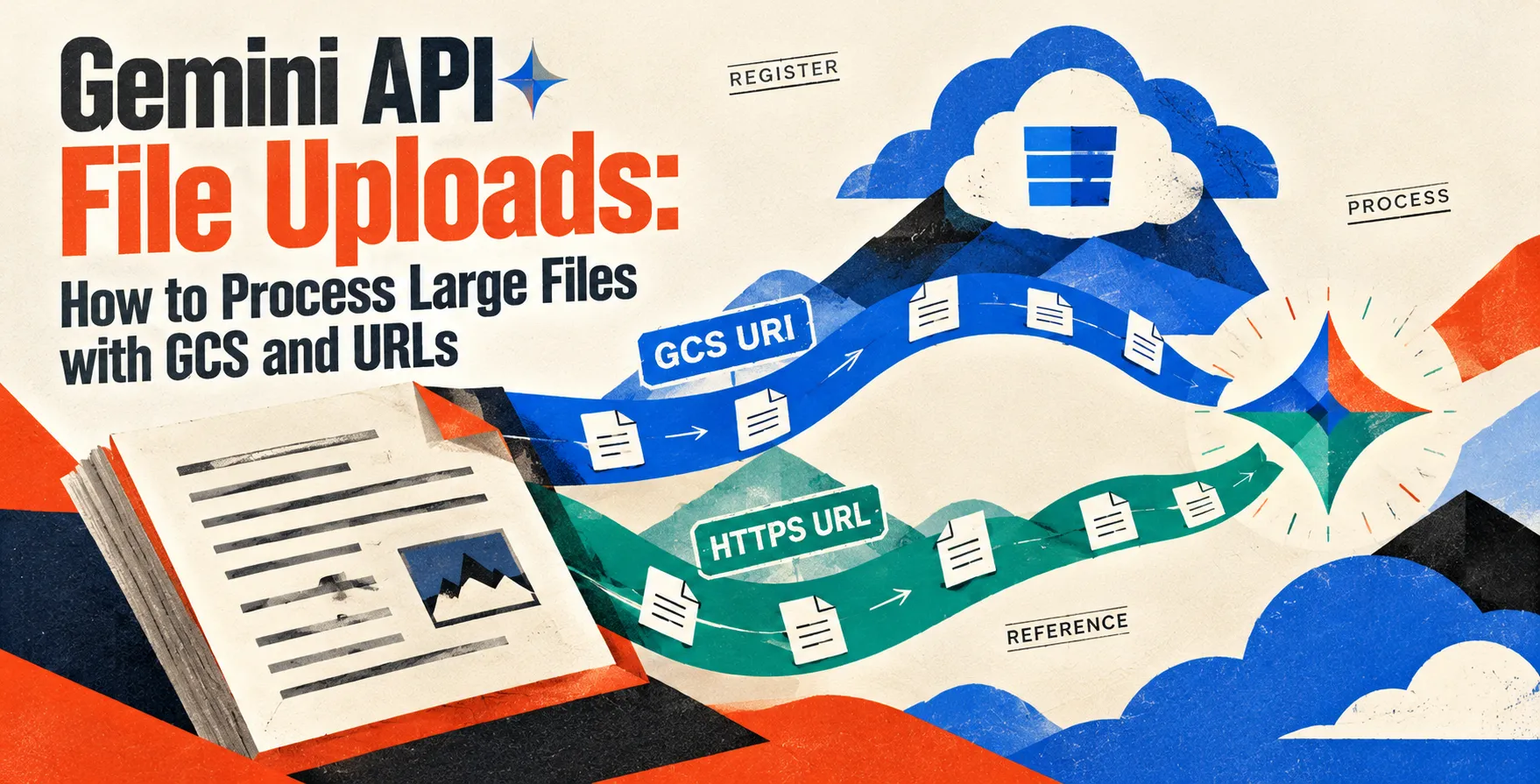
Developers often struggle with uploading massive files directly through standard HTTP requests. Using specialized ingestion methods like Gemini API file uploads from GCS and URLs solves this bottleneck by offloading the heavy lifting to Google's infrastructure.
Why Use GCS and URLs for AI Processing
When dealing with large files, sending raw data over an API call often leads to timeouts and connection failures. By pointing the API to existing storage locations, you ensure high availability and faster processing times.
This approach decouples your storage layer from your compute layer. It allows your application to maintain cleaner architecture while scaling your data ingestion needs efficiently.
- Reduces payload size significantly
- Improves overall system reliability
- Streamlines data management workflows
- Leverages Google's high-speed internal network
The Role of the File API
The File API acts as the bridge between your raw data and the generative models. It allows you to upload, manage, and delete files that are too large for standard base64 embedding.
Once a file is uploaded, the service provides a unique URI. This identifier is what you pass to the model during inference, ensuring the model can access the data securely and perform its analysis.
Preparing Files for Gemini API
Before initiating a Gemini file upload, you must ensure your data meets the platform's requirements. File size, format, and content type are critical factors that determine how successfully your data will be processed.
Proper preparation minimizes the chance of errors during the ingestion phase. You should also verify that your access controls are correctly configured to allow the API service to read your files.
- Verify file size limits
- Confirm supported file formats
- Check metadata requirements
- Validate access permissions
Leveraging Google Cloud Storage Gemini API
Integrating Google Cloud Storage Gemini API workflows is the preferred method for enterprise-grade applications. This allows you to keep your data in secure buckets while granting the API service the necessary permissions to access it.
This method is highly scalable and supports asynchronous processing for massive datasets. By using signed URLs or service account permissions, you can control exactly what the AI can see without exposing sensitive files to the public internet.
You simply provide the GCS URI to the API client. The service then fetches the file directly from your bucket, ensuring that large videos or documents are ingested with minimal latency.
Using Publicly Accessible URLs
For scenarios where data is already hosted on a public web server, the API allows direct ingestion via URLs. This is ideal for quickly prototyping or processing static assets that do not require complex authentication.
While convenient, this method requires that the files remain reachable during the entire processing window. If the server goes down or the URL expires, the API will fail to retrieve the necessary information for inference.
- Requires public read access
- Great for rapid prototyping
- Best for static assets
- Easier to implement initially
Best Practices for Large File Handling
Handling large files requires careful planning to avoid unnecessary costs and performance degradation. You should implement automated cleanup tasks to remove stale files once they are no longer needed by your application.
Always use the most efficient region for your storage buckets to minimize cross-regional data transfer costs. This simple optimization can lead to significant savings as your application scales to handle more traffic.
Bucket Configuration
Properly configuring your storage buckets ensures that the API can retrieve data reliably. Ensure that lifecycle policies are set to handle data expiration properly.
- Enable versioning for data integrity
- Set appropriate object lifecycle rules
- Use regional buckets for proximity
Security Configuration
Security is paramount when dealing with external access to your data. Always use the principle of least privilege when granting access to your storage resources.
- Use service accounts for GCS
- Rotate access tokens frequently
- Limit scope of permissions
Authentication and Security Considerations
Securing your API interactions is critical, especially when dealing with proprietary or user-uploaded files. Using modern authentication methods ensures that only authorized processes can initiate file uploads.
When you are looking at how to secure your application, you must distinguish between public and private access. Always prefer IAM roles for GCS integration over making files publicly readable, as this provides a much stronger security posture.
Optimizing Processing Latency
Latency is a common concern in real-time AI applications. To ensure your system remains responsive, consider pre-processing your files before they hit the API, such as compressing videos or splitting long documents.
This reduces the time the model spends loading the data. By streamlining the input, you allow the model to focus its computation on the actual analysis tasks rather than data ingestion.
Managing File Life Cycles
Files uploaded to the API service are not intended for permanent storage. You must actively manage their life cycle by deleting them after your inference tasks are completed to keep your environment clean.
Failing to manage these files will clutter your workspace and potentially lead to storage limit issues. Implement a robust cleanup function as part of your standard application logic.
Handling Common Upload Errors
Network instability or invalid permissions often cause upload failures. Robust error handling is necessary to provide a seamless user experience, especially in production environments.
Always implement retry logic with exponential backoff for transient failures. This ensures that a temporary network blip does not cause your entire inference pipeline to crash.
- Retry on transient network errors
- Log specific error codes for debugging
- Validate inputs before calling the API
- Check storage bucket quotas
Integrating with Existing AI Pipelines
Most developers use the Gemini API as part of a larger, multi-stage pipeline. Integrating file uploads requires coordinating your storage events with your inference triggers.
This often involves using message queues or event-driven architecture to notify your backend when a new file is available. This ensures that processing happens exactly when the data is ready for analysis.
Comparing Integration Methods
| Method |
Ease of Use |
Security Level |
Scalability |
| Direct Upload |
High |
Low |
Low |
| GCS Integration |
Medium |
High |
High |
| Public URL |
High |
Low |
Medium |
Conclusion
Mastering file ingestion is a key step in building sophisticated AI-powered applications. By choosing between Google Cloud Storage and public URLs, you can optimize your workflows for security, performance, and scalability.
Whether you are building simple prototypes or complex enterprise systems, understanding the right approach for your needs is crucial. Start by implementing GCS integration to ensure your production pipelines are secure and efficient.


 In collaboration with