Table of Contents
- Introduction
- Understanding the Gemini 3.8 Live API
- Key Architecture for Voice Apps
- Setting Up Your Environment
- Managing Audio Streams
- Handling Real-Time Latency
- Authentication and Security
- Integrating with Backend Systems
- Testing and Debugging
- Best Practices for Conversational AI
- Common Challenges
- Future Considerations
- Conclusion
Introduction
The landscape of interactive AI has shifted dramatically toward multimodal, low-latency experiences. Developers are no longer restricted to simple text-based chatbots that feel disconnected from human interaction.
With the release of the Gemini 3.8 Live API, building responsive, voice-enabled systems has become more accessible than ever. This guide explores the technical foundations required to deploy these powerful capabilities in your own software products.
Understanding the Gemini 3.8 Live API
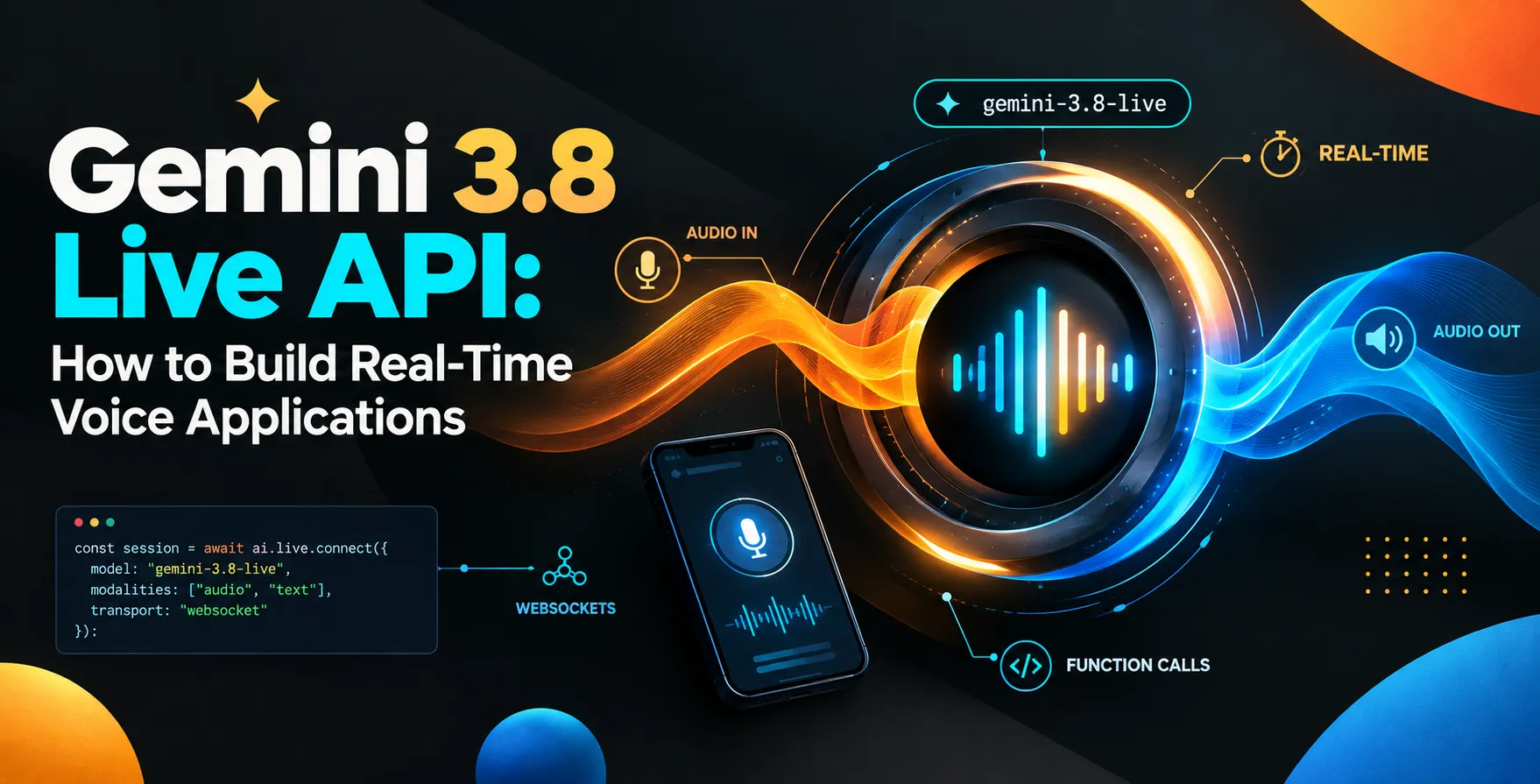
The Gemini 3.8 Live API is designed specifically for high-frequency, bidirectional communication. Unlike traditional request-response models, it maintains an open channel for continuous data exchange.
This allows your application to capture user audio, process it through advanced models, and receive synthesized speech in near real-time. It effectively bridges the gap between static LLM prompts and fluid, human-like voice conversations.
- Supports low-latency audio streaming
- Enables bidirectional data flow
- Maintains context over long sessions
- Provides native voice synthesis
Key Architecture for Voice Apps
Successful real-time voice application development requires a robust architecture. You cannot rely on standard HTTP polling methods if you want to maintain a natural pace during a conversation.
Your architecture must prioritize speed and reliability to ensure the user does not experience awkward pauses. A well-designed system will utilize persistent connections to keep the pipeline clear and responsive.
Client-Side Components
The client needs to capture audio buffers and send them immediately to the processing layer. Efficient audio codec usage is essential for reducing payload size without sacrificing quality.
- Web Audio API usage
- Client-side silence detection
- Audio buffer management
- Real-time playback handling
Server-Side Orchestration
Your server acts as the middleware between the client and the Gemini infrastructure. It handles connection management and ensures that the voice data is properly routed for inference.
- WebSocket connection management
- Audio format transcoding
- Context state persistence
- Callback handler integration
Setting Up Your Environment
Getting started with the API requires a clear understanding of your project dependencies. You should ensure your development environment is optimized for handling asynchronous streams before you begin coding.
Most developers prefer using a dedicated SDK to wrap the underlying network calls. This simplifies the handshake process and keeps your application logic clean and maintainable.
- Install necessary language-specific SDKs
- Configure your project API keys
- Set up a local testing proxy
- Verify environment variable security
Managing Audio Streams
Managing audio streams effectively is the core of how to build real-time voice applications with Gemini 3.8 Live API. If your streams are not managed correctly, you will face issues with jitter or delayed audio output.
You must implement a buffering strategy that allows for smooth playback while the model generates the next segment of response. This creates a seamless flow that mimics a natural conversation.
- Stream segmentation strategy
- Sample rate consistency checks
- Handling network packet loss
- Buffer clearing on interruption
Handling Real-Time Latency
Latency is the primary enemy of any voice-driven AI interface. Even a few hundred milliseconds of delay can make a conversation feel unnatural and disjointed to the end user.
You should focus on reducing the round-trip time by optimizing your network path and keeping your processing logic lightweight. Advanced techniques in AI inference optimization can help shave off critical time during the model response phase.
| Optimization Area |
Technique |
Impact on Latency |
| Network |
Persistent WebSockets |
High |
| Audio |
Codec Compression |
Medium |
| Processing |
Model Quantization |
Medium |
| Architecture |
Edge Compute Nodes |
High |
Authentication and Security
Securing your voice interface is just as important as the performance itself. You must ensure that every API call is properly authenticated to prevent unauthorized access to your conversational infrastructure.
Using robust authentication methods like JWT or secure API keys is standard practice. Never expose your primary credentials directly in client-side code where they could be easily intercepted or stolen.
- Utilize server-side token exchange
- Implement rate limiting per session
- Encrypt all transit data
- Rotate credentials periodically
Integrating with Backend Systems
A voice assistant is only as useful as the actions it can perform. Your application should be able to trigger backend processes or database lookups based on the user's spoken intent.
This often involves using a tool-calling framework that bridges the AI model with your internal APIs. This turns a simple chat interface into a powerful tool for task automation and data retrieval.
- Defining custom function signatures
- Mapping voice input to actions
- Handling asynchronous backend triggers
- Validating model-generated function calls
Testing and Debugging
Testing voice applications requires specialized tools that can simulate audio input and analyze the quality of the output. You cannot rely solely on traditional automated testing tools that focus on JSON responses.
You should record sessions to analyze where the flow breaks down or where latency spikes occur. This iterative process is vital for refining the user experience over time.
- Unit testing audio pipelines
- Simulating network jitter conditions
- Analyzing response time metrics
- Logging conversation state changes
Best Practices for Conversational AI
Designing for voice requires a shift in mindset compared to visual UI design. You have to account for interruptions, ambient noise, and the non-linear nature of human speech.
Always provide clear cues when the system is processing or listening. This manages user expectations and reduces frustration when the AI needs a moment to think.
- Implement barge-in capabilities
- Use natural-sounding voice profiles
- Keep responses concise
- Handle silence gracefully
Common Challenges
Developers often struggle with background noise interference and accents that the model might not immediately recognize. These challenges require robust pre-processing filters before the audio hits the API.
Another common hurdle is managing the state during long-running conversations. If the model loses context, the conversation becomes useless, so you must pass relevant history back to the session.
- Audio noise floor filtering
- Context window management
- Handling long-duration sessions
- Voice activation accuracy
Future Considerations
As the Gemini Live API evolves, expect to see even tighter integration with device-level features and better support for multilingual conversations. Staying updated with the latest documentation is key to maintaining your implementation.
Consider how your application might scale if you move from a few dozen users to thousands of concurrent streams. Planning for high-concurrency environments early will save you significant technical debt later on.
Conclusion
Building real-time voice applications is a complex but highly rewarding endeavor. By leveraging the Gemini 3.8 Live API, you can create interfaces that feel intuitive, human, and incredibly fast.
Focus on maintaining low latency, securing your endpoints, and designing for the nuances of human speech. With these foundations in place, your application will be well-positioned to lead in the next wave of interactive AI technology.


 In collaboration with