Table of Contents
- Introduction to Secure Networking
- Understanding AgentCore Gateway Architecture
- Prerequisites for Private TLS
- Configuring the VPC Endpoint
- Managing the AgentCore Private CA Certificate
- Implementing TLS Termination
- Securing MCP Gateway VPC Integration
- Network Traffic Flow Analysis
- Advanced Security Considerations
- Troubleshooting Common Setup Issues
- Best Practices for Production
- Monitoring and Observability
- Final Thoughts
Introduction to Secure Networking
In modern cloud architectures, securing data in transit is non-negotiable. As organizations scale their use of generative AI and automated agents, ensuring that traffic remains within the private network is a top priority.
Using AWS AgentCore Gateway private TLS for VPC endpoints provides a robust way to encrypt traffic between your private applications and the gateway. This approach minimizes exposure to the public internet while maintaining high performance standards.
This guide walks you through the technical requirements and configuration steps needed to achieve a secure, private communication channel. By leveraging these native AWS tools, you can ensure your infrastructure meets the most stringent compliance standards.
Understanding AgentCore Gateway Architecture
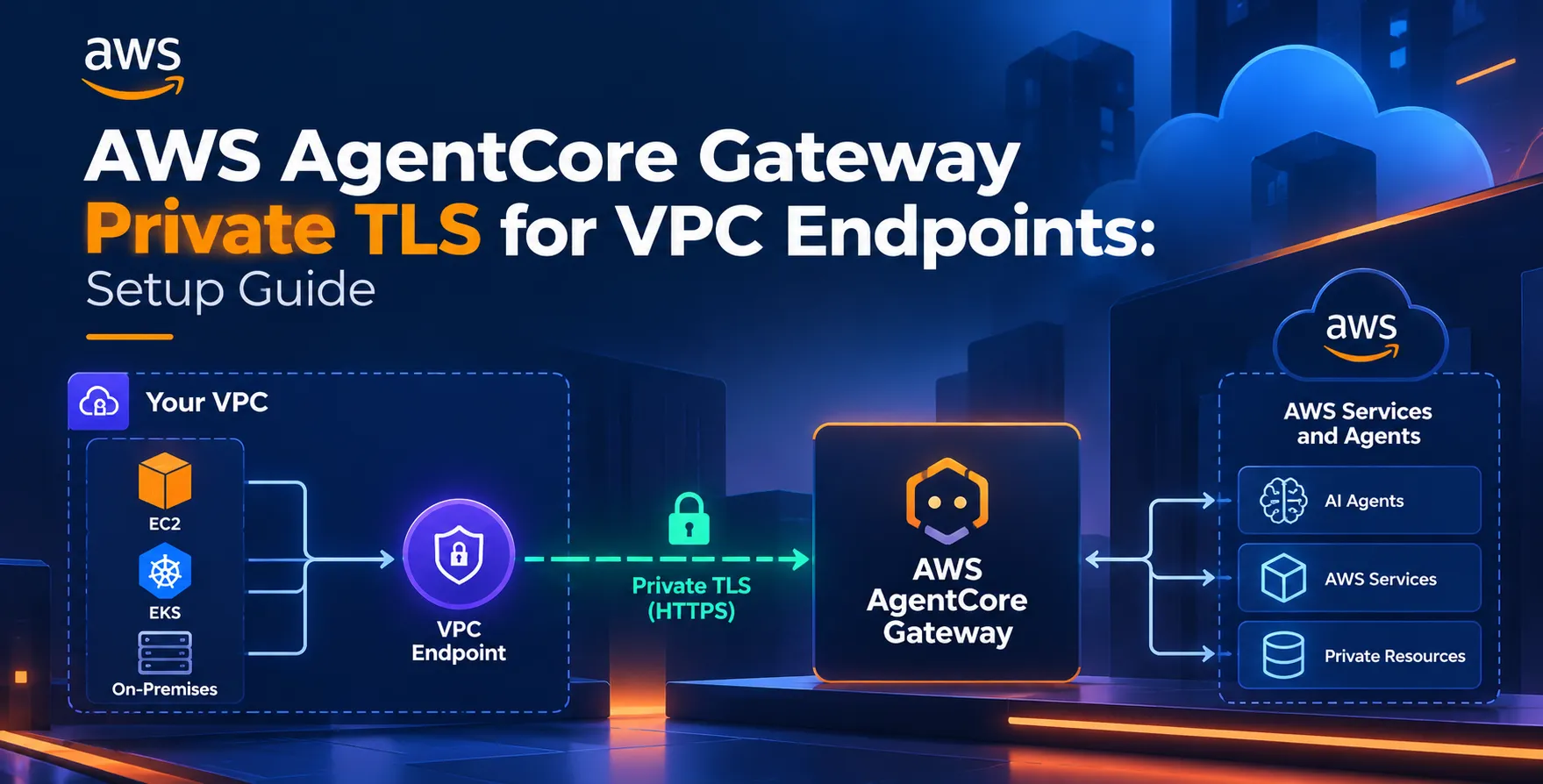
The architecture relies on high-performance VPC endpoints to route traffic efficiently. When you deploy an Amazon Bedrock AgentCore Gateway, you are essentially setting up a bridge between your VPC and the managed service layer.
This connection eliminates the need for public IP addresses or NAT gateways for this specific traffic path. By keeping traffic internal to the AWS network, you gain better control over latency and security policies.
- Reduces attack surface
- Ensures private network routing
- Optimizes internal traffic latency
Prerequisites for Private TLS
Before beginning the configuration, ensure your environment meets the core infrastructure requirements. You need an active VPC with at least two subnets in separate Availability Zones for high availability.
You must also have the necessary IAM permissions to create and manage VPC endpoints. Finally, verify that your Security Groups allow ingress and egress traffic on the standard TLS port.
- Active AWS account
- Configured VPC environment
- IAM administrative roles
- TLS-compatible client applications
Configuring the VPC Endpoint
The setup begins by creating an interface endpoint for your service. Navigate to the VPC console and select the option to create a new endpoint, choosing the interface type for optimal performance.
Ensure you select the appropriate security group that restricts access to only authorized CIDR blocks or resources. Enabling private DNS names simplifies the connection process for your internal applications.
- Create interface endpoint
- Select correct VPC subnets
- Attach restrictive security groups
- Enable private DNS resolution
Managing the AgentCore Private CA Certificate
Security at this layer requires strict management of your AgentCore private CA certificate. This certificate serves as the trust anchor for all internal TLS connections initiated from your VPC resources.
Store your certificate securely using AWS Certificate Manager or a dedicated Hardware Security Module. Ensure that your client-side applications are configured to trust this specific CA to avoid connection handshake errors.
Certificate Rotation Strategies
Regular rotation is critical to maintaining a strong security posture. Automate this process using AWS services to prevent service interruptions during expiry.
- Rotate certificates annually
- Monitor expiry dates
- Use automated renewal pipelines
- Revoke compromised credentials
Proper lifecycle management ensures that your encrypted communication remains valid and secure throughout the operational lifetime of the service.
Implementing TLS Termination
TLS termination is the process where the gateway decrypts the incoming traffic for processing. This ensures that the downstream agents receive clean, authenticated requests without needing to handle the overhead of TLS handshakes themselves.
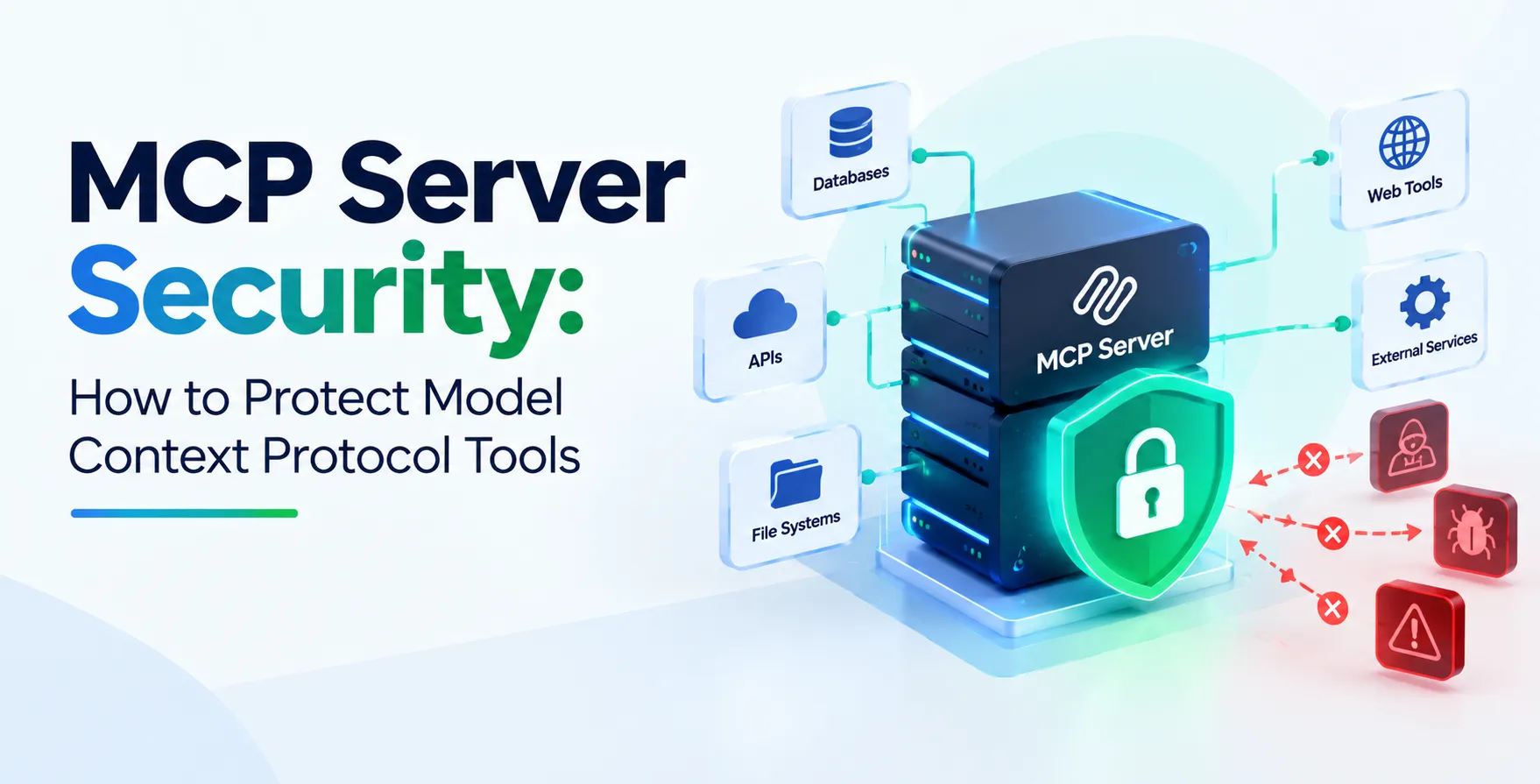
By terminating at the gateway, you centralize your security logging and inspection. This is a common pattern in MCP gateway VPC integration setups, where multiple services interact through a single, secure entry point.
- Centralized security monitoring
- Simplified application logic
- Reduced compute overhead
Securing MCP Gateway VPC Integration
When multiple services need to talk to the gateway, maintaining consistent security policies is essential. Use fine-grained IAM policies to control which microservices can access the gateway endpoints.
Implement a Least Privilege model, ensuring that each service only has the permissions it needs. This reduces the risk of lateral movement if a single service is compromised.
| Security Layer |
Implementation Method |
Benefit |
| Network |
VPC Endpoint Policies |
Isolates traffic |
| Identity |
IAM Roles/Policies |
Granular control |
| Encryption |
Private TLS |
Data privacy |
| Monitoring |
VPC Flow Logs |
Visibility |
Network Traffic Flow Analysis
Understanding how data moves through your VPC is vital for troubleshooting and performance tuning. Traffic originates in your private application subnet and traverses the elastic network interface created by the VPC endpoint.
Because the traffic stays on the AWS backbone, it is inherently faster and more reliable than traffic routed over the public internet. Use flow logs to monitor connection attempts and identify any blocked traffic patterns.
Advanced Security Considerations
For high-compliance industries, additional layers like VPC Endpoint Policies are required. These policies allow you to restrict exactly which actions can be performed through the endpoint.
Consider integrating a service mesh for even tighter control over service-to-service communication. This adds mutual TLS (mTLS) capabilities to your internal network, further hardening the system against unauthorized access.
- Apply strict endpoint policies
- Implement service mesh integration
- Enable VPC Flow Logs
- Use CloudWatch for alerts
Troubleshooting Common Setup Issues
Connection failures are often due to misconfigured security groups or missing DNS records. Start by verifying that your security group rules explicitly allow traffic on the designated port.
If the connection still fails, check that your VPC endpoint has the correct route table associations. Sometimes, the issue is as simple as a missing private zone association in Route 53.
- Check security group rules
- Verify DNS resolution settings
- Test connectivity from instances
- Inspect IAM policy logs
Best Practices for Production
Always deploy across multiple Availability Zones to ensure high availability. If one zone experiences a failure, your traffic will automatically route to the healthy endpoint in another zone.
Keep your documentation updated with the specific certificate thumbprints and endpoint IDs. This makes it much easier for the DevOps team to perform maintenance or upgrades in the future.
- Use multi-AZ deployments
- Automate infrastructure updates
- Maintain detailed runbooks
- Perform regular security audits
Monitoring and Observability
Effective monitoring is the backbone of any stable production environment. Track metrics like request latency, error rates, and the number of active connections to the gateway.
Use native tools to set up alerts for any unusual spikes in traffic or repeated authentication failures. This proactive approach helps you address potential security threats before they escalate into incidents.
Final Thoughts
Securing your infrastructure with private TLS is a fundamental step in building scalable, enterprise-grade AI applications. By following this guide, you have successfully established a secure path for your services to communicate with the gateway.
As your architecture evolves, continue to refine your security policies and monitoring strategies. Staying diligent with certificate management and network auditing will ensure your platform remains resilient against modern security threats.


 In collaboration with