Table of Contents
- Understanding Browser Security
- What is a CORS Preflight Request?
- When Does a Preflight Occur?
- The Role of the OPTIONS Method
- How to Debug CORS Failures
- Analyzing Network Traffic
- Common Misconfigurations
- Access-Control-Allow-Origin Troubleshooting
- Handling Custom Headers
- Server-Side Implementation Best Practices
- Common Pitfalls to Avoid
- Testing Your CORS Configuration
- Final Thoughts
Understanding Browser Security
Modern web browsers implement a security mechanism known as the Same-Origin Policy. This policy restricts how a script in one origin can interact with resources from a different origin.
While this keeps user data safe, it often complicates modern application architecture. When your frontend and backend reside on different domains, you need a mechanism to explicitly allow cross-origin communication.
This is where Cross-Origin Resource Sharing, or CORS, comes into play. It provides a way for servers to communicate which origins are permitted to access their resources.
- Prevents unauthorized data access
- Allows controlled cross-origin communication
- Enforces security at the browser level
What is a CORS Preflight Request?
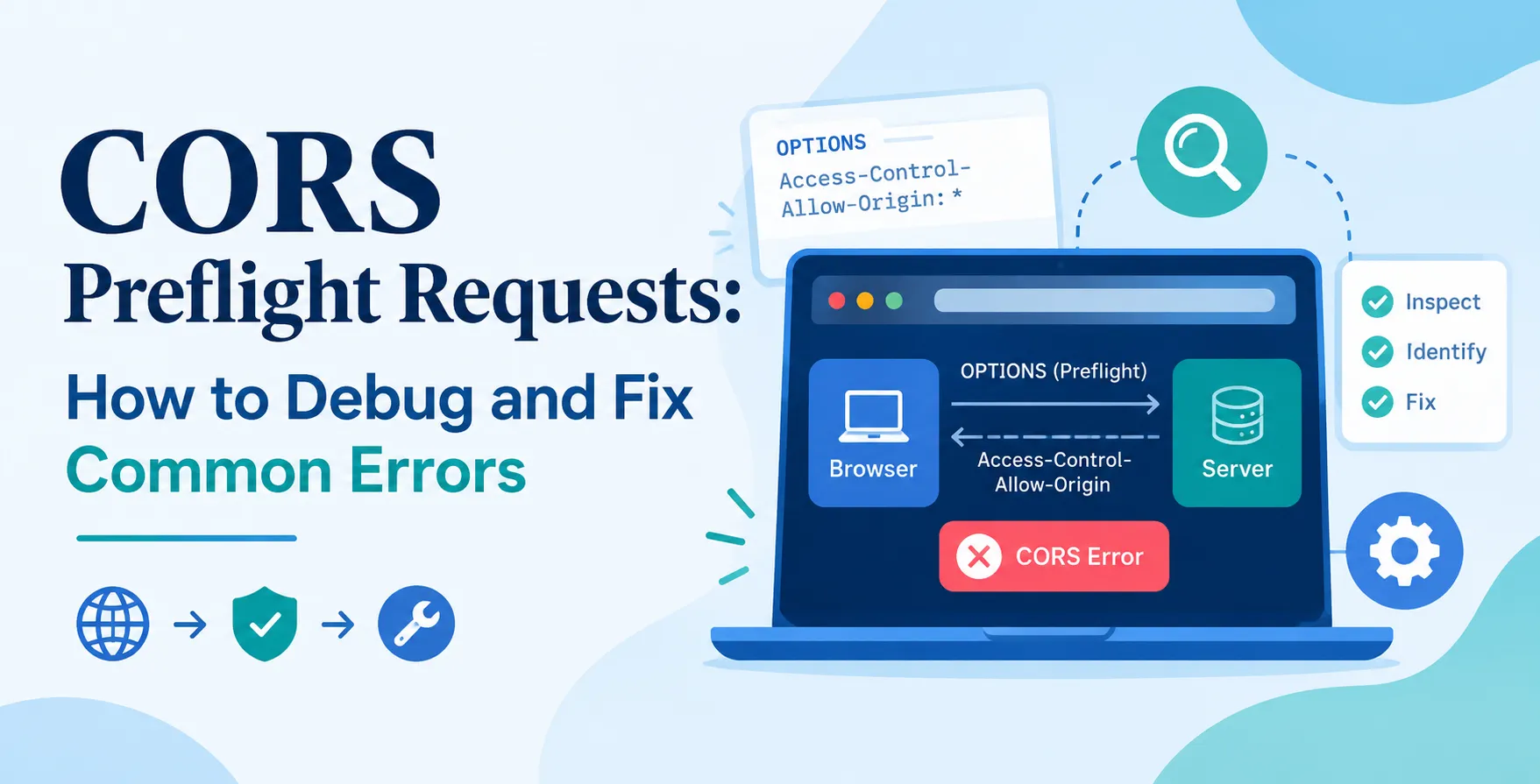
A CORS preflight request is an automated request sent by the browser before the actual data request. Its purpose is to ask the server for permission to perform cross-origin actions.
This process is transparent to the user. The browser handles the entire handshake without requiring custom code on the client side.
If the server responds with the correct headers, the browser proceeds with the actual request. If the server denies permission, the browser blocks the main call entirely.
- Automated security handshake
- Verifies server permissions
- Occurs before data transmission
When Does a Preflight Occur?
Not every cross-origin request requires a preflight. Simple requests, such as standard GET calls or basic POST operations with simple content types, often skip this step.
However, more complex requests trigger this behavior automatically. If your application sends custom headers or uses non-standard content types, the browser will always initiate a preflight.
Understanding this distinction is vital when debugging your network traffic. Knowing when to expect an OPTIONS request CORS error helps you identify if your issue is related to security policies or general connectivity.
- Custom HTTP headers
- Non-standard content types like application/json
- PUT, DELETE, or PATCH methods
- Credentials usage with cookies
The Role of the OPTIONS Method
The OPTIONS method is the standard HTTP verb used for preflight checks. It serves as a query to the server, asking which methods and headers are supported for a specific endpoint.
When a server receives an OPTIONS request, it must respond with specific headers indicating its policies. If your backend is not configured to respond to OPTIONS, the preflight will fail.
This is a frequent point of failure in API development. Many developers focus only on GET or POST logic, forgetting that the server must also be ready to handle preflight traffic.
- Queries server capabilities
- Validates allowed origin policies
- Checks permitted request methods
How to Debug CORS Failures
Debugging these errors requires a systematic approach. Start by inspecting the browser console to identify the exact nature of the failure message.
The error message usually indicates which header is missing or why the origin was rejected. Use the Network tab to examine the specific OPTIONS request that failed.
Look at the response status code and the headers returned by the server. If the server returns a 404 or 405 error, your routing layer is likely blocking the request before the CORS middleware can execute.
- Check browser console logs
- Inspect network request timing
- Examine response headers
- Verify server-side status codes
Analyzing Network Traffic
The browser's Network tab is your most valuable tool for diagnosing issues. Click on the failed request to see the request headers sent by the client and the response headers received from the server.
Pay close attention to the origin header sent by the client. This matches the URL of the page where your script is running.
Compare this origin against the server's whitelist. If they do not match, the browser will naturally block the follow-up request to protect the user.
- Verify client origin header
- Check server-side response headers
- Compare allow-origin values
Common Misconfigurations
Most issues arise from simple mistakes in server configuration. The most frequent error is an incorrect or overly restrictive Access-Control-Allow-Origin troubleshooting process where developers misunderstand how wildcards work.
Another common issue is failing to echo back the exact origin requested. Using a wildcard when your site uses authentication via cookies will also cause the browser to reject the request.
Always ensure your server logic correctly handles the Access-Control-Request-Headers field. If the client sends a header that the server does not explicitly include in its response, the request will fail.
| Configuration Issue |
Result |
| Missing Allow-Origin |
Request Blocked |
| Wildcard with Credentials |
Security Error |
| Disallowed Custom Header |
Preflight Failure |
| Incorrect Method List |
405 Method Not Allowed |
| Server Side 404 |
Failed Request |
Access-Control-Allow-Origin Troubleshooting
When you encounter issues, start with the basics. Ensure that the Access-Control-Allow-Origin header is present and correctly configured on your server response.
If you are serving multiple subdomains, avoid hardcoding a single origin. Instead, write logic that checks the incoming request origin against a list of trusted domains and returns that specific origin in the response.
This dynamic approach is much more secure than using wildcards. It ensures that your API remains protected while allowing legitimate cross-origin traffic from your authorized domains.
- Use dynamic origin reflection
- Avoid universal wildcards
- Verify header capitalization
Handling Custom Headers
Modern applications frequently use custom headers for authentication tokens or API versioning. These headers trigger the preflight mechanism, as they are not considered simple requests.
You must explicitly list these headers in the Access-Control-Allow-Headers response. If you forget to include your custom header, the browser will block the actual request.
This is often overlooked during initial development. As you add new features, ensure your CORS policy is updated to include any new headers your client might send.
- Include Authorization headers
- Add content-type headers
- List custom versioning headers
Server-Side Implementation Best Practices
Implementing CORS correctly involves more than just setting headers. You need to ensure your middleware executes for all routes, including OPTIONS requests.
If your framework has a specific order for middleware, ensure that your CORS handler runs early. This ensures it catches the request before it hits your business logic or authentication layers.
Secure your API by strictly limiting the origins you allow. Avoid overly permissive policies in production environments. Following these principles helps prevent unauthorized access to your endpoints.
- Execute CORS middleware early
- Restrict allowed origins
- Maintain consistent header responses
Common Pitfalls to Avoid
One common mistake is assuming that setting headers on a GET request is enough. You must ensure the configuration is applied to the OPTIONS method globally.
Another pitfall is testing in an environment that doesn't mirror production. CORS policies often behave differently when moving from a local development server to a staged or live environment.
Always test your configuration across different browsers. While most follow the same standards, edge cases can occasionally lead to unexpected behavior in specific versions.
- Ignoring OPTIONS route
- Overly permissive wildcards
- Inconsistent environment configurations
Testing Your CORS Configuration
Use automated tools to verify your settings. Many developers find success by using command-line utilities to inspect raw headers before trying to debug within a browser.
You can also use specialized testing tools to simulate preflight requests. This allows you to verify that your server responds with the correct headers without needing to trigger a full browser session.
Integrate these checks into your automated testing workflow. This ensures that any changes to your API architecture do not inadvertently break your cross-origin security policies.
- Use curl for header inspection
- Simulate OPTIONS requests
- Verify header presence
Final Thoughts
Dealing with CORS preflight requests is a standard part of modern web development. While they can seem frustrating, understanding the underlying security model makes debugging significantly easier.
By focusing on the interaction between the browser and the server, you can quickly identify the root cause of failures. Always keep your CORS policies strict and dynamic to maintain the integrity of your application.
Consistent testing and careful header management will save you hours of troubleshooting. With the right approach, you can ensure your APIs are both secure and accessible.


 In collaboration with