Table of Contents
- Introduction
- Understanding the Threat Landscape
- Core Principles for Secure AI Integration
- Managing Claude Code Permissions Effectively
- Securing Local Development Environments
- Network and Traffic Considerations
- The Role of Human-in-the-Loop Reviews
- Handling Sensitive Credentials and Secrets
- Integrating AI Guardrails for Development
- Workstation Hardening Techniques
- Comparing Manual vs AI-Assisted Security
- Addressing Supply Chain Risks
- Establishing Team-Wide Security Policies
- Conclusion
Introduction
Modern software development is shifting rapidly toward AI-assisted workflows. Tools that can analyze entire codebases and suggest complex logic are becoming standard equipment for senior engineers.
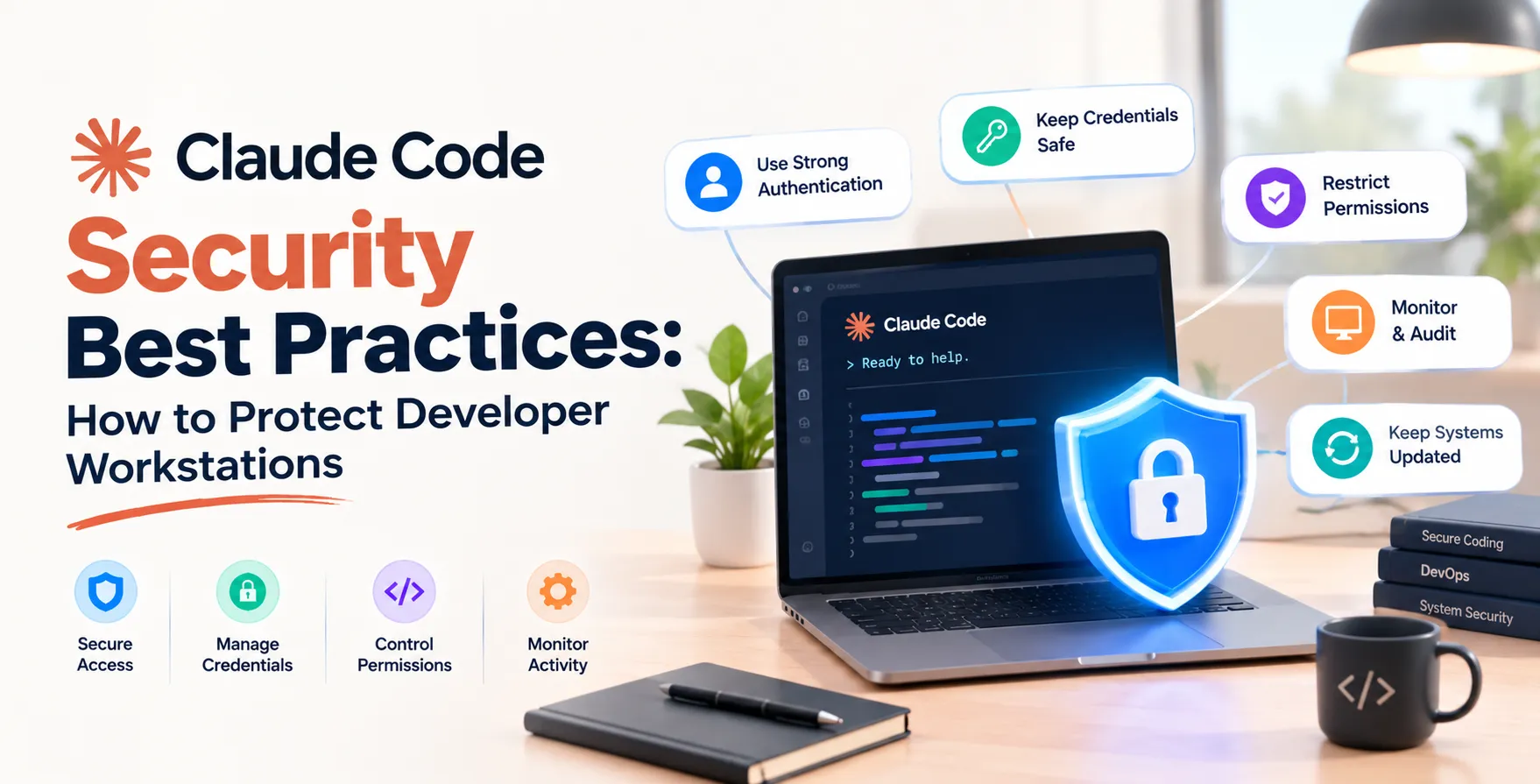
However, granting an agent read and write access to your local environment requires a new mindset. Implementing Claude Code security is now a critical prerequisite for maintaining a professional development pipeline.
Ignoring these risks can expose proprietary source code or accidentally leak environment variables. This guide outlines how to balance productivity with necessary caution.
Understanding the Threat Landscape
When you deploy an AI agent, you are essentially granting a third-party model access to your local machine. This agent can read configuration files, access local databases, and modify your source code.
The primary concern involves unintentional data exfiltration or the execution of malicious code. Attackers often target developer workstations to gain lateral movement within corporate networks.
Without proper oversight, an AI agent might inadvertently send sensitive snippets to external training sets. We must treat these tools as privileged actors within our infrastructure.
- Potential exposure of API keys
- Unintended code modifications
- Data leakage through cloud-based analysis
- Unauthorized local file system access
Core Principles for Secure AI Integration
Security is not just about blocking access; it is about managing risk through layers of protection. You should follow a model of least privilege whenever configuring your development environment.
Start by auditing what information the agent can actually see. Never point an AI tool at a repository containing hardcoded secrets or production database credentials.
Treat the AI agent as a junior developer who has access to your code but not to your production systems. This boundary prevents the agent from performing actions that could lead to catastrophic failures.
Managing Claude Code Permissions Effectively
Configuring proper Claude Code permissions is the most impactful step you can take today. By default, agents often request broad access to perform their tasks efficiently.
You should narrow this scope to specific directories or projects. Limiting the agent to a sandbox environment ensures that a compromise in one project does not affect your entire machine.
Regularly review the permissions you have granted to your tools. If you no longer need the agent to perform certain tasks, revoke those specific capabilities immediately.
- Directory-level access restrictions
- Read-only modes for sensitive modules
- Explicit approval for shell command execution
- Scoped network connections for external dependencies
Securing Local Development Environments
Your workstation is the front line of defense in the development lifecycle. If your host machine is compromised, the security of any AI tool running on it becomes irrelevant.
Ensure your operating system is patched and that you are using full-disk encryption. Use a dedicated user account for development tasks to isolate your personal data from your professional workspace.
Implement strict firewall rules that prevent unexpected outbound connections. An agent should not be able to communicate with arbitrary external servers without explicit approval.
Network and Traffic Considerations
Even if your code remains local, the metadata of your work might cross the network. Monitoring outbound traffic from your terminal is a key part of maintaining robust security.
Use local proxy tools to inspect traffic generated by your IDE and command-line agents. This visibility helps you detect if an AI is sending more telemetry than necessary.
Consider establishing private endpoints if your organization supports them. This keeps traffic within your corporate perimeter, reducing the risk of man-in-the-middle attacks.
The Role of Human-in-the-Loop Reviews
Never allow an AI agent to commit code directly to your production branch without human verification. Automation is powerful, but it lacks the nuance of security-aware engineering.
Treat every suggestion as a potential pull request that requires peer review. If the AI suggests an architectural change, perform a thorough risk analysis before merging that code.
Manual oversight acts as a final safety net for the entire process. It ensures that the AI remains a tool under your control rather than an autonomous actor.
- Mandatory code review for AI changes
- Verification of all suggested dependencies
- Validation of security-sensitive logic
- Testing AI-generated code in staging
Handling Sensitive Credentials and Secrets
Never rely on an AI agent to manage your secrets. You should use dedicated secret management solutions like HashiCorp Vault or cloud-native key management systems.
Ensure that your shell history and environment variables are scrubbed of sensitive data. AI agents often scan these files to understand your local configuration, which can lead to accidental exposure.
If you suspect a secret has been exposed to an AI, rotate the credential immediately. Do not wait for a formal incident report to take corrective action.
Integrating AI Guardrails for Development
Using secure AI coding agents requires implementing technical guardrails. These controls prevent the agent from accidentally executing dangerous system commands or accessing restricted files.
You can configure local policies that restrict the agent's ability to run commands like sudo or rm. This limits the blast radius of any potential misconfiguration or prompt injection.
Furthermore, use tools that can scan your codebase for vulnerabilities automatically. Integrating static analysis into your workflow ensures that the agent is not introducing new security flaws.
| Security Layer |
Manual Implementation |
AI-Assisted Security |
| Credential Management |
Environment variables |
Vault integration |
| Access Control |
OS user permissions |
Scoped agent tokens |
| Code Verification |
Peer review |
Automated linting |
| Network Policy |
Host firewall |
Egress filtering |
| Audit Trails |
System logs |
Agent activity logs |
Workstation Hardening Techniques
Hardening your machine involves minimizing the attack surface. Disable unnecessary services and ensure that you are using a secure terminal emulator.
Keep your dependencies updated to avoid known vulnerabilities. An outdated library is an easy entry point for an agent to exploit or misuse.
Implement multi-factor authentication for every service you interact with through your terminal. This prevents unauthorized access to your remote repositories if your session is hijacked.
Comparing Manual vs AI-Assisted Security
The transition to AI-assisted coding requires evolving our security practices. Manual reviews are reliable but slow, whereas automated tools offer speed at the cost of potential oversight.
A hybrid approach is the gold standard for modern engineering teams. By combining human judgment with automated Claude Code security best practices for developer workstations, you achieve both speed and safety.
Do not view these as competing philosophies. Instead, see them as complementary layers that build a resilient development environment.
Addressing Supply Chain Risks
AI agents may suggest external packages that introduce supply chain vulnerabilities. Always verify the source and reputation of any new dependency before adding it to your project.
Use lock files to ensure that the code you tested is exactly the code that gets deployed. Never blindly follow an agent's instruction to upgrade a library without checking for security advisories.
Supply chain security is a shared responsibility. By vetting suggestions, you protect not only your workstation but also your entire team's production environment.
Establishing Team-Wide Security Policies
Security is most effective when it is a team culture. Draft a clear document outlining how your team uses AI agents and what is expected of every developer.
Define which repositories are safe for AI analysis and which are strictly off-limits. Provide training sessions to ensure everyone understands the risks and the proper tools for mitigation.
Consistency across the team prevents individual developers from becoming weak links. When everyone follows the same protocols, the entire organization becomes significantly more secure.
Conclusion
Protecting your workstation while using advanced AI tools is non-negotiable in 2026. By carefully managing permissions, isolating your environments, and maintaining human-in-the-loop oversight, you can harness the power of AI safely.
These practices are not just for security experts; they are essential habits for every professional developer. Implementing these steps ensures that you remain productive without compromising your integrity or your company's data.
Stay vigilant, keep your tools updated, and always verify before you execute. Your security posture depends on the small decisions you make every day at the keyboard.


 In collaboration with