Table of Contents
- Introduction to Database Indexing
- Understanding How Indexes Work
- Choosing the Right Index Type
- Primary Keys and Performance
- When to Use B-Tree Indexes
- Managing Partial Indexes
- Handling Multi-Column Indexes
- Avoiding Over-Indexing
- Monitoring Index Usage
- Index Maintenance Strategies
- Common Performance Pitfalls
- Scaling Through Better Architecture
- Final Thoughts
Introduction to Database Indexing
Database performance often dictates the overall speed of modern software. When your web application struggles with slow load times, the database is frequently the bottleneck.
Implementing PostgreSQL indexing best practices for web applications allows you to retrieve data efficiently. Without proper indexing, the database must perform a full table scan, which is incredibly slow as your dataset grows.
Understanding How Indexes Work
Think of an index as a map for your database. Instead of reading every page of a book to find a specific term, you go straight to the index at the back.
Postgres creates a separate data structure that stores the location of specific rows. This allows the query engine to jump directly to the data it needs.
Without this map, the database engine examines every record until a match is found. This process scales poorly and leads to significant latency in production environments.
Choosing the Right Index Type
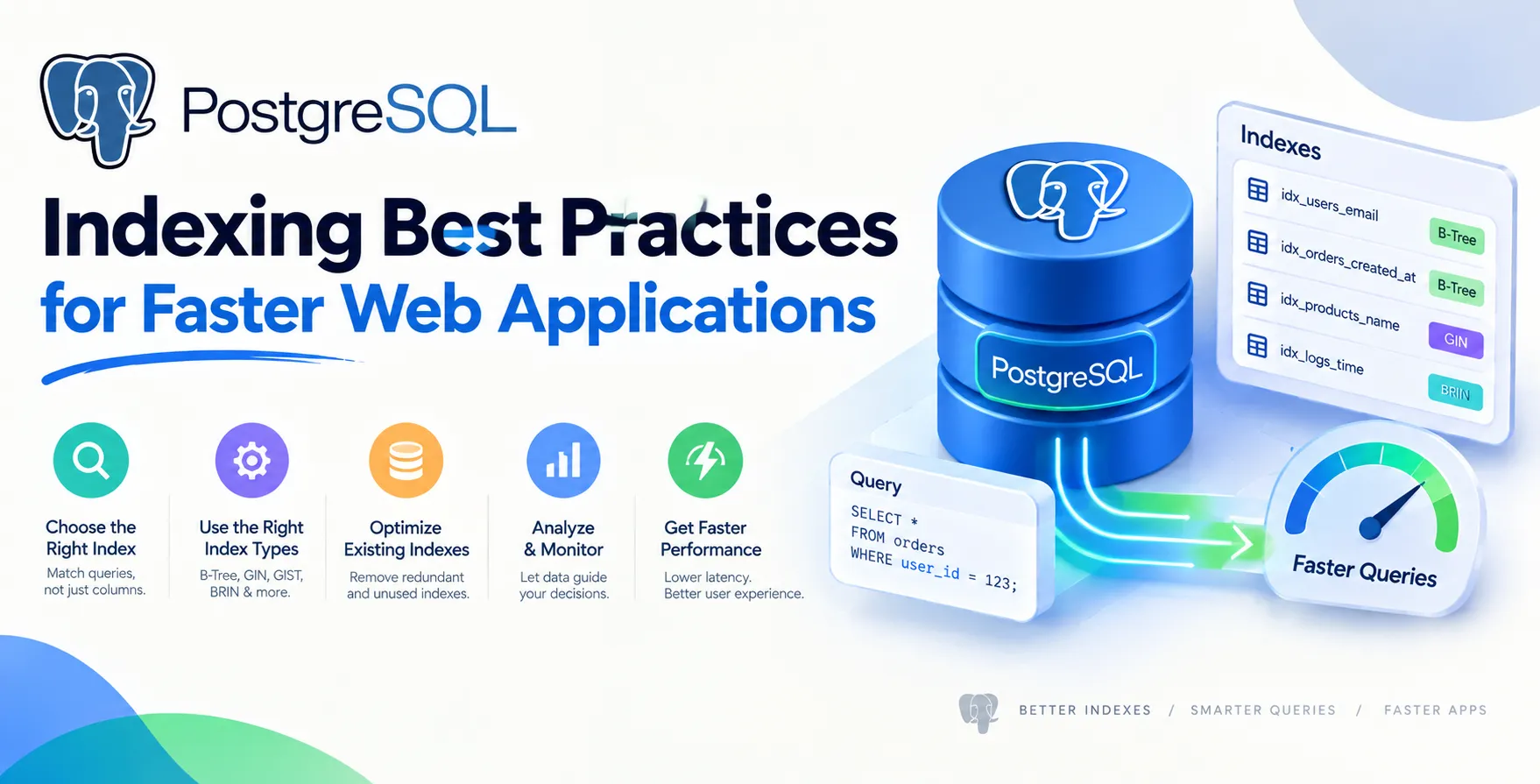
PostgreSQL offers several index types, each designed for specific data patterns. Choosing the wrong one can actually hurt your performance rather than help it.
- B-Tree for scalar data
- GIN for full-text search
- BRIN for massive ordered datasets
- GiST for spatial data
- Hash for simple equality checks
Matching the index type to your query workload is a fundamental step in achieving peak efficiency. A mismatch often results in unnecessary overhead during write operations.
Primary Keys and Performance
Every table should have a primary key. By default, PostgreSQL automatically creates a B-Tree index on your primary key column.
This ensures that lookups by ID are constant-time operations. Relying on this default behavior is a critical part of maintaining stable database performance.
Benefits of Primary Key Indexes
Using unique, indexed primary keys provides clear advantages for data retrieval.
- Fast row lookups
- Automatic uniqueness enforcement
- Efficient foreign key joins
- Predictable query execution plans
Always ensure your primary keys are simple, ideally using integers or UUIDs, to keep the index size small and performant.
When to Use B-Tree Indexes
The B-Tree index is the default workhorse in PostgreSQL. It handles equality and range queries, such as greater than or less than comparisons.
Most of your daily application queries will benefit from a standard B-Tree index. They are highly efficient for sorting data and filtering by specific columns.
When you have a column frequently used in WHERE clauses, a B-Tree is usually the correct choice. Keep these indexes narrow to maximize their utility in memory-constrained environments.
Managing Partial Indexes
A partial index covers only a subset of your table data. By adding a WHERE clause to the index definition, you can significantly reduce its size.
This is extremely useful when you only search for specific statuses or active records. Smaller indexes reside in RAM more easily, leading to faster access times.
Consider these scenarios for partial indexing:
- Indexing only active users
- Tracking failed background jobs
- Filtering by specific date ranges
- Handling soft-deleted records
Using partial indexes keeps your storage footprint low while maintaining high performance for specific, frequent queries.
Handling Multi-Column Indexes
Sometimes a single column isn't enough to filter data effectively. Multi-column indexes allow PostgreSQL to search based on a combination of fields.
The order of columns in your index matters immensely. Put the most selective column first to filter out the most data early.
If you have queries filtering by both 'user_id' and 'created_at', a composite index on both columns will outperform two separate single-column indexes. This is a core component of effective PostgreSQL index optimization.
Avoiding Over-Indexing
It is tempting to index every column that appears in a query. However, every index comes with a hidden cost during data modification.
| Action |
Unindexed Table |
Over-Indexed Table |
| Insert Speed |
Fast |
Slow |
| Update Speed |
Fast |
Slower |
| Storage Usage |
Minimal |
High |
| Query Speed |
Slow |
Fast |
| Maintenance |
Simple |
Complex |
Every INSERT or UPDATE operation must also update every index attached to that table. Too many indexes can cripple your write-heavy workflows.
Monitoring Index Usage
You cannot optimize what you do not measure. PostgreSQL provides internal statistics that reveal which indexes are actually being used by your application.
Regularly auditing these statistics helps identify unused or redundant indexes. Removing them frees up storage and speeds up write operations.
- Query pg_stat_user_indexes
- Look for low scan counts
- Check for duplicate indexes
- Analyze slow query logs
Monitoring ensures that your Postgres query performance remains stable as your application evolves. Don't let dead indexes clutter your database schema.
Index Maintenance Strategies
Indexes can become bloated over time, especially with frequent updates. Bloat occurs when dead space in the index structure prevents efficient lookups.
Running the REINDEX command periodically can reclaim this space. This often leads to immediate improvements in read speed.
Automate this maintenance during off-peak hours to avoid impacting your users. Proper maintenance is a quiet but essential part of scaling your database architecture.
Common Performance Pitfalls
Poorly written queries can render even the best indexes useless. For example, using functions on indexed columns often prevents the optimizer from using the index.
Avoid expressions like UPPER(column_name) in your WHERE clauses. Instead, consider using expression indexes if you really need to query by that function.
Another common issue involves type mismatches. Ensure your query parameters match the column type exactly to allow for efficient index scans.
Scaling Through Better Architecture
When indexes are not enough, look at your overall software design. If your database is constantly struggling, your data access patterns might need refinement.
Poorly structured data requires complex joins that indexes can only do so much to fix. Simple, clean schema design often works better than aggressive indexing.
Remember that the best database performance comes from a holistic approach. Combine smart indexing with efficient code and optimized queries for the best results.
Final Thoughts
Mastering PostgreSQL indexing is a journey rather than a one-time task. Start by identifying your slowest queries and applying the right index types to solve those specific problems.
Maintain your indexes, monitor their usage, and remove the ones that aren't providing value. This balanced approach will keep your application fast and reliable as it grows.
Focusing on these core practices will ensure your database supports your growth rather than hindering it. Always test your changes in a staging environment to verify the performance impact.


 In collaboration with