Table of Contents
- Introduction to Claude Agent SDK
- Understanding Agentic Coding
- Core Components of Autonomous Workflows
- Setting Up Your Development Environment
- Designing the Agent Loop
- Managing Tool Use and Memory
- Best Practices for Agent Reliability
- Comparison of Agent Development Approaches
- Scaling Autonomous Coding Systems
- Security Considerations for AI Agents
- Integrating with Existing Codebases
- Future Trends in Coding Agents
- Conclusion
Introduction to Claude Agent SDK
Modern software development is shifting toward automation that goes beyond simple script execution. Developers now seek ways to build autonomous coding workflows with Claude Agent SDK to handle complex, multi-step engineering tasks without constant manual intervention.
By leveraging this toolkit, you can transition from reactive coding assistants to proactive systems. These agents can analyze requirements, write code, run tests, and iterate based on feedback.
Understanding Agentic Coding
Agentic coding represents a move toward intelligent systems that maintain state and intent over long-running processes. A Claude coding agent functions as a specialized member of your team that understands project context and architectural constraints.
This shift requires thinking about development as a series of goal-oriented states rather than isolated prompts. You are effectively shifting from instruction-based interaction to objective-based delegation.
- Maintains project-wide context
- Executes complex multi-file changes
- Iterates through self-correction loops
- Handles dependencies automatically
Core Components of Autonomous Workflows
Defining Agent Objectives
Every autonomous workflow begins with a clearly defined objective that the agent must satisfy. Without a precise goal, the agent may drift into infinite loops or irrelevant code generation.
- Task breakdown into sub-goals
- Clear success criteria definition
- Context-aware constraint setting
Tool Integration Layer
The SDK allows you to equip your agent with specialized tools for file system access, terminal commands, and testing suites. These capabilities enable the agent to interact directly with your local development environment.
- Read and write file operations
- Execute shell scripts securely
- Run unit and integration tests
- Access documentation and codebase metadata
Setting Up Your Development Environment
Getting started with the framework requires a clean setup of your local machine and API access. Ensure you have the latest environment configuration to avoid compatibility issues with current models.
You will need to configure your environment variables to handle secure authentication. Once the environment is ready, you can begin initializing the base agent class provided by the SDK.
- Initialize local project folders
- Configure secure environment variables
- Install necessary dependencies and SDKs
- Test connectivity to the model endpoint
Designing the Agent Loop
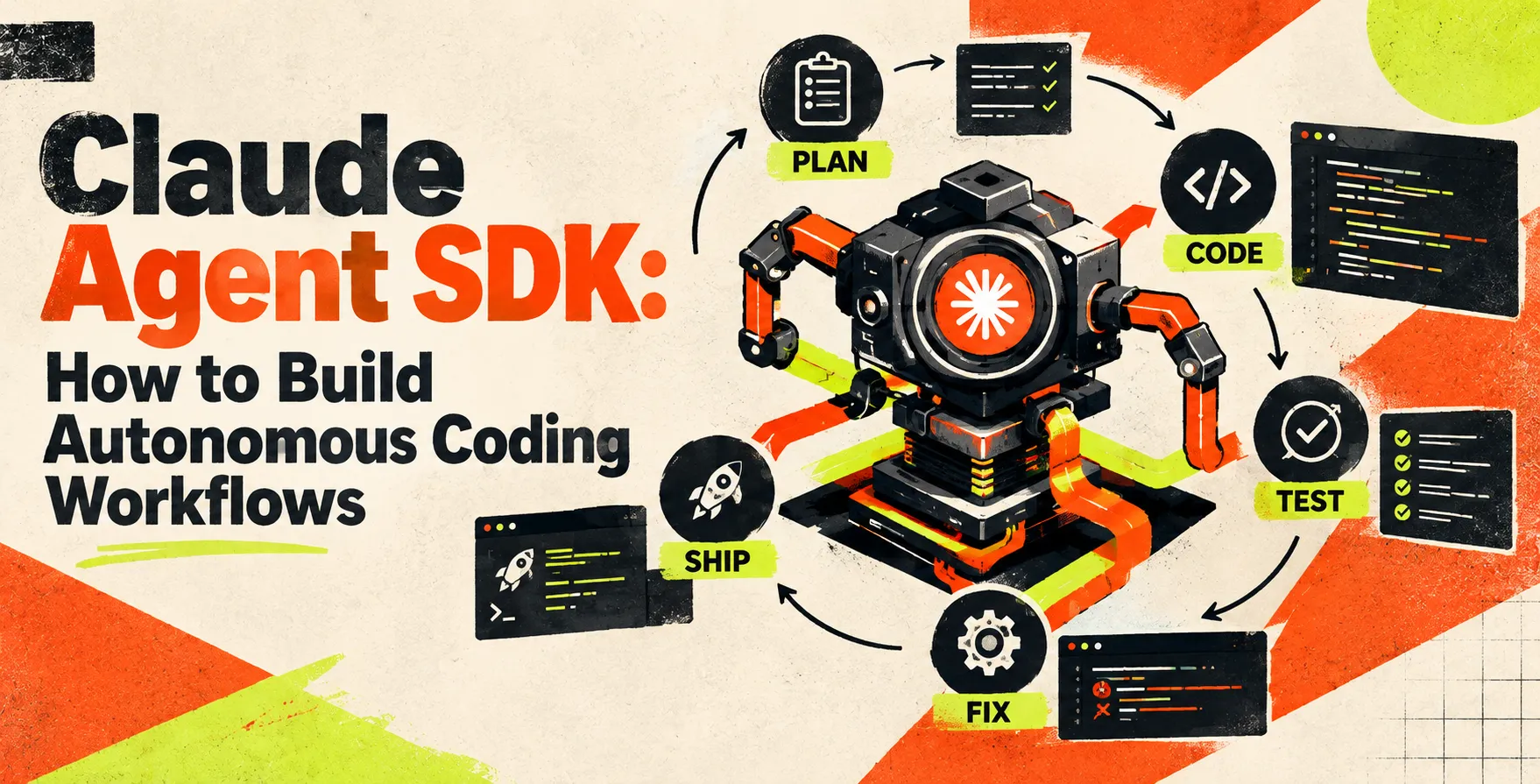
The effectiveness of your workflow depends heavily on the robustness of your AI agent loop engineering. You must design a cycle where the agent proposes a solution, receives feedback, and adjusts its approach accordingly.
This iterative process mimics the behavior of a human developer. If a test fails, the agent should be able to read the error logs, understand the stack trace, and attempt a fix.
- Plan phase for task analysis
- Action phase for code implementation
- Verification phase for testing
- Reflection phase for error handling
Managing Tool Use and Memory
Effective agents require a balance between short-term context and long-term memory. When building autonomous coding workflows, you must decide what information the agent keeps in its active window versus what it stores in persistent logs.
Advanced developers often implement a retrieval system to pull relevant codebase segments only when needed. This keeps the agent focused and reduces latency during the coding process.
- Context window management strategies
- Vector database for codebase indexing
- Session-based memory for task history
- Tool output caching for efficiency
Best Practices for Agent Reliability
Reliability is the biggest hurdle in production-grade autonomous systems. You should implement strict validation layers that check the agent's output before applying any changes to your production codebase.
Avoid letting the agent run for too long without human verification. A well-designed system includes checkpoints where the agent requests approval for major architectural changes.
- Implement mandatory human-in-the-loop checkpoints
- Use static analysis tools for validation
- Log every agent action for auditability
- Set strict token usage limits
Comparison of Agent Development Approaches
| Feature |
Prompt-Based Systems |
Autonomous Agent SDK |
| State Management |
Stateless |
Stateful |
| Tooling |
Limited |
Extensive |
| Complexity |
Low |
High |
| Reliability |
Variable |
High |
| Autonomy |
Minimal |
Significant |
Scaling Autonomous Coding Systems
Scaling these workflows involves handling multiple agents working on different parts of a project simultaneously. You will need a robust orchestration layer to manage inter-agent communication and prevent conflicting file edits.
Consider using a centralized task queue to distribute work among several agent instances. This allows you to parallelize testing and refactoring across large modules.
- Orchestration of multiple agent instances
- Conflict resolution for file edits
- Load balancing for API usage
- Distributed task queuing systems
Security Considerations for AI Agents
Granting an agent access to your codebase and shell presents significant security risks. You must operate your agents in isolated sandboxed environments to prevent accidental or malicious execution of dangerous commands.
Always follow the principle of least privilege when configuring the agent's permissions. Limit its ability to delete files or interact with sensitive network endpoints.
- Sandbox execution environments
- Strict read-only filesystem policies
- Audit trail for all commands
- Credential rotation for API keys
Integrating with Existing Codebases
Integrating with legacy code requires a gentle approach that respects established patterns. Your agent needs to understand the existing project structure before it starts suggesting modifications or new features.
Provide the agent with access to your style guides and documentation files. This ensures that any generated code adheres to your team’s established standards and conventions.
- Map project structure for awareness
- Feed style guides to the agent
- Restrict scope to specific modules
- Enable incremental code adoption
Future Trends in Coding Agents
The field is moving toward multi-modal agents that can understand UI designs and generate corresponding frontend code. These agents will eventually handle the entire lifecycle from requirements gathering to deployment.
We expect to see tighter integration with IDEs and CI/CD pipelines. This will blur the line between the developer and the automated agent, creating a truly collaborative environment.
Conclusion
Building autonomous coding workflows with Claude Agent SDK is a powerful way to accelerate your development cycles. By focusing on loop design and robust tool integration, you can create systems that act as true force multipliers for your engineering team.
Start small by automating repetitive tasks, then gradually expand the scope of your agent's autonomy. With the right security and validation in place, you can transform your development process into a highly efficient, automated engine.


 In collaboration with