Table of Contents
- Introduction
- The Evolution of Web Scripting
- Understanding Core Differences
- Code Quality and Developer Velocity
- Catching Errors at Compile Time
- TypeScript vs JavaScript Comparison
- Scaling Application Architecture
- JavaScript vs TypeScript for Beginners
- Benefits of TypeScript for Enterprise
- Refactoring Legacy Codebases
- Tooling and IDE Ecosystem
- Why Use TypeScript in 2026
- Conclusion
Modern web development requires speed, predictability, and long-term application scalability. Building complex user interfaces without strong typing often leads to costly runtime defects.
Production applications in 2026 demand modern developer tooling and safety features. Engineers need structural verification before code reaches production environments.
Introduction
Software development has shifted toward static safety over the past decade. When analyzing TypeScript vs JavaScript, engineering teams evaluate both initial velocity and long-term codebase health. Plain scripts offer speed early on, but scaling introduces subtle runtime bugs.
Modern web applications require predictable architecture and robust error prevention. Engineering workflows depend heavily on static analysis before deployment.
Key advantages driving team migration include several critical operational metrics.
- Prevents common runtime execution errors
- Improves auto-completion in editor environments
- Accelerates long term engineering team velocity
- Simplifies large scale code refactoring
Teams adopting typed workflows report fewer production defects and cleaner architectures overall.
The Evolution of Web Scripting
JavaScript started as a simple browser scripting language designed for minor interactive elements. Over two decades, it transformed into the primary engine behind web applications, desktop clients, and backend microservices. Dynamic typing becomes risky as codebases grow across multi-engineer teams.
Engineers needed a way to define strict data structures without breaking existing web standards. Microsoft created a typed superset that compiles down to standard ECMAScript target environments.
By compiling into plain script, typed systems run anywhere web standards exist without performance penalties.
Understanding Core Differences
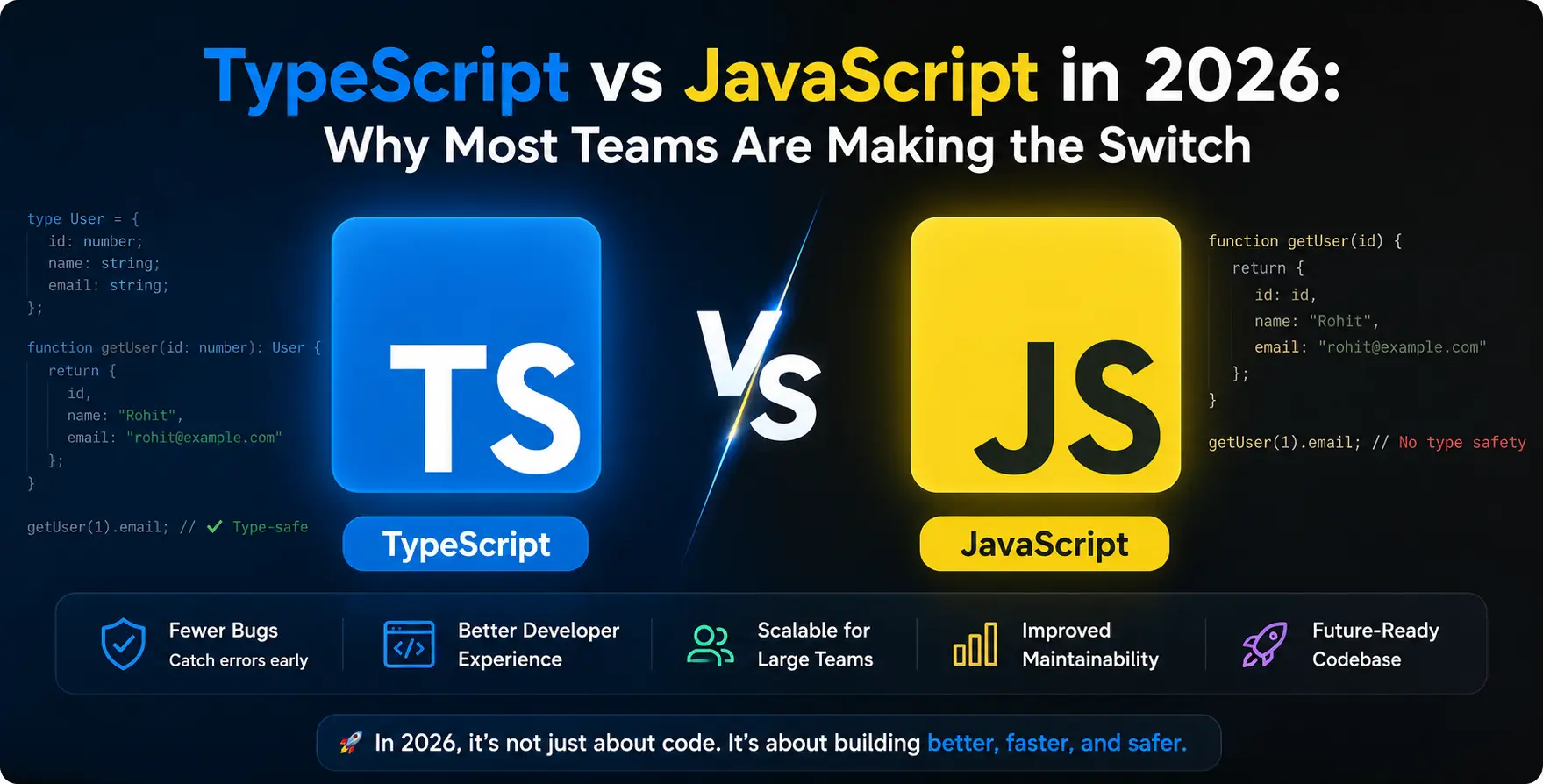
The core difference lies in when type validation occurs during the software development lifecycle. Standard scripts parse types dynamically at runtime, whereas typed supersets enforce rigid checks during compilation.
Static checking discovers missing properties, incorrect parameters, and invalid assignments before deployment.
These two execution approaches differ fundamentally in how developers handle variables.
- Static validation during build compilation
- Dynamic evaluation during runtime execution
Catching mismatched data types early prevents unexpected application behavior during live user sessions.
Code Quality and Developer Velocity
Initial velocity often favors dynamically typed projects because developers write less boilerplate. However, long term velocity drops when developers spend hours debugging null pointers or incorrect object schemas. Explicit type signatures act as living documentation that stays synchronized with application code.
Engineers join existing codebases faster when function signatures explicitly define expected shapes. Auto-completion tools eliminate context switching between files and external API documentation.
Clear interfaces reduce ambiguity and improve collaboration across distributed development teams.
Catching Errors at Compile Time
Static checks eliminate entire categories of production errors before code reaches staging environments.
Type Safety Mechanisms
Compiler checks block invalid assignments across function parameters and object interfaces.
- Catches null reference errors early
- Validates API payload response shapes
- Prevents misspelled property name bugs
- Enforces exhaustiveness checking in switches
- Guarantees strict function signature contracts
Catching these errors during development protects end users from unexpected UI crashes.
TypeScript vs JavaScript Comparison
Comparing these two runtime approaches highlights key structural differences across modern application workflows.
| Feature |
JavaScript |
TypeScript |
| Type System |
Dynamic at runtime |
Static at compile time |
| Error Detection |
Runtime execution phase |
Compile-time build phase |
| Refactoring |
Manual search and replace |
Automated type-safe tooling |
| IDE Support |
Basic auto-completion |
Advanced rich intellisense |
| Learning Curve |
Gentle and quick start |
Moderate initial effort |
| Code Base Scale |
Best for small scripts |
Optimal for large platforms |
Understanding these fundamental trade-offs helps teams choose the right tool for project scope.
Scaling Application Architecture
Large enterprise platforms demand explicit system contracts between modular services. As application modules proliferate, maintaining untyped contracts becomes extremely error-prone.
Strict interfaces protect shared state managers and API communication boundaries across microservices.
System architects rely on strict contracts to enforce clean domain boundaries across services.
- Defines rigid contract definitions
- Supports complex generic abstractions
- Simplifies API boundary validation
- Encourages modular domain boundaries
- Improves maintainability across repositories
- Standardizes library interfaces for teams
Explicit architecture abstractions help teams construct maintainable enterprise web software.
JavaScript vs TypeScript for Beginners
New developers often evaluate JavaScript vs TypeScript for beginners when starting web development careers. Learning standard scripting fundamentals first helps developers understand core browser APIs and event loops without syntax distraction. Adopting typed concepts early builds disciplined programming habits for future engineering roles.
Understanding explicit types helps beginners grasp data structures, memory models, and functional contracts more quickly. Modern coding bootcamps now integrate typed concepts directly into introductory web development curricula.
Mastering both tools gives junior engineers a distinct competitive edge in current job markets.
Benefits of TypeScript for Enterprise
Enterprise organizations prioritize stability, maintainability, and predictable delivery schedules above rapid prototyping. The key Benefits of TypeScript center around reducing maintenance overhead and technical debt accumulation across massive codebases.
Standardized type definitions protect mission-critical business workflows from regression defects during rapid updates.
Enterprise engineering leaders gain several key operational advantages by enforcing static typing standards.
- Decreases production defect frequency
- Shortens onboarding time for hires
- Facilitates safe automated refactoring
- Enhances code readability across repos
Engineering managers report significantly higher code confidence during major feature deployments.
Refactoring Legacy Codebases
Migrating older web applications to typed architectures requires a structured, multi-phase approach.
Teams can adopt strict rules gradually without rewriting existing business logic from scratch.
Following a step-by-step migration path minimizes operational risk for engineering teams.
- Allow implicit target configurations
- Rename file extensions incrementally
- Add interface models for payloads
- Enable strict compiler check flags
- Remove temporary fallback types
Incremental migration strategies prevent workflow disruption while steadily improving overall codebase health.
Tooling and IDE Ecosystem
Modern development tools deliver unprecedented developer experience when paired with complete type definitions. Editors provide instant inline documentation, precise auto-completion, and automatic import management.
This tight feedback loop drastically cuts down context switching between browser consoles and source files.
Integrated tools automatically catch typos before developers save or commit code changes.
- Instant inline error feedback in editor
- Automated import resolution and cleanup
Developers spend less time looking up documentation and more time writing feature logic.
Why Use TypeScript in 2026
Engineering leaders constantly evaluate modern tech stacks to remain competitive. When considering Why use TypeScript today, the ecosystem consensus points to undeniable ecosystem maturity and universal framework adoption.
Popular modern web frameworks like React, Next.js, Angular, and Vue natively build upon static typing primitives.
Key ecosystem factors continue driving industry consensus toward universal static check adoption.
- Native support in popular frameworks
- Widespread library type definitions available
- High developer ecosystem adoption rate
- Improved maintainability for AI generation
Choosing a typed approach aligns software teams with modern community standards and tooling innovation.
Conclusion
The choice between language variants is no longer about preference, but about application scale and engineering maturity. Dynamic scripting remains excellent for quick prototypes and lightweight scripts, but modern web applications demand structural rigor.
By enforcing static checks, improving developer experience, and accelerating refactoring, typed development has established itself as the standard for professional teams. Upgrading your stack ensures your applications remain resilient, maintainable, and scalable for years to come.


 In collaboration with