Table of Contents
- Introduction to Database Performance
- What is PostgreSQL pg_stat_statements?
- Enabling the Extension
- Understanding the Data Schema
- Key Metrics for Analysis
- How to Identify Slow Queries
- Analyzing Total Time vs. Mean Time
- The Role of Normalization
- Configuring pg_stat_statements
- Common Pitfalls to Avoid
- Integration with Maintenance Workflows
- When to Reset Statistics
- Interpreting Execution Patterns
- Conclusion
Introduction to Database Performance
Database performance is often the silent bottleneck in high-traffic applications. When users report slow load times, the database is frequently the primary suspect.
As a developer, you need visibility into how your application interacts with the data layer. Without proper tooling, you are essentially flying blind while trying to optimize complex systems.
What is PostgreSQL pg_stat_statements?
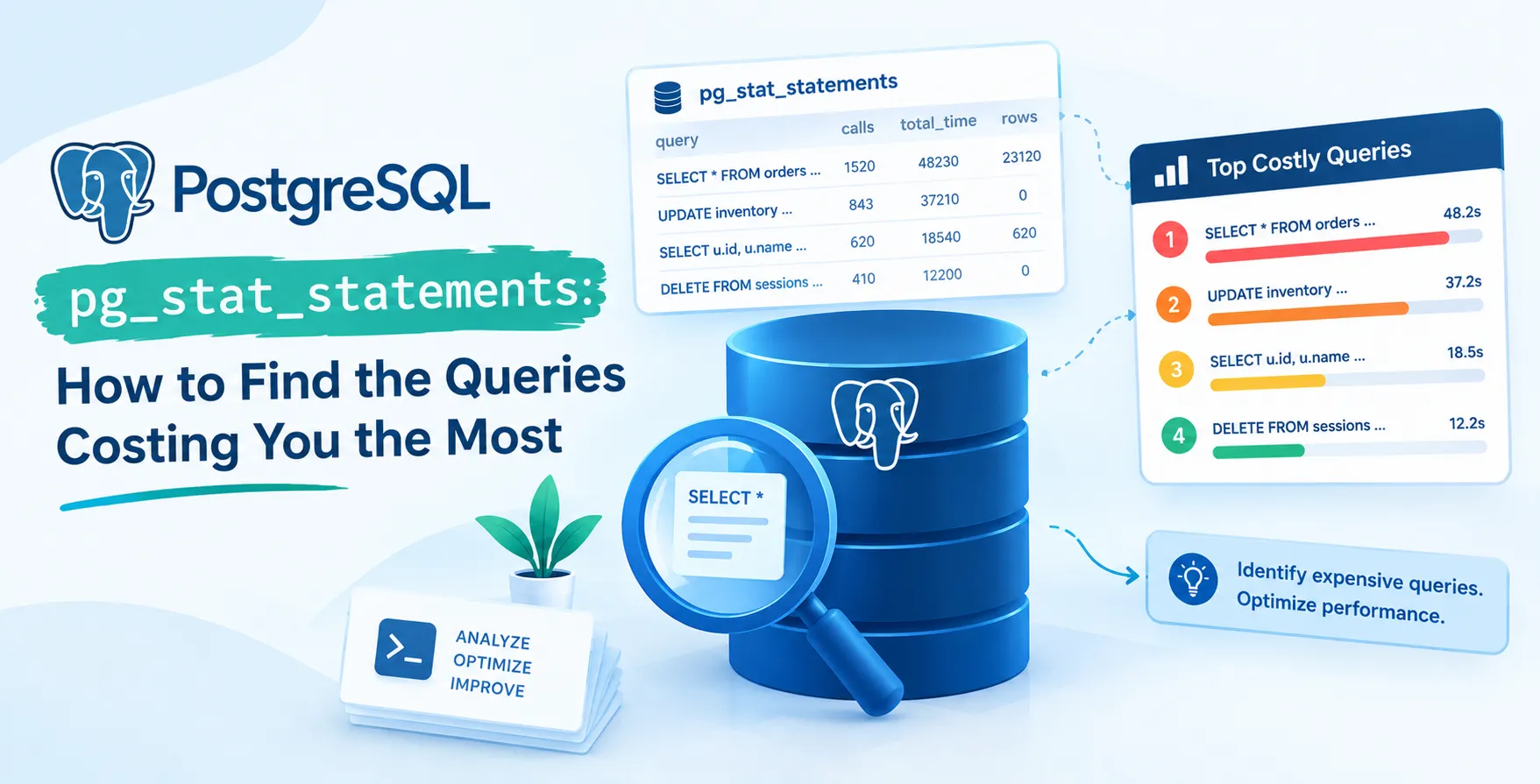
The PostgreSQL pg_stat_statements module is an essential built-in tool for tracking execution statistics of all SQL statements executed by the server. It provides a detailed view of query behavior, allowing you to pinpoint where your resources are going.
By default, Postgres does not expose deep metrics about historical query performance. This extension bridges that gap by capturing aggregate data for every query executed against your database instances.
- Tracks execution frequency
- Calculates total processing time
- Monitors buffer cache usage
- Records disk I/O activity
Enabling the Extension
Before you can start analyzing your workload, you must enable the module in your environment. This requires a small change to your configuration file to load the library at startup.
Once the library is loaded, you need to create the extension within the specific database you intend to monitor. Without these steps, the system remains silent regarding query performance analysis.
- Modify shared_preload_libraries in postgresql.conf
- Restart the database service
- Execute the create extension command in SQL
Understanding the Data Schema
The extension stores information in a dedicated view that is easy to query. This view contains columns that represent different aspects of query execution, such as planning time and execution time.
You should become familiar with the structure of this view to write effective reports. It acts as the primary source for understanding how your application behaves at the query level.
Core Data Columns
The schema provides specific fields that measure resource consumption during query lifecycle events.
- queryid to identify unique statements
- calls indicating execution count
- total_exec_time for latency tracking
- shared_blks_hit for cache performance
- shared_blks_read for disk access
These columns allow you to calculate the average cost of a query. By looking at these metrics, you can separate high-frequency low-cost queries from infrequent high-cost queries.
Key Metrics for Analysis
To master PostgreSQL pg_stat_statements, you must focus on the right metrics. Not every query that takes a long time is necessarily a problem, especially if it runs very rarely.
Conversely, very fast queries that run millions of times can overwhelm your server capacity. Balancing these two dimensions is crucial for overall system health.
- Total execution time
- Average execution time
- Rows returned or modified
- Cache hit ratio per query
How to Identify Slow Queries
Identifying queries that cost you the most usually involves sorting by total execution time. This simple approach highlights the biggest contributors to your overall database latency.
Once you have identified these heavy hitters, you can begin investigating why they are slow. This often leads to identifying missing indexes or poor query construction.
- Sort by total_exec_time
- Filter by high call counts
- Inspect the query text
Analyzing Total Time vs. Mean Time
When you look at Postgres SQL execution statistics, you have to choose between total time and mean time. Total time tells you the aggregate impact of a query on your system.
Mean time tells you the experience of a single user executing that query. Both are useful in different scenarios depending on your optimization goals.
| Metric |
Use Case |
| Total Execution Time |
Identifying resource hogs |
| Mean Execution Time |
Improving individual user experience |
| Calls |
Identifying N+1 query patterns |
| Shared Blks Hit |
Evaluating memory efficiency |
The Role of Normalization
The extension automatically normalizes queries by replacing literal values with placeholders. This ensures that the same query structure is grouped together regardless of the specific parameters passed.
Without this normalization, your data would be fragmented by thousands of unique inputs. This feature makes it possible to aggregate statistics meaningfully across your entire workload.
Configuring pg_stat_statements
You can adjust how the extension behaves by modifying its configuration parameters. This is important for managing the memory footprint of the extension itself.
If your application has a massive number of unique queries, you may need to increase the track size. Proper configuration ensures that you do not lose data due to buffer overflows.
- Adjust track_activity_query_size
- Configure max_statements limit
- Set track_utility to true
Common Pitfalls to Avoid
One common mistake is forgetting to reset the statistics after making changes to your database schema. If you add an index, the old statistics remain, which masks the improvements you have made.
Another issue is ignoring the planning time. Sometimes a query is fast to execute but very slow to plan, which can also impact performance.
Integration with Maintenance Workflows
Integrating these metrics into your regular maintenance can prevent performance degradation before it becomes critical. Regular reviews of your query performance allow you to stay ahead of scaling issues.
You might consider automating the collection of these statistics. Storing them in a separate table over time allows for historical trend analysis of your database performance.
When to Reset Statistics
Resetting the statistics is necessary when you have deployed significant changes to your application. This gives you a clean slate to measure the effectiveness of your new indexes or query rewrites.
Use the provided reset function with caution in a production environment. Only perform a reset when you are ready to start a new benchmarking period.
Interpreting Execution Patterns
Look for patterns like queries that have high disk I/O but low execution time. This often indicates that the query is frequently bypassing the cache or reading large amounts of data unnecessarily.
By analyzing these patterns, you can make informed decisions about your hardware requirements or query optimization strategies. Consistent monitoring leads to a more stable and efficient database environment.
Conclusion
Mastering this extension is a requirement for any serious database administrator or developer working with large-scale applications. By tracking execution patterns, you can make data-driven decisions regarding your indexing strategy and code improvements.
Start by enabling the module today and running a simple analysis of your top-consuming queries. You will likely find immediate opportunities to improve your system performance and reduce resource consumption.


 In collaboration with